Traveling with only one name on your ID can cause confusion when booking tickets. This quick guide shows how to correctly enter a single-word passenger name for flights and trains so your booking goes smoothly and avoids check-in issues.
How to Enter a Passenger Name?

Name Entry.
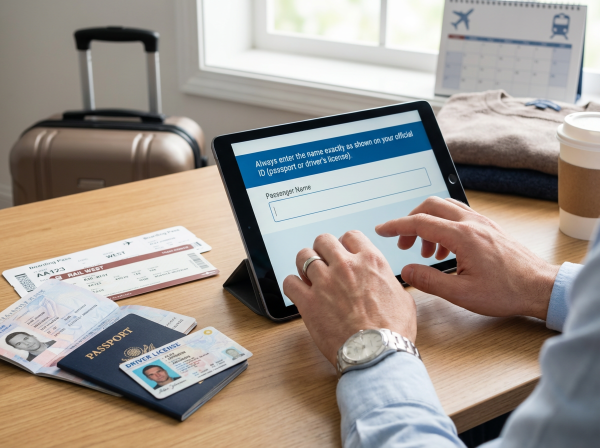
Entering passenger names for flights and train trips is simple but important. Always use the name shown on your official ID, such as your passport or driver’s license. This helps airlines and rail operators verify your identity at check-in, boarding, and ticket checks. Get it right once, and your journey stays smooth and stress-free. Travel smarter and enjoy every step of the trip.
Purpose of Entering Your Name:

- Official passenger identification
- This ticket is valid only for the person whose name is listed.
- Security and immigration checks (for international flights)
- Prevent ticket forgery or unauthorized use by others
Airline Passenger Name Entry Rules Explained

Make Sure Your Name Matches Your ID
- Use the name exactly as shown on your passport (international) or ID card (domestic).
- No extras. No missing parts. This helps ensure a smooth, stress-free journey.
- Also, don’t reverse the name order.
No punctuation
- Skip periods (.), commas (,), quotation marks ("), and all special characters.
- Keep it clean. Keep it simple.
Capitalization
- Names are usually entered in ALL CAPS to meet international airline standards.
If you have only one name (for example: Slamet)
- Option 1 (General):
- First Name: SLAMET
- Last Name: SLAMET
- Option 2 (Required by some airlines):
- First Name: FNU (First Name Unknown)
- Last Name: SLAMET
- Tip: Use “FNU” only if both name fields are mandatory.
Full name
- If your name is too long and exceeds the character limit:
- Enter your first name first.
- Trim from the end if needed, following airline rules.
Writing examples
- Real name: Ahmad Rafiq Al-Muhajir
- On the ticket: AHMADRAFIQALMUHAJIR
TIip: Airline name rules are strict. Double-check spelling before you book. A small mistake can mean denied boarding.

Trains Passenger Name Entry Rules Explained

Use the Exact Name on Your ID
- This is especially important for trains with a boarding system, such as many international rail services. Matching names mean smoother checks.
No need to separate first and last names
- Most train bookings only ask for one “Passenger Name” field.
- Simply enter your full name as shown on your official ID.
Single-syllable names
- Keep it simple. Enter the name exactly as it is.
- Example: SLAMET
Be a little more careful, not casual
- Small mistakes might sometimes pass, but it’s never guaranteed.
- For peace of mind, always enter the correct spelling.
Writing examples
- Real name: Budi Santoso
- On the ticket: BUDI SANTOSO
✨Tip: A correctly entered name saves time, avoids stress, and keeps your journey on track
Airline vs. Train Name Rules: A Quick Comparison
Aspect | Airlines | Trains |
Reference document | Passport/ID Card | ID Card/Driver's License/Passport |
Name format | First & Last Name (separately) | Full name (1 field) |
Capital Letters Required | Yes | Optional, recommended |
Punctuation marks allowed? | No | No |
Single name | Requires a special trick (FNU, duplicate) | Tell it like it is |
Name Mistake | Check-in may be refused | More flexible (depending on the operator) |

How to Enter Single-Word Names for Train Bookings

Passenger Name Format:
- On platforms like Trip.com, you’re usually asked for your full name, or sometimes for first and last names separately. Don’t stress, it’s easy.
If only the full name is requested:
- Simply enter your first name.
- Example: BUDI (Yes, your ticket is still valid.)
If First & Last Name fields are required (such as on Trip.com):
- Use this simple format:
- First Name: – or . or NA
- Last Name: BUDI
Good news: Many Asian train operators are flexible.
As long as your ID number matches and the name is genuine, having a single-word name is usually no problem at all. Travel easy and enjoy the ride

How to Enter a Single-Word Name for Airline Ticket

Here’s a guide on how to enter passenger names that are just a single word, based on the rules of popular domestic and international airlines.
Singapore Airlines
If your name is just one word:
- On singaporeair.com, you must select “I do not have a first / given name in my passport” if your passport doesn’t clearly separate given and family names.
- Then enter your single legal name in the Last / Family name field.
Example:
- Real name: Dedi
- First Name: (leave blank + check the “no given name” option)
- Last Name: DEDI
Tip: Use the Machine Readable Zone (MRZ) on your passport to determine how the name is structured — if there’s no clear first/last part, the above rule applies.
AirAsia
If your name is just one word:
- Enter your name in the Last Name field.
- Enter MR, MS, . or NA in the First Name field.
Example:
- Real name: Dedi
- First Name: MR
- Last Name: DEDI
Tip: Avoid using the same name for both fields. The system might treat it as two words.
Qatar Airways
Qatar’s official documentation doesn’t explicitly state a single‑name passenger rule on the public name correction page, but it does indicate that:
- The booking name must match your passport exactly, and full given and family names should be used when available.
- There must be a name element in the PNR. If you truly have only one name on your passport (no separate given or family name), Qatar’s internal policy examples allow for using that single name as the family/last name when you have no separate last name.
- Some agents and passengers report using placeholders like LNU (Last Name Unknown) or title in the first name field when forced by certain booking systems, but this is not officially published by Qatar Airways.
A practical guideline (not explicit on the Qatar site but widely used in practice):
Example:
Real name: Dedi
First Name: MR (if required by the booking system)
Last Name: DEDI
Tip: Always check with Qatar Airways customer service or your travel agent if the system won’t accept a single name, especially for US/Canada travel where a surname is often required.
How to Enter a Passenger Name: Extra Essentials
Make sure the name on your ticket matches your ID
- Flight tickets: Your name must match your passport (international) or ID card (domestic) exactly.
- Train tickets: Usually more flexible, but we still recommend matching your ID to be safe.
- No need to add titles, extra surnames, punctuation, or nicknames if they’re not on your official ID.
Name mistakes can cause real trouble:
- Can’t check in
- Denied boarding for flights or trains
- Ticket becomes invalid
Some airlines charge for name changes, so getting it right the first time saves money and stress.
Different platforms, same rule
- The interface may vary slightly depending on the app or platform.
- But the golden rule stays the same: fill in all required fields, leave nothing blank, and match your ID.
If you run into an error while filling out the form (for example: “last name is required”), try these steps:
- Please change any punctuation in your First Name to a period (.) or NA.
- Please ensure there are no double spaces, non-alphabetic characters, or unusual symbols.
Online Check-in and Boarding Pass
- Your name may appear combined — and that’s normal. For example:
- First Name: MR
- Last Name: BUDI
- ➜ Appears as: MRBUDI
This is perfectly normal and won't be an issue at the airport.
If Your Name on Your ID Is Too Short or Unique
- Only vowels? No last name? Totally fine.
- Enter your real name in the Last Name field.
- Use . or MR/MS in the First Name field.
Still unsure? We’ve got you.
- Customer service teams from airlines and booking platforms are ready to help.
- Just don’t wait until departure day to fix it. A quick check now means a smooth trip later.
[10% Off] Worldwide Hotel Recommendations
Grab an extra 10% off worldwide hotels on Trip.com—my go-to for booking reliable stays in worldwide.

FAQs about How to Enter a Passenger Name
How do I enter my name for flight booking?
To avoid any check-in issues, make sure the name on your booking matches your official ID exactly. For international travel, always enter your full name as it appears on your passport, including your first name, middle name (if any), and last name. This ensures a smooth journey from booking to boarding.How do you fill in your name correctly on a flight ticket?
For domestic flights, enter your full name exactly as shown on your ID (such as a KTP, driver’s license, or passport). For international flights, use your passport name, including your full name or at least your first and last name, exactly as it appears on the passport. Matching your booking details with your ID helps ensure a smooth check-in and boarding experience.How to fill first name and last name in flight ticket booking mas?
Please enter your name exactly as shown on your passport, using English letters only (A–Z, a–z). The last/family name can be up to 40 characters, while the first and middle names can be up to 25 characters. The total length of the name details — including title and any child or infant date of birth — must not exceed 58 characters. Following these rules helps ensure a smooth check-in and boarding process.Do I need to put my full name when booking flights?
When booking online, please enter your full name exactly as it appears on your passport. Use English letters only (A–Z). Your first or given name can be up to 25 characters, and your last or family name can be up to 30 characters. This helps ensure a smooth check-in and avoids any travel issues.


NO.1