
Have you ever wondered when you can buy the cheapest air ticket? In fact, finding cheap air tickets is something that requires spending time constantly keeping an eye on air ticket booking websites, as air ticket prices have always fluctuated. However, Trip.com actually has a super convenient tool that can help tourists quickly discover cheap air tickets when discounted ones appear, and that is Trip.com's price reminder.
Trip.com Price Reminder
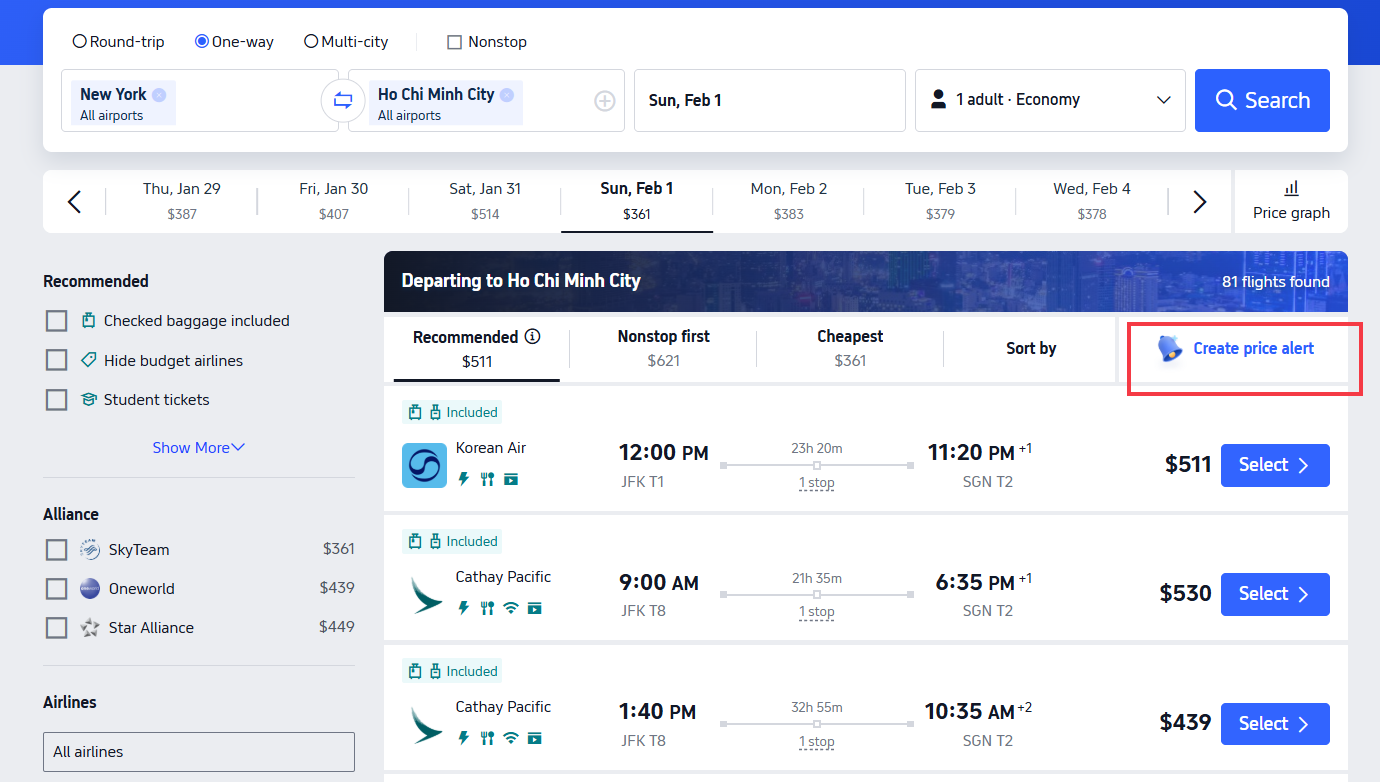
Create price alert
Trip.com price alerts are designed to help you keep an eye on the fluctuations in air ticket prices at all times. As long as you set the destination, date and price range you want, Trip.com's price reminder function will help you track and notify you when the flight ticket price drops! Whether through email or push notifications on the Trip.com App, you can immediately get the latest flight ticket prices.
How to Use Trip.com Price Reminder?
Step | Title | Description |
|---|---|---|
Step 1 | Click on the Flight Ticket Page | Open the Trip.com website or app and go to the air ticket page. At the bottom of the page (below the search bar), click the “Price Reminder” button. |
Step 2 | Set Your Route and Date | After clicking the Price Reminder button, you will be taken to the settings page. Enter your flight route, destination, travel date, and other relevant flight details. |
Step 3 | Price Interaction Lever | Adjust the price range according to your flight budget. Trip.com will show the success rate for each option: Red = Low success rate, Yellow = Average success rate, Green = High success rate. Choosing a higher success rate increases the chance of getting cheaper tickets. |
Step 4 | Price Reminder | Receive price alerts via email and subscribe to discount updates. This helps you track price changes without constant checking. Note: prices may still change, so check the ticket immediately after receiving an alert and book quickly if satisfied. |
How to Buy Cheap Air Tickets?

How to get cheap flights?
Step | Tip | Key Points |
|---|---|---|
Step 1 | Choose the Best Time to Buy | International flights are usually cheapest about 3 months in advance. Early mornings, just after dawn, or early Tuesday often have better prices. Same-day flights may also be cheaper early in the morning. |
Step 2 | Avoid Peak Travel Times | Avoid holidays, weekends, and school vacations. Autumn and winter usually offer lower prices and seasonal discounts. |
Step 3 | Understand Price Fluctuations | Air ticket prices change frequently based on demand and timing. Searching late at night or early morning can reveal cheaper fares. Prices usually rise closer to departure. |
Step 4 | Track Prices & Set a Budget | Use Trip.com’s Price Reminder to track fares. You’ll get notified when prices fall within your set budget. |
Step 5 | Subscribe to Discounts | Enable Trip.com’s discount notifications to receive the latest promotions instantly. |
FAQs about Price Alerts for Flights Tickets
What is Trip.com’s flight price alert?
It’s a feature that notifies you when flight prices drop or reach your selected price range.How do I set up a price alert on Trip.com?
Search for your flight, click “Price Reminder”, then set your route, date, and desired price range.How will I receive price alerts?
Trip.com sends alerts via email and app notifications (if enabled).Does a price alert guarantee the lowest fare?
No. Prices may change quickly, so it’s best to check and book as soon as you receive an alert.Is Trip.com’s price alert free to use?
Yes, the flight price alert feature is completely free for all users.