Best eSIM for Bali from $1.03: How to Use & Where to Get


What Data Package Should I Get for Bali eSIM?
Confused about how much data you'll need? I've tested pretty much every Trip.com package, so let me break it down for you! For a typical week in Bali (lots of Google Maps, social media, and WhatsApp), I usually go through 3-5GB. But here's how to choose what's right for you:
- CountryBali, Indonesia
- Package Option500MB/Day
- Number of Days1 Day
- PriceUSD 1.03
- CountryBali, Indonesia
- Package Option5GB
- Number of Days7 Days
- PriceUSD 5.89
- CountryBali, Indonesia
- Package Option500MB/Day
- Number of Days15 Days
- PriceUSD 10.24
I just list some of the plans above, you can check Trip.com Bali eSIM for all plans available.
Short Trips (1-7 days):
- Light user (basic maps & messaging): Go for the 500MB/day package
- Regular user (social media & maps): The 7-day 5GB package is perfect
- Heavy user (lots of video calls & streaming): Try the 1GB/day option
Longer Stays (2+ weeks):
- Regular traveler: The 10GB package usually does the trick
- Digital nomad or heavy user: Consider the 20GB or 30GB package
- Instagram influencer life: Go big with 50GB!
Pro Tip: Trip.com lets you renew super easily if you need more data, so don't stress too much about running out. I usually start with the 7-day 5GB package and top up if needed. Better than paying for data you might not use!
What is a Bali eSIM & How Does It Work?
Basically, an eSIM is like having a digital version of a SIM card built right into your phone. Instead of popping in a plastic card, you just scan a QR code, and boom - you're connected!
I love using Trip.com's eSIMs (from just $1.03!) because it's super simple: buy online before your trip, get a QR code, scan it, and you're ready to go.
You can keep your regular SIM active for calls from home while using your Bali eSIM for local data. No more carrying two phones or swapping SIM cards!
Do I Need SIM Card or eSIM for Bali, Indonesia?
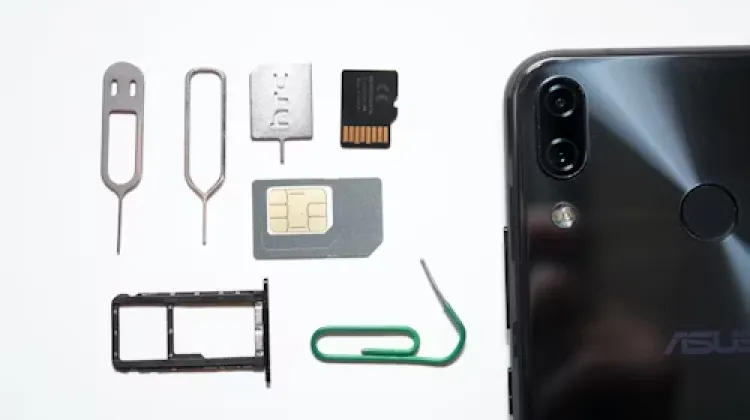
Yes, You Do! You need data for literally everything here - finding those hidden beaches, getting fair prices on Grab (the local Uber), checking restaurant reviews, and staying in touch with tour guides. Plus, let's be honest - you're gonna want to post those incredible sunset shots and rice terrace views right away! Even if you're not a social media person, having Google Maps and WhatsApp (everyone in Bali uses it) is pretty much essential for getting around and staying safe.
Now, should you go for a physical SIM card or an eSIM? After trying both, I'm team eSIM all the way, especially Trip.com's super affordable and diverse eSIM plans. It's just way easier than finding a SIM shop, dealing with passport copies, and swapping out your home SIM. Plus, you can set everything up before you even leave home! But hey, if you really need a local phone number or your phone doesn't support eSIM, a physical SIM card works too - just be ready to spend some time at a phone shop when you could be hitting the beach!
How to Choose between SIM Card, Wifi & eSIM for Bali, Indonesia
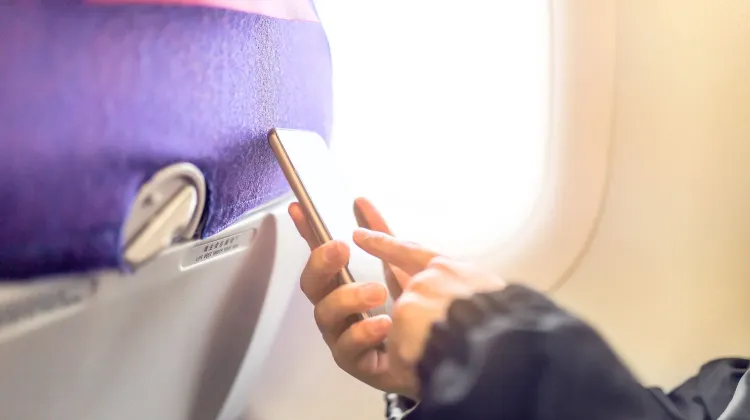
After countless trips to the Bali island, let me help you choose the perfect way to stay connected. Each option has its pros and cons, so let's find what works best for you!
| eSIM | SIM Card | WiFi Router | |
| Pros | Convenient, no need to worry about losing or damaging; Allow dual Sim functunality | Usually cheaper than an eSIM or WiFi router; Wide availability | Can connect multiple devices; Compatible to various devices |
| Cons | Not all devices support eSIM; More expensive | Can be inconvenient; Have the chance of losing and damaging | Not as portable as a SIM card or eSIM; Can be expensive |
- eSIM - The Best Choice This is why I love Trip.com's eSIM - you can set it up before flying and keep your home SIM active. No store visits, no extra devices, just scan a QR code and you're ready to go! The only catch? Your phone needs to be eSIM compatible (most newer phones are). But for hassle-free connectivity with great coverage across Bali, this is my top pick.
- Portable WiFi Router These little devices create your own hotspot and can connect multiple devices - great for group trips! You can rent them at the airport or book online, usually around $5-7/day. The downside? It's another device to carry and charge, plus you'll need to return it before leaving. And honestly, the connection can be spotty in more remote areas.
- Traditional SIM Card Local SIM cards from Telkomsel give you data and a local number for about 150k IDR ($10). Great coverage, but you'll need to visit a store with your passport and swap out your home SIM. Perfect if you need a local number, but kind of a hassle if you don't. Plus, you might miss important messages on your home number!
Where & How to Get Best eSIM for Bali, Indonesia?
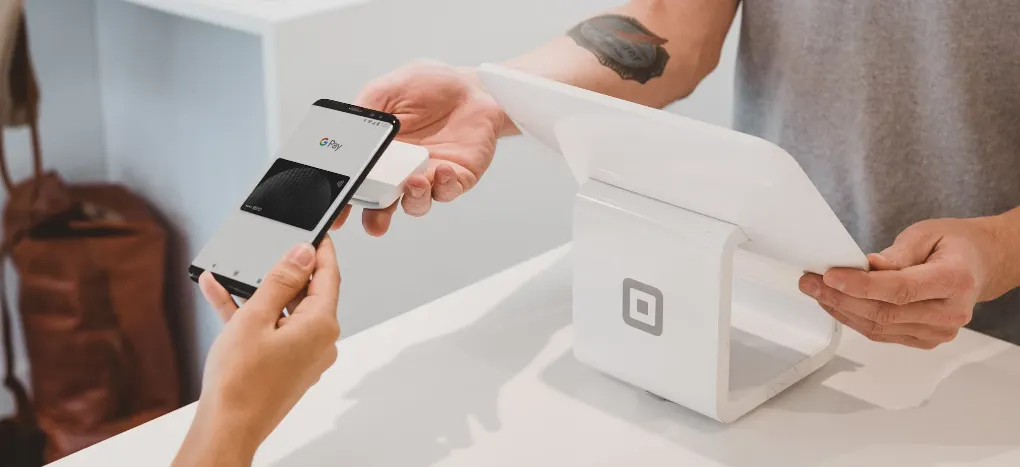
If you're just visiting for a couple weeks and mainly need data for social media and maps, stick with Trip.com Bali eSIM. But if you're staying longer or need to make lots of local calls, Telkomsel might be worth the extra effort!
Data-Only eSIM is All You Need
I've been to Bali countless times, and honestly, a data-only eSIM is perfect for most travelers. Everything in Bali runs on WhatsApp - from chatting with your villa host to booking drivers and tours. Plus, you can still call emergency services (112) if needed, so safety's covered too!
Here's exactly how I got mine: First, check if your phone supports eSIM (most newer phones do - I use an iPhone 13). Then head to Trip.com, choose your Bali plan - they've got options from just $1.03 for a day up to $10.24 for two weeks. Once you've paid, they'll send you a QR code. Just scan it, follow the super simple setup steps, and you're done! Pro tip: do this before you leave home because you need internet to activate it.
The best things about eSIM: No passport needed, no paperwork, and no 90-day restrictions like with local SIMs. You can top up whenever you want - perfect if you fall in love with Bali and decide to stay longer (it happens!). And since you can set it up before you fly, you'll be posting those arrival pics the moment you land!
How to Get Data + Calls eSIM
I know some of you might need an actual Indonesian phone number. Maybe you're staying longer, need to make local reservations, or just want that extra peace of mind. If that's you, you'll need to go with Telkomsel, Indonesia's main carrier.
Here's the scoop - you can't sort this one out before you land. You'll need to visit a Telkomsel store in person once you're in Bali (and heads up - there's no store at the airport anymore, which is kind of a pain). Bring your passport because it's legally required for getting a local number. I usually hit up the store in Seminyak or Kuta after settling in. While it takes a bit more effort, you'll get everything - data, calls, and texts.
Just remember this option is really only worth it if you absolutely need that local number, since Trip.com's eSIM covers all your data needs for way less hassle and money!
How to Get SIM Card in Bali, Indonesia?
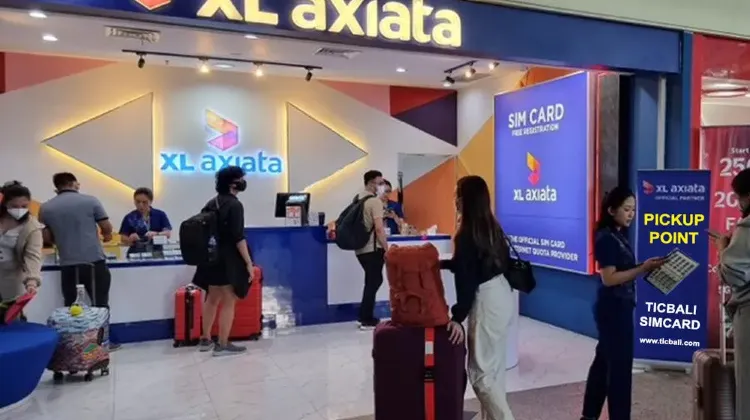
You've got three main options: airport SIM Card vendors (convenient but pricey), official carrier stores like Telkomsel (best prices, more paperwork), or those little phone shops you'll see everywhere. Quick heads up - skip those tourist-area shops that promise "the best deal" - they often overcharge like crazy!
Step-by-Step Guide:
- Bring your passport (it's required - no exceptions!)
- Head to an official Telkomsel store (they've got the best coverage)
- Budget around 150k-200k IDR ($10-13)
- Make sure they register it properly (super important!)
- Test it before leaving the store
- Keep your receipt!
Pro Tip: If this sounds like too much work (especially after a long flight), that's exactly why I switched to Trip.com's eSIM. But if you really need a local number, Telkomsel's your best bet. Just avoid the airport sellers unless you don't mind paying extra for convenience!
How to Activate and Use eSIM for Bali, Indonesia
Check If Your Phone Support eSIM
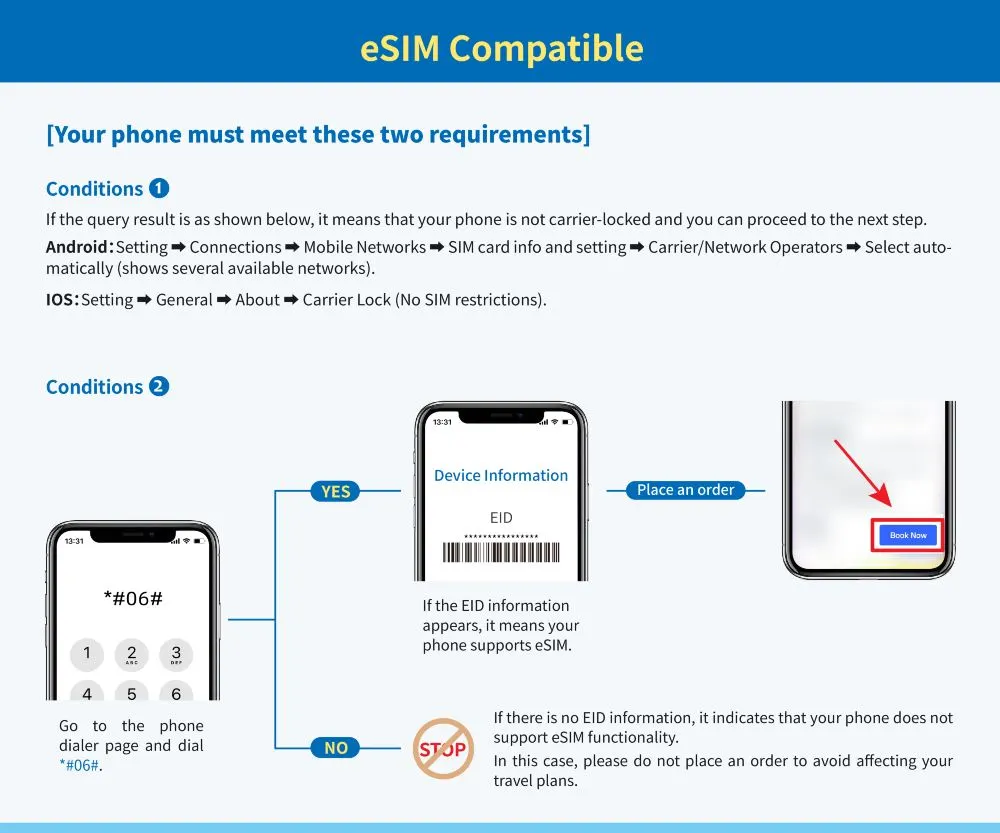
Before you grab that sweet Trip.com eSIM deal for Bali, let's make sure your phone's ready! If you've got a recent iPhone (XS or newer), most Samsung flagships, or Google Pixels, you're good to go. Not sure? Just go to Settings and look for 'Add eSIM' - if it's there, you're all set!
Quick test: dial #06# on your phone - if you see an EID number, you're good to go! Also, make sure your phone isn't carrier-locked (check with your home provider if unsure).
Steps to Install Bali eSIM
Once you've bought your eSIM on Trip.com (remember those amazing deals starting at just $1.03?), you'll get an email with your QR code. Here's what worked perfectly for me:
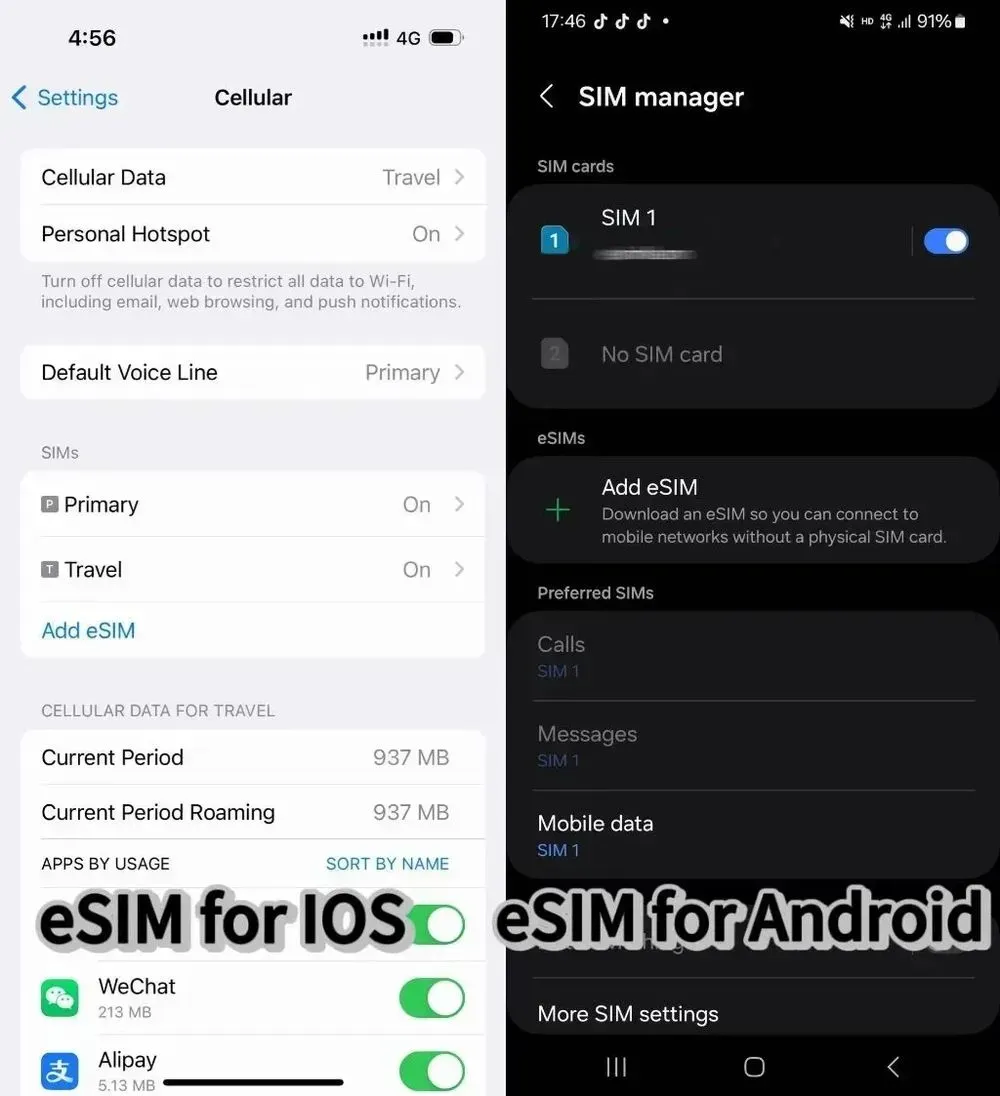
Installation Steps for iPhone:
- Find a stable WiFi connection (super important!)
- Open Settings > Cellular/Mobile
- Tap "Add Cellular Plan"
- Open your Trip.com eSIM email
- Scan the QR code directly through settings (not your camera!)
- Follow the prompts to complete setup
- Label it something like "Bali Trip" so it's easy to find
For Android Users:
- Connect to WiFi
- Go to Settings > SIM Card Management
- Add new SIM Card
- Scan your QR code through settings
- Follow the setup prompts
Super Important Tips
- Don't remove the eSIM once installed (you can't reinstall the same QR code!)
- Install before flying but within your plan's start date
- Keep your Trip.com order number handy (email: crm@51tgt.com if needed)
- If you're extending your stay, just renew through Trip.com - no need to reinstall!
Bali eSIM Users' Review
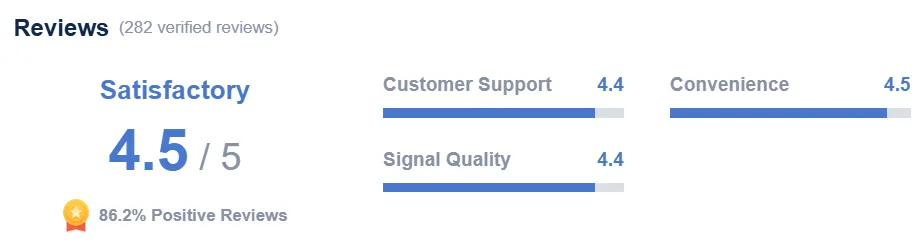
Voices of eSIM users for Bali on Trip.com.
There are no problems at all in using it. The setup is easy, the signal is good, and the price is cheap. It was really helpful this time.
It's a great product that works like a "VPN" service, so you can access all Western apps. The only problem is that in the end, there is an issue with payment apps like Alipay and WeChat, and you need a local WiFi connection to complete the payment.
After canceling another eSIM that didn't work for me in China, this one worked fine. It worked as expected, and I had seamless access during my stay.
What is the Most Reliable Mobile Network in Bali?
There are three main Mobile Network in Bali: Telkomsel, XL Axiata, and Indosat. But spoiler alert - there's definitely a winner!
Telkomsel - The Undisputed Champion
Let me tell you why Telkomsel is the absolute king in Bali. It's got the best coverage by far - It has solid connection from busy Seminyak streets to hidden waterfalls in Munduk. While it's slightly pricier than others, the reliability is worth every rupiah. I've managed to post stories from remote rice terraces and even had decent signal on boat trips to Nusa Penida! This is why Trip.com's eSIM partners with Telkomsel's network - they know what's up.
What About other Mobile Network in Bali?
XL and Indosat are cheaper options, and they work fine in tourist areas like Kuta, Seminyak, and Ubud. But venture a bit off the beaten path, and you might find yourself staring at that dreaded "no signal" icon. I've had friends switch from these networks mid-trip because they got tired of losing connection right when they needed to book a Grab or check Google Maps.
If you're sticking to popular areas, any network will do. But if you're planning to explore (which you totally should!), Telkomsel is your best bet. That's why I always go for Trip.com Bali eSIM - Trip.com has Telkomsel's amazing data coverage without buying a physical SIM!
Any Other Ways to Stay Connected in Bali, Indonesia?
While I swear by Trip.com's eSIM (seriously, it's the easiest option), let me run through ALL your choices for staying connected on the island. After countless trips, I've pretty much tried everything - from pocket WiFi to internet cafes, and here's the real deal!
- Hotel/Cafe WiFi: Free but super unreliable. Fine for basic stuff but don't count on it for important video calls!
- Portable WiFi Router: Rent one at the airport (around $7/day). Good for groups but it's another device to charge and carry.
- Internet Cafes: Still exist in tourist areas! Great backup but not practical for daily use.
- Local SIM Card: Head to a Telkomsel store with your passport. Around 150k IDR ($10) for decent data.
- International Roaming: Works but CRAZY expensive - I once got a $200 bill from just three days of roaming! 😱
Pro Tip: Whatever you choose, have a backup plan! I usually rely on my eSIM but save offline Google Maps just in case. Better safe than sorry when you're trying to find that secret beach!
3 Advantages of Bali eSIMs

1. Convenience and Ease of Activation
With an eSIM, there is no need to physically purchase or swap out SIM cards when changing carriers or plans. Activation can be done online, and users can quickly switch between different network providers without the hassle of handling tiny SIM cards.
2. Improved Device Compatibility
eSIM technology allows for more space within mobile devices because it eliminates the need for a SIM card tray. This extra space can be used for additional features or a larger battery.
3. Better Management for Multiple Devices and Plans
eSIMs are ideal for people who manage multiple devices, such as a personal phone, a work phone, and a tablet. With eSIMs, users can have a single plan that covers all their devices or easily manage different plans for each device without juggling multiple SIM cards.
Trending Researches
-
eSIM/SIM card
-
Featured guides
-
Top destinations
-
Latest Flight Deals
-
Popular Attractions
- Return flights from Singapore to Bali
- Direct flights from Surabaya to Bali
- Cheap flights from Guangzhou to Bali
- Direct flights from Lombok to Bali
- Cheap flights from Kuala Lumpur to Bali
- Cheap flights from Shanghai to Bali
- Direct flights from Ho Chi Minh City to Bali
- Cheap flights from Jakarta to Bali
- Return flights from Phuket to Bali
- Direct flights from Tokyo to Bali
- Direct flights from Seoul to Bali
- Cheap flights from Hanoi to Bali
- Direct flights from Labuan Bajo to Bali
- Direct flights from Hong Kong to Bali
- Cheap flights from Bangkok to Bali
- Hotels in Shanghai
- Hotels in Guangzhou
- Hotels in Beijing
- Hotels in Bangkok
- Hotels in Shenzhen
- Hotels in Hong Kong
- Hotels in Chongqing
- Hotels in Tokyo
- Hotels in Ho Chi Minh City
- Hotels in Chengdu
- Hotels in Kuala Lumpur
- Hotels in Seoul
- Hotels in Zhangjiajie
- Hotels in Hanoi
- Hotels in Singapore
- Hotels in Hangzhou
- Hotels in Xi'an
- Hotels in Istanbul
- Hotels in Bali
- Hotels in Osaka
- Forbidden City Tickets
- Zhangjiajie National Forest Park
- Shanghai Tower Tickets
- Shanghai Wild Animal Park
- Shanghai Disneyland Tickets
- Tianmen Mountain
- Canton Tower Tickets
- shanghai to wangxian valley
- Huangshan
- Shanghai Disneyland Fast Pass
- Book China Attraction Tickets with Passport
- Universal Studios Beijing Tickets
- Great Wall of China Tickets
- Yu Garden Tickets
- Summer Palace Tickets