

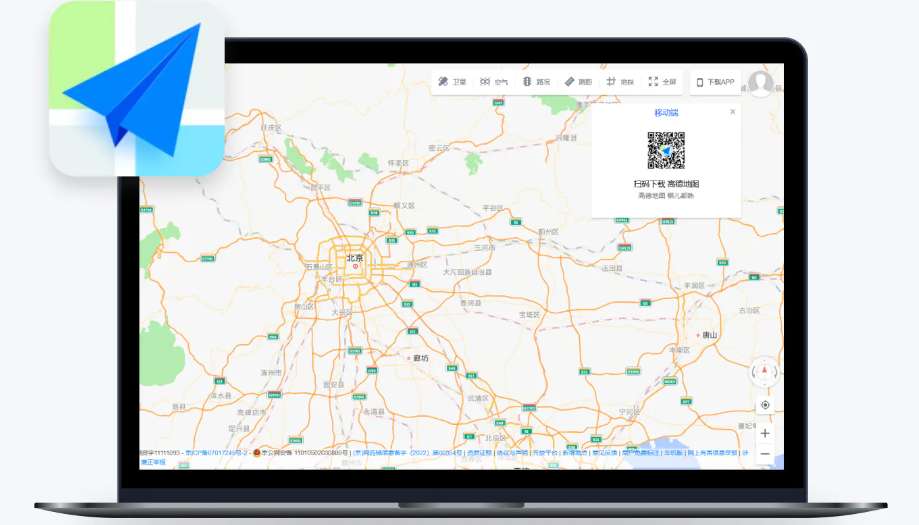
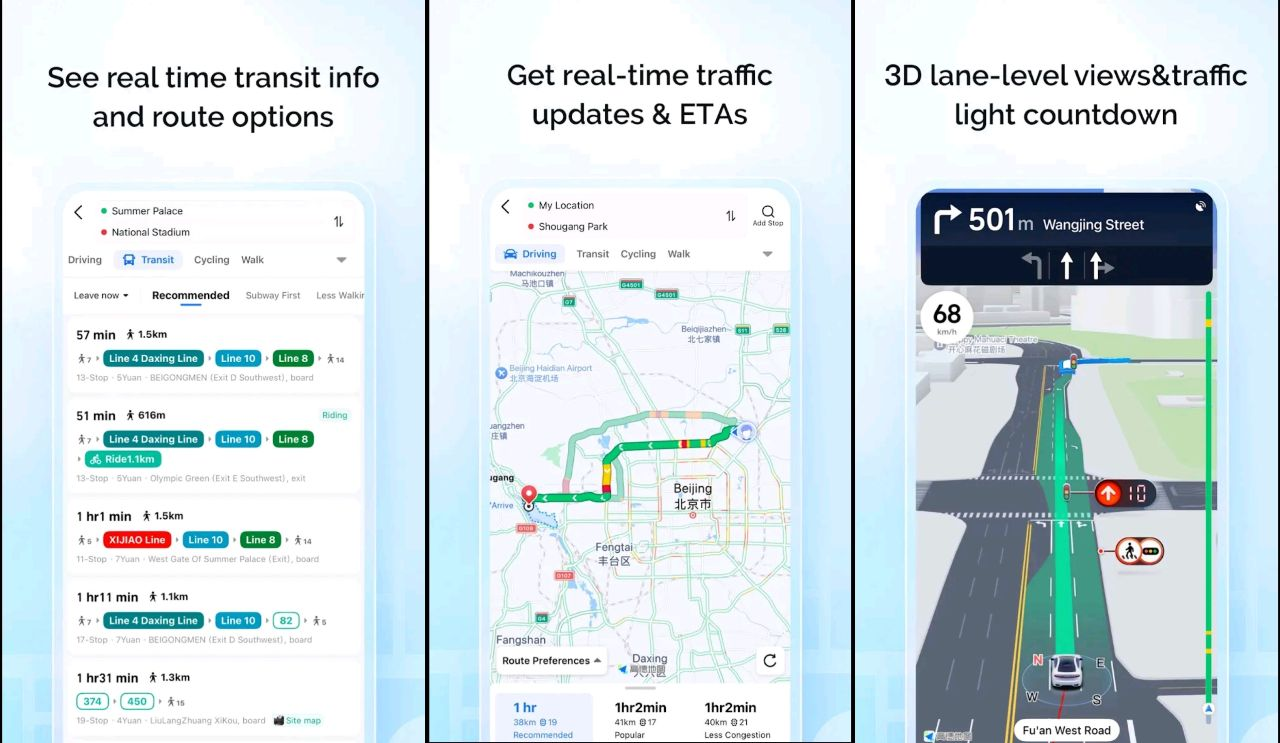

Amap (known in China as 高德地图 or Gaode Map) is your best China map app. With over 1 billion users, it’s the most accurate and feature-rich map app in China, surpassing competitors like Baidu Maps and Tencent Maps. Here’s how to master it for travel—even without Mandarin skills.
How to Use Amap (Gaode Map) in China?

1. Download & Set Up Amap (Gaode Map)
- Search: Type “Amap” on app stores. Pro Tip: Download before arriving to avoid connectivity issues.
- Language: No official English app, but English addresses (e.g., “Hongqiao Airport”) work in the search bar

2. How to Use Amap to Navigate
- Route Planning:
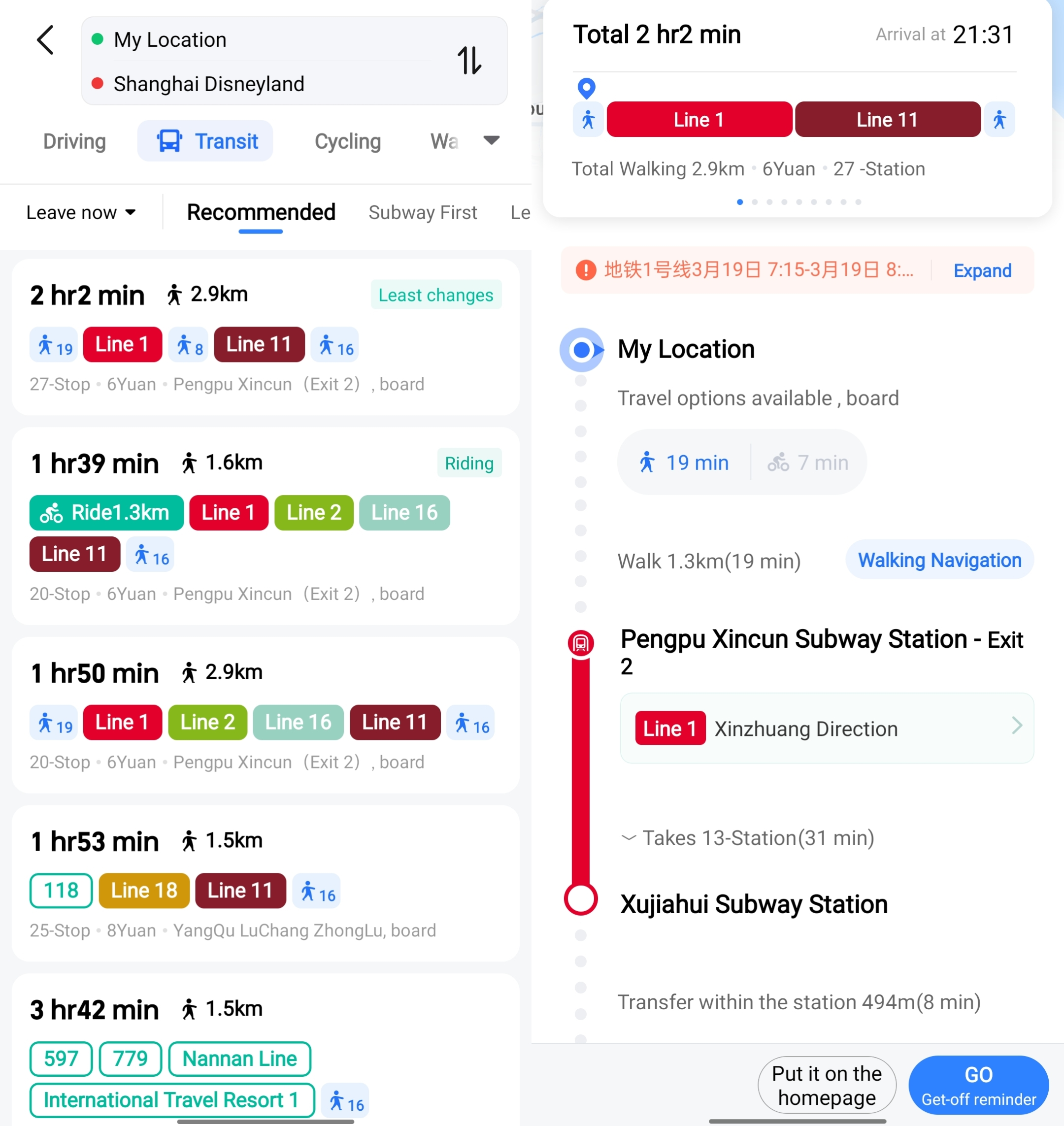
- Tap the blue arrow (路线) > Enter destination in English or Chinese.
- Choose transport: Bus/Metro, Driving, Bike, or Walk

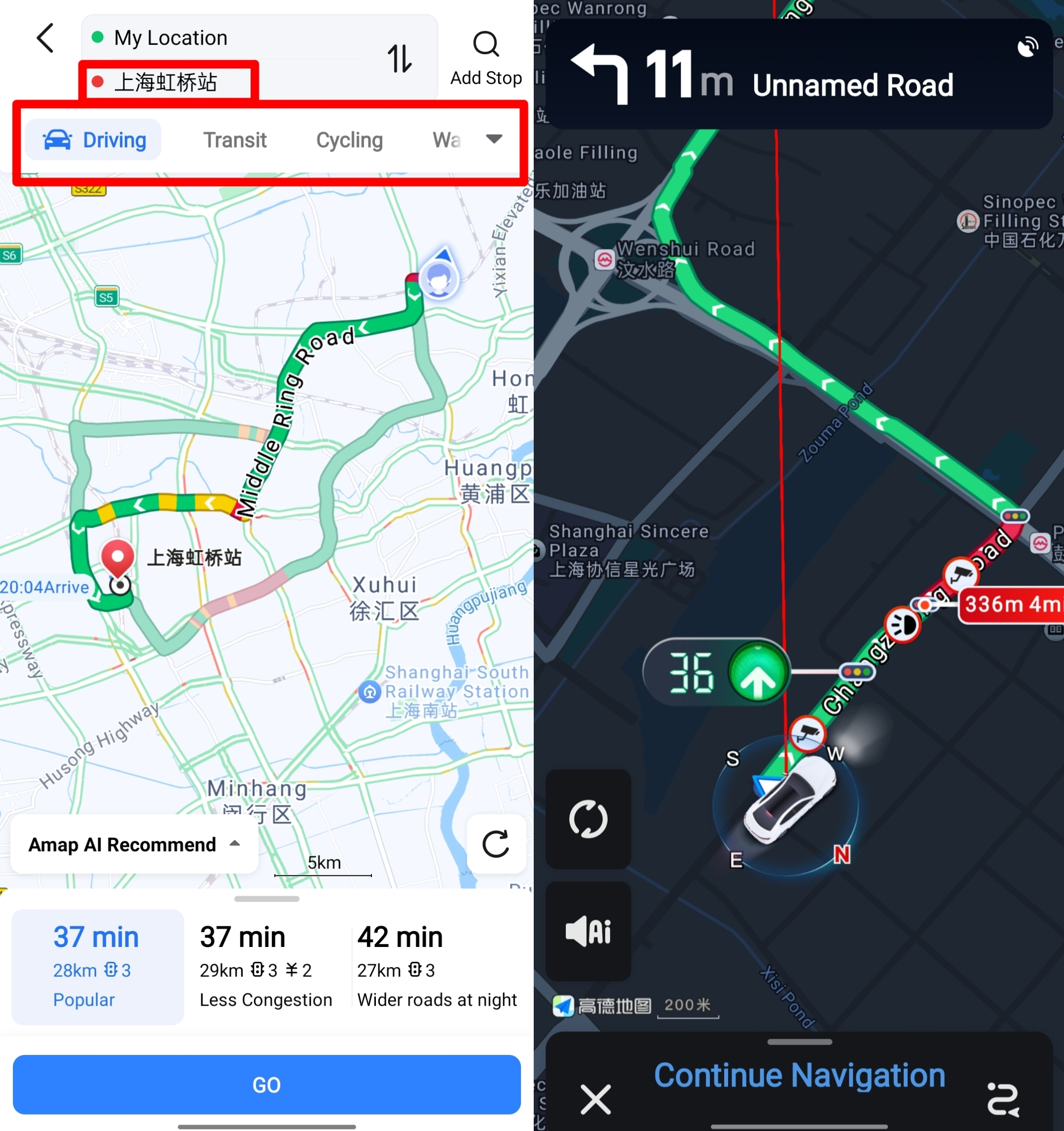
- Real-Time Alerts: Avoid traffic jams with color-coded road conditions (red = congested)
- Voice Guidance: Select celebrity voices (like Lin Zhiling) for turn-by-turn directions
3. Save Time with Advanced Features
- Favorites: Save home/work under “收藏” (yellow star icon) for instant route planning
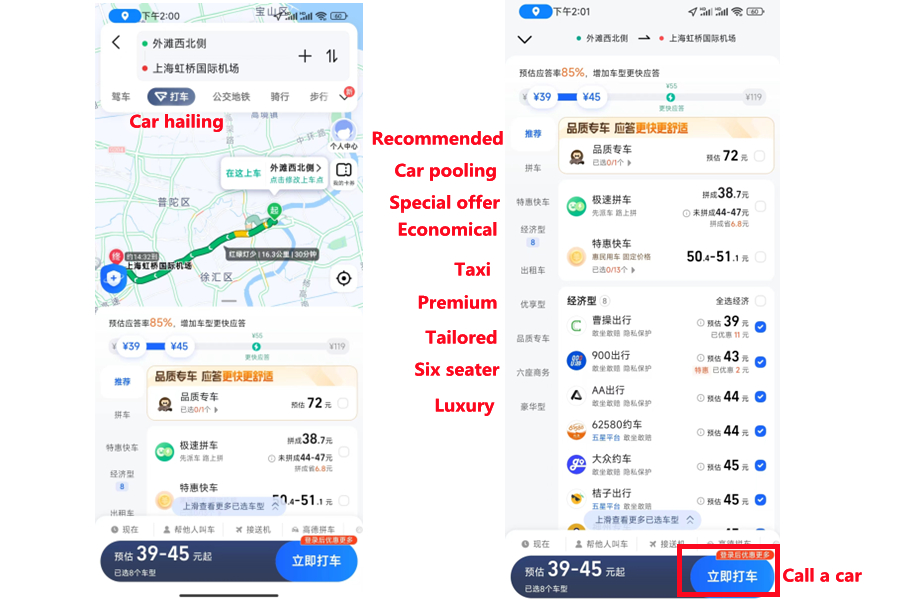
- Car-Hailing: Book taxis or luxury rides directly in-app with price estimates, but now only available in Chinese version.
- 3D Scenic Views: Zoom into landmarks like the Great Wall for 360° digital twin models

Credit: Shanghai Gov
4. How to Use Gaode Map Offline
Offline maps work for walking, driving, and cycling!
- Go to Me > Offline Maps.
- Download your city (e.g., Beijing, Shanghai).
- Enable “Auto-Update” for weekly map refreshes.
How to Change Gaode Map App to English?

Credit: jet ruby
Gaode Map does not provide an official English language setting, but you can use these workarounds to use more easily:
Workaround 1: Use Your Phone’s System Language
If your phone is set to English, Autonavi Maps will automatically display the following English:
- Search results (for example, "Beijing South Railway Station" instead of "北京南站").
- Basic notifications (for example, "Found route" instead of "已找到路线").
- Place the category (for example, "restaurant", "hotel" instead of 餐厅、酒店).
Steps to set the phone language to English (if not yet available) :
- Go to "Settings" on your phone → "Language and Region".
- Select "English" as the system language of your device.
- When you open the search function of Autonavi Maps, the key tags will now be displayed in English.
Workaround 2: Use Translation Tools for Menus
For Chinese-only menus (e.g., “我的” for “My Profile,” “收藏” for “Favorites”), use these tools:
- Google Translate camera: Point your camera at the Chinese text to get instant English translations.
- Screenshots + translation apps: Take a screenshot of the menu and upload it to apps like DeepL for translation.
Workaround 3: Save Key Chinese Phrases
Memorize or save these common Gaode Map terms to navigate menus:
- 路线 (Lùxiàn) = Routes
- 导航 (Dǎoháng) = Navigation
- 离线地图 (Líxiàn dìtú) = Offline Maps
- 收藏 (Shōucáng) = Favorites
- 打车 (Dǎchē) = Car-Hailing
What Makes Amap (Gaode Map) the Best Map App for China?

Amap (Gaode Map) is definitely the best map app in China. The English search, offline maps, and tourism partnerships make it infinitely more practical than alternatives.
- Unparalleled accuracy: As one of the first applications in China to obtain the National A-level navigation measurement certification, Autonavi offers centimeter-level accuracy in roads, alleys and rural areas, which is crucial for drivers and logistics professionals
- Real-time traffic: By integrating data from traffic departments and user reports, Autonavi provides immediate updates on accidents, construction, and congestion. Users in cities like Beijing and Shanghai rely on it to save 10 to 20 minutes during peak hours
- Multi-mode navigation: Whether driving, cycling or using public transportation, Autonavi can customize routes to avoid tolls, (truck) weight restrictions, and even indoor Spaces like shopping malls
✅Need internet to use these map apps in China? I've found the best China eSIM plans with built-in VPN access in China for foreigners.
Amap (Gaode Map) vs. Google Maps: Which Is Better in China?
Google Maps is unreliable in China due to geo-blocks and outdated data. Amap (Gaode Map) offers:
- Live traffic updates (accidents, road closures).
- Public transit schedules (metro delays, bus ETAs).
- Indoor maps for malls and train stations.
Verdict: Gaode is essential for accuracy; use Google Maps only as a backup.
Amap (Gaode Map) vs. Baidu Maps: Which Should You Use?
Verdict: Gaode wins for precision and traveler-friendly tools.
Feature | Gaode Map | Baidu Maps |
Accuracy | Beidou satellite + hourly updates | Relies on crowdsourced data |
English Support | Partial (search works) | Limited |
Cycling Routes | 110+ curated paths | Basic bike lanes |
Offline Utility | Full-city downloads | Partial regions only |
See all the China map apps compared in the following blog 👇
Is Amap (Gaode Map) Safe for Foreign Travelers?
Gaode Map complies with China’s cybersecurity laws and encrypts user data (location, search history). To enhance safety:
- Avoid linking sensitive accounts (e.g., WeChat Pay) unless needed for car-hailing.
- Disable unnecessary permissions (e.g., microphone, contacts) in your phone’s settings.
- Clear search history after your trip via “My Profile” → “Settings” → “Clear Data.”
How to Save Money on Transport with Amap (Gaode Map)
- Compare ride-hailing prices: Use the “Car-Hailing” (打车) tab to see fares from Didi, Shouqi, and other providers (note: this feature is in Chinese—use translation tools).
- Free bike rentals: The “Cycling” (骑行) tab highlights public bike stations with free 30-minute rides (common in cities like Hangzhou, Chengdu).
- Fuel-saving routes: For drivers, select “省油路线” to avoid tolls and stop-and-go traffic, cutting gas costs by 10–15%.
🔥Exclusive China Train Coupon: Get 3% OFF Now!
Book your China train tickets as a new user on Trip.com and enjoy a special 3% Off 🎁! Use our exclusive coupon to save big on your first train journey!!!👀
[8% Off] Best China Hotel Recommendations
From now until stock last, you can enjoy up to 8% off hotel deals on Trip.com when you register as a member on desktop or app!
What to Prepare for a Trip to China?
- Visa & Entry Tips China’s 240-hour visa-free transit policy now covers 54 countries, incl. the US, UK, Canada, and Brazil, allowing up to 10 days during layovers. Learn more about China Entry Tips to land in China easily.
- Getting Connected VPNs are vital for accessing Google, WhatsApp, Instagram, etc in China. Set one up before arriving. China eSIMs are the easiest option for data and bypassing restrictions. Pocket Wi-Fi devices work best for group but are pricier and require pickup/return.
- Money Exchange & Tax Refunds Exchange money in China banks (better rates than airports). ATMs accept foreign cards, but notify your bank first. For tax refunds, spend over ¥500 at stores with a "Tax-Free" sign. Keep receipts and get forms stamped at customs before departure.
Must-Have Apps in China
- China Payment Apps Forget cash. Chinese use Alipay (I like it better) or WeChat Pay to pay for everything in China. Scan a QR code at noodle stalls, metros, even temples. Link your foreign Visa/Mastercard before landing.
- China Map Apps Amap (Gaode Map) & Baidu Map (limited English) is what locals use, with real-time navigation, metro/bus routes, and traffic updates. Apple Maps does a good job too if you're already an IOS user.
- China Transport Apps Street taxis are cheap, but drivers rarely speak English. Use China Taxi App like DiDi (China’s Uber)—set your destination in English, pay by Alipay.
- China Travel Apps 15+ China trips taught me: Use Trip.com. It's the best English app for booking China trains/flights/hotels + finds Trip.com deals.
- China Dating Apps Locals use Tantan (China’s Tinder) and Momo. WeChat’s “People Nearby” works too, but expect language barriers unless your Mandarin’s decent.
- China Food App Use Meituan (also helps find nearby restaurants) or Ele.me for food delivery—both have English mode. No English menu in restaurants? Scan the QR with Alipay's translator.
FAQs about Amap (Gaode Map)
Does Gaode work offline?
Absolutely—download maps in advance for seamless use.Go to Me > Offline Maps. Download your city (e.g., Beijing, Shanghai). Enable “Auto-Update” for weekly map refreshes.Is Gaode better for rural areas?
Yes! Gaode’s detailed rural maps surpass Baidu and Tencent.Can I use Gaode for cycling?
Yes, with bike-friendly routes and elevation alertsDoes Gaode Map Have English Support?
Key English-friendly features include: Search bar: Accepts English place names (e.g., “Shanghai Pudong Airport,” “Forbidden City”) and landmarks, which the app automatically translates to Chinese for navigation. Icons & symbols: Core functions (navigation, favorites, offline maps) use universal icons (e.g., a blue arrow for routes, a star for saved locations) that are easy to recognize without reading Chinese. Public transit info: Bus and metro lines are labeled with numbers/letters (e.g., “Metro Line 2”) that align with English signage in stations. Limitations: Menu options, detailed instructions, and some features (like car-hailing) remain in Chinese.Can I search for addresses in English on Gaode Map?
Yes, most major landmarks, airports, and tourist areas (e.g., “Xi’an City Wall”) work in the search bar.


384349 booked