Trip.com Name/Passport Change: Fees, Time & Guidelines

by Trip.com
June 25, 2026
If you want to change the passport number or name after booking a flight on Trip.com, pls read this guide👀
👀 BUT note that all name, passport, or ID changes are subject to airline policies, including fees and approval. Final decision rests with the airline - changes may be rejected. Verify all details before booking.
Below is how to change passport info using the Trip.com mobile app. We'll use a flight booking as an example for this process.
Book Cheap Flights Worldwide
to Bangkok
to Manila
to Shanghai
to Tokyo
to Seoul
See all flights


How to Change Passport Info on Trip.com?
Passport Change Step 1: Find Your Upcoming Bookings
If you do not have a Trip.com app, pls click above to download it first 👍
- Open the App: Start by opening the Trip.com app on your phone.
- Go to 'Account': At the bottom of the screen, tap on the "Account" tab.
- Look for 'Upcoming': On the "Account" page, scroll to the middle where it says "Upcoming."
Passport Change Step 2: View Flight Status
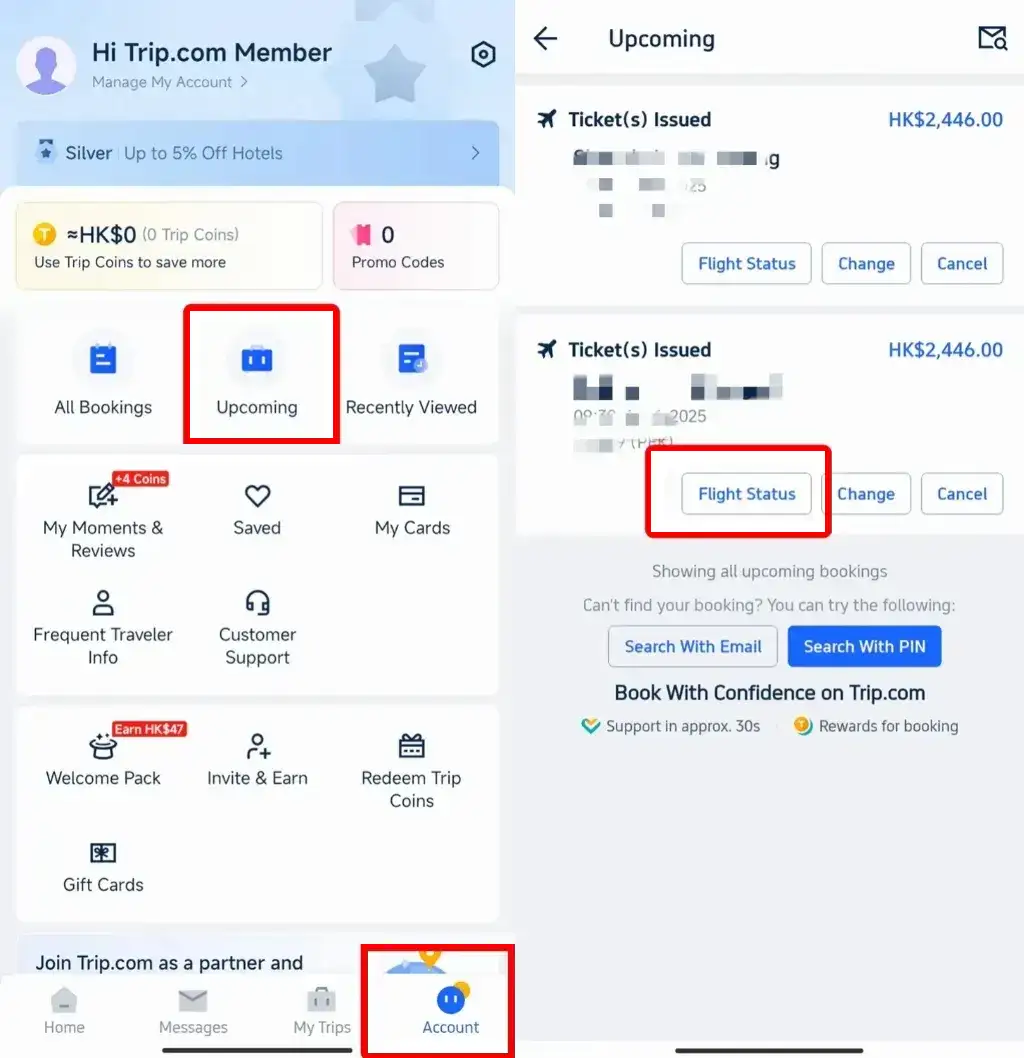
- Select Your Flight: Tap on "Upcoming" to see your bookings. Pick the flight you want to update, like from Shanghai to Beijing.
- Tap 'Flight Status': On the flight page, you’ll see a "Flight Status" button. Tap it to go to your booking details.
Passport Change Step 3: Edit Passenger Info
- Find 'Passenger & Contact Info': On the booking page, look for this section, where you can see your name, ID, passport number, etc.
- Tap 'Edit': Tap the "View & Edit" button to change your details.
- Change Your Info: On the next page, you’ll see fields for your name, passport number, and other details. Tap the one you need to change and enter the new info.
- Update Contact Info (Optional): You can also update your phone number, email, or name in the "Contact Info" section.
Passport Change Step 4: Submit Your Changes
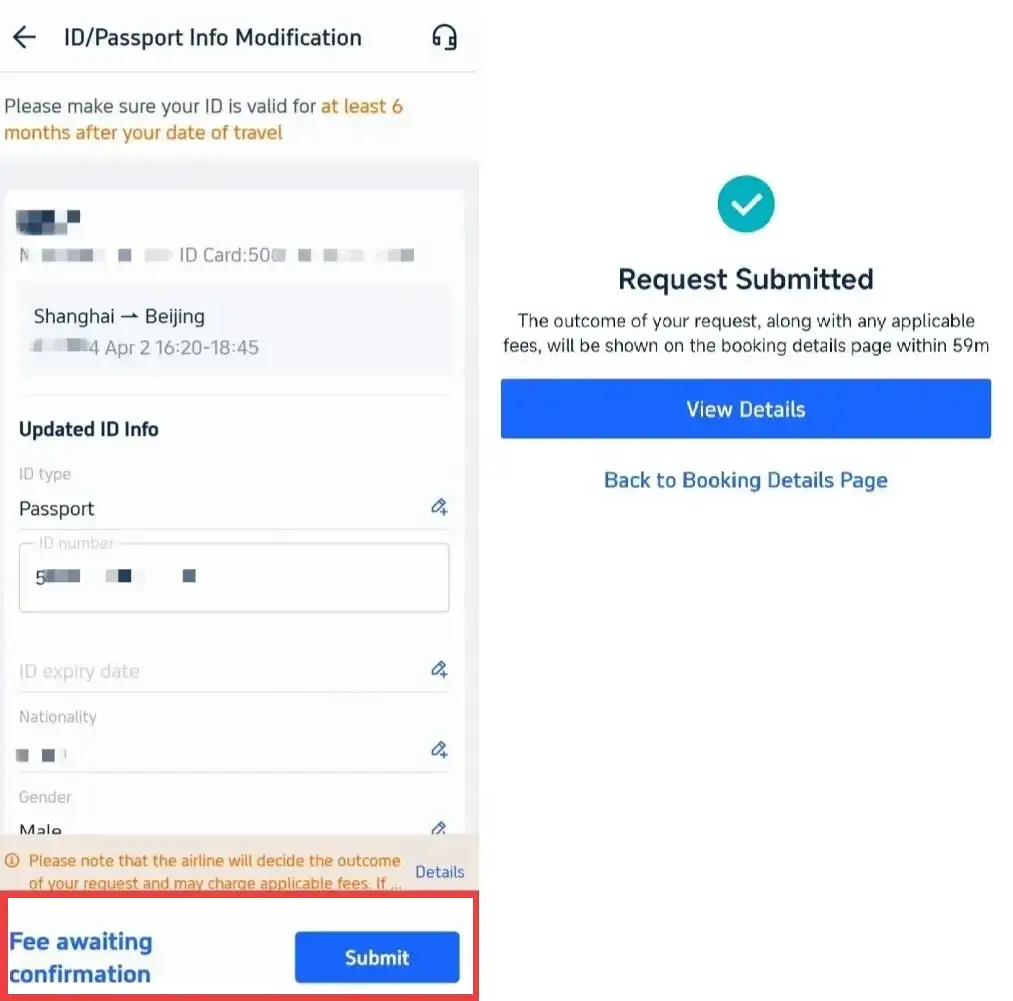
- Save Your Changes: Once everything looks good, tap "Submit" to save the updates.
That’s it! Your flight booking should now reflect the correct passport details. Trip.com cannot guarantee the airline will approve your requested edits. Safe travels on Trip.com!
All name, passport, or ID changes are strictly subject to airline policies, including possible fees, modification limits, and approval requirements. Final approval rests solely with the operating airline—modifications may be rejected, and fees vary by carrier. Always verify details before booking.
What passport & passenger details can I change for my flight booking?
Generally, you can update passport data, basic personal info and contact details for free or a small fee. Full name changes and passenger identity replacement are mostly not allowed.
Editable information
- Passport number and passport expiration date
- Gender, minor typos on date of birth and nationality
- Mobile phone number, email address and emergency contact information
Non-editable information (general rules)
- Full passenger name (legal name change, maiden name to married name etc.)
- Major revision of date of birth (e.g. changing birth year)
- Transfer the ticket to another person
❗ Disclaimer: The above is for general reference only. Final editable items, restrictions and associated fees are fully subject to the operating airline’s policy and may differ per fare type or route.
See all attractions
 2162 booked






What are the rules for correcting passenger names on flight?

Only minor spelling typos are acceptable with fees. Full name changes and major name adjustments are strictly prohibited on most tickets.
Allowed name corrections
- Minor typos (1-2 wrong letters), missing middle initials, or reversed given name and family name. Correction fees vary greatly by airline, with a broad reference range of USD 0 to 200.
Restricted name changes
- Adding or removing a middle name: Rules differ by airline; some allow it for a fee, while others refuse entirely.
- Full name change (marriage, legal name update): Regarded as ticket transfer, almost always rejected by airlines.
- More than 2 misspelled letters: Restrictions vary by carrier; some airlines permit edits for up to 3 mismatched characters, while others reject any larger spelling errors.
Disclaimer: Name modification is the most strictly regulated item. All approvals and fees are decided exclusively by the operating airline.
What is the valid time window to modify booking information?
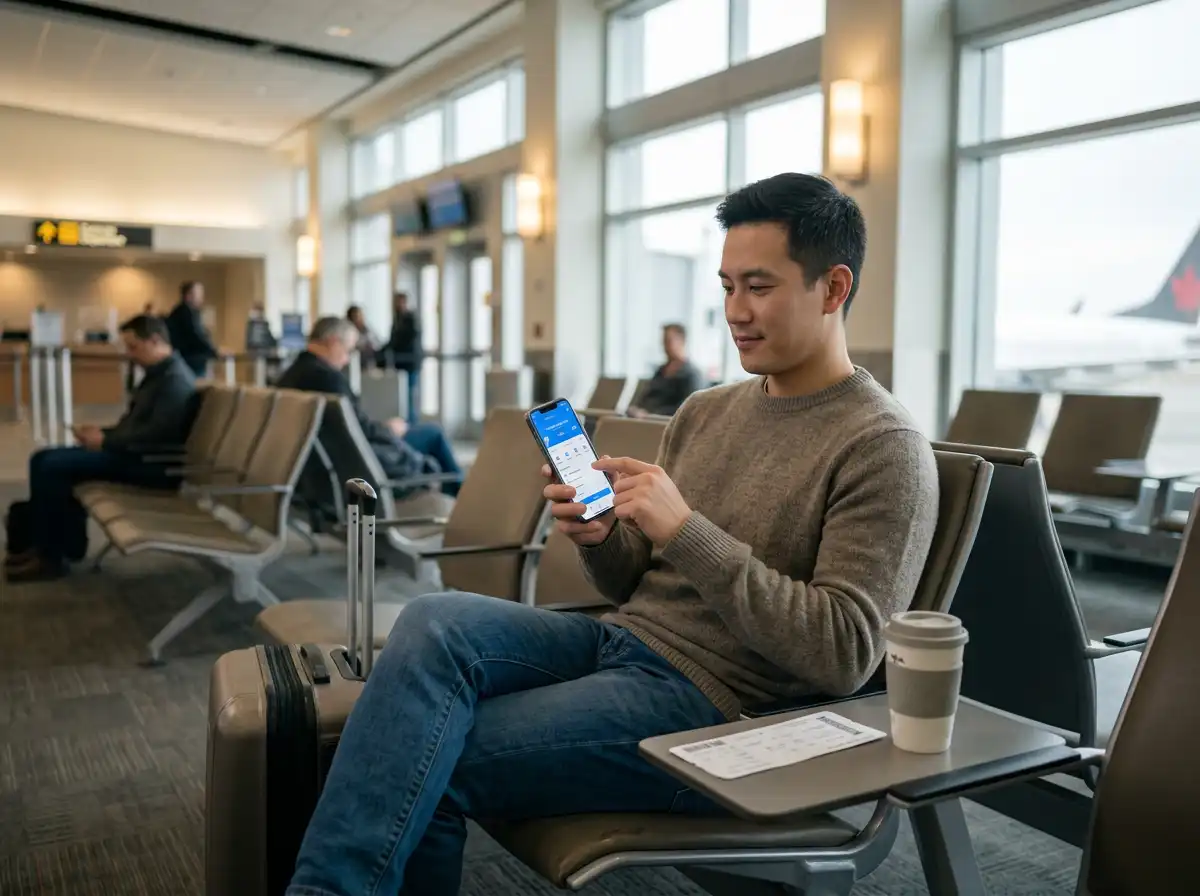
Most changes are recommended to be completed before online check-in opens (24–48 hours prior to departure). Changes after check-in or close to departure face restrictions and extra fees.
Recommended time for modification
- Best period: Any time after booking and before online check-in (24–48 hours before flight). Most updates here are free and get approved quickly.
Rules for late modifications
- After online check-in: You need to cancel check-in first or contact customer support. Additional service fees may apply.
- Within 6 hours before departure: Most airlines enforce stricter modification limits or decline requests entirely due to pre-flight ground handling procedures; this 6-hour mark serves only as general guidance, cutoff times differ per carrier.
- On arrival at the airport: Only emergency corrections are accepted, with high handling fees, and approval is not guaranteed.
❗ Disclaimer: Time limits for edits vary by airline, fare type and travel route. Always submit all information updates as early as possible.
[Discount] Trip.com Hotel Promo Codes
Search Top Global Hotels
See All Hotels







Book Cheap Flights Worldwide
to Bangkok
to Manila
to Shanghai
to Tokyo
to Seoul
See all flights
FAQs about Passport Change
-
Can I change my passport info after booking a flight?
-
Can I change my passport details after booking?
-
What happens if your passport number is wrong on booking?
-
Does an airline ticket have to match a passport exactly?
-
How much does it cost to correct passport/name info?
-
What if I renewed my passport and got a new number?
-
Why was my passport/name change request rejected?
-
Can I still travel if my passport number is wrong?
Disclaimer: This article has been provided by an individual contributor or third party platform. If there is any discrepancy regarding the copyright, please contact us directly and we will delete the content immediately.
Trending Searches
-
Air Travel Guide
-
Latest Flight Deals
-
Popular Flight & Hotel Packages
-
Getting Around
-
eSIM/SIM card
- Medellin Vacation Packages
- Hong Kong Vacation Packages
- Tokyo Flight and Hotel
- Koh Samui Flight and Hotel
- Hong Kong Flight and Hotel
- Sanya Flight and Hotel
- Paris Flight and Hotel
- Saint Petersburg Vacation Packages
- BALI Flight and Hotel
- New Orleans Vacation Packages
- Beijing Vacation Packages
- Apia Vacation Packages
- Ottawa Vacation Packages
- Niagara Falls Vacation Packages
- Puerto Princesa Flight and Hotel
- Harbin Airport
- JR Hokkaido
- Changsha Metro
- Narita Airport Lounge
- China Taxi
- Shanghai Metro Map
- Macau Transportation
- Kobe Airport
- Kyoto Station
- Japan Transport App
- Zhangjiajie Airport
- Chongqing Airport to City
- How to Get Around Shanghai
- Foshan Metro
- Macau to Hong Kong
- Narita Airport to Shinjuku
- Singapore Airport to City