China eSIM Not Working? An Ordered Fix for No Data, Wrong Line and Activation Problems


If your China eSIM is not working, the problem is usually the setting, not the signal. Here are four(4) step by step checks you need to make: make sure the eSIM is installed, ensure the line is turned on, and it is set as your mobile data line, and make sure data Roaming is on for that line. Then run a quick test. If Chinese apps such as Amap or WeChat load but your home apps do not, your data works. Your plan just does not cover those services. A roaming travel eSIM and a local Chinese SIM work differently, so check which type you have. If nothing loads at all, check the network mode, the APN and the operator, then restart. One rule matters most: do not delete the eSIM. Contact support first.
Stay Connected in China: Flights, Hotels & eSIMs
Flights to Shanghai
Hotels in Shanghai
China eSIMs
See all flights

 NO.1
NO.1










The order to check things
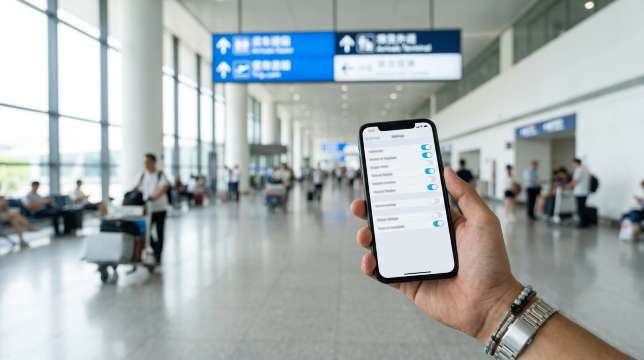
Where to find the settings:
- iPhone: Settings > Cellular (called Mobile Service or Mobile Data in some countries)
- Google Pixel: Settings > Network & internet > SIMs
- Samsung: Settings > Connections > SIM manager
Step-by-step fault-finding table
Step | What to check | What you should see | If it fails |
1. Installed | Your travel plan is listed under SIMs | The name of your plan | Not there? Ask the provider to give you another eSIM |
2. Turned on | "Turn On This Line" is on | An operator name or "Searching" | Is it greyed out? Then turn it on. But if it says “expired”, then inform the provider |
3. Data line | Under Cellular Data select travel eSIM | A tick is seen next to the travel eSIM | Tick is next to your home SIM? Data flow is wrong |
4. Data roaming | Travel line > Cellular Data Options > Data Roaming | The switch is on | Off? The plan can't join a Chinese network |
5. Network mode | Voice & Data (iPhone) or Preferred network type (Android) | A 4G or 5G icon, and pages load | 5G is there but pages aren't loading? Switch to 4G/LTE |
6. APN | Cellular Data Network (iPhone) or Access Point Names (Android) | The same APN as your order email | Blank or wrong? Enter your APN exactly |
7. Restart | Turn on airplane mode for 30 seconds and then off | The signal returns in a few minutes | Still nothing? Go to step 8 |
8. Manual network | Network Selection: turn Automatic off, pick your plan's operator | You join the operator your plan names | "Not available"? The plan may not use that operator there |
9. Data left | Your provider's application or order page | Data left, plan still valid | Used up? Top up or wait for the daily reset |
10. Another phone | A friend with the same type of plan | Their phone works | If both fail, it's the plan. If only yours fails, it's your phone |
11. Support | Trip.com app > your booking > customer service | An agent checks your plan | Ask them to resend the eSIM or change the network |
Steps 2, 3 and 4 cause most problems. According to an Apple’s support document about using multiple lines with a dual SIM iPhone, the first step to do is select the phone line, and then navigate to Cellular Data Options and enable the Data Roaming feature for the selected line. Ensure not to turn on Data Roaming for your home SIM to prevent roaming fees.
According to an Apple support article from September 2026 about the use of travel eSIM with iOS 26 and above, upon arrival at your destination, you might see the “Turn On Travel eSIM” prompt if you have the travel eSIM before your travel. Tap it, and choose to enable the travel eSIM for data usage.
When the switches are right but nothing loads
Some travel eSIMs use one Chinese partner, such as China Mobile, while others can use two or more networks. Check your product page or eSIM details to see which network your plan uses. If your phone can’t connect, turn off automatic network selection and choose that network yourself.
Next, look at the APN. Check it letter by letter. One small typo error is enough to stop your data.
What to send support
You can make support's job easy by sending your order number, phone model, software version and a screenshot of your eSIM settings. In the Trip.com app, open your booking and tap customer service.
Is it the data or the apps?
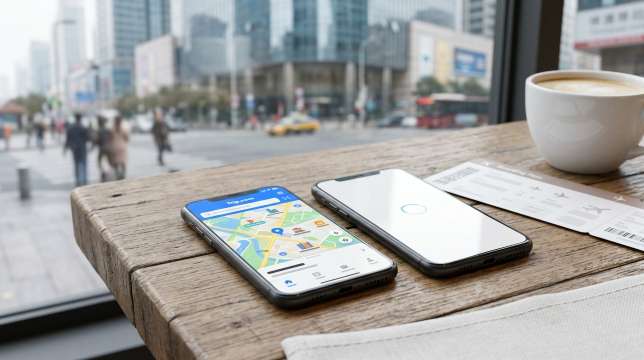
A 60-second test
Disable your Wi-Fi. Go to a Chinese app such as Amap, WeChat or Trip.com App. Finally, go to a news website you visit when you were home. Lastly, open the app that isn't working for you.
What happens | What it means | What to do next |
Nothing loads, not even Chinese apps | You have no data connection | Go back to steps 2 to 8 |
Chinese apps load, home apps don't | Your data works. Your plan doesn't cover those services | Read your plan details, then ask the provider |
Everything is very slow | Weak signal, busy area, or speed cut after your daily limit | Move near a window, try 4G, check your data |
It worked, then stopped | Data used up or plan ended | Check the provider app and top up |
Only works on Wi-Fi | Mobile data is off, or that app can't use mobile data | Allow the app under Settings > Cellular |
Why two "China" products behave differently
There are two kinds of SIM cards for China, and they function differently:
- Travel eSIM purchased from another country: This generally uses roaming. Your device connects to a mobile tower in China, but your data is managed by the company that provides the plan. The company is usually outside mainland China. In some cases, the travel eSIM delivers data within the mainland, so two friends with “China eSIMs” can have extremely different experiences.
- Local Chinese SIM: This is simply a regular Chinese phone line. It operates according to mainland regulations, meaning apps like Google and WhatsApp cannot be accessed through this connection.
Be sure to check the product page before buying. There are some eSIMs provided by Trip.com in China that include Google Maps and ChatGPT in their names. Things may change, so you should trust the product page when you purchase.
What the provider can and can't fix
Every provider can assist you in finding out if your plan is active, checking the amount of data left on it, sending you a new eSIM, adding data to it or transferring you to another provider. Nevertheless, they cannot modify settings on your device, unlock it, or install any apps that are not supported by your subscription plan.
Top China eSIM Plans
See all attractions
Setting it up so it works on arrival

Pre-departure checklist
When | What to do | Why it helps |
3 or more days before | Check that your phone supports eSIM and is unlocked. Buy your plan and read the rules on activation, network, hotspot and refunds | No surprises later |
1 to 2 days before, at home | Install the eSIM on good Wi-Fi. Rename it "China" | Installing needs the internet. Home Wi-Fi is the safe choice |
Same evening | Travel line: roaming on. Home line: mobile data off. Take screenshots of the QR code, order number, APN and support contact | Fewer taps on landing, and your details are ready offline |
When you land | Airplane mode off. Choose the travel line. Wait a few minutes | Your phone needs time to find the network |
Still in the arrival hall | Do the 60-second test | Free Wi-Fi and SIM counters are close by |
Before you leave home | Have a plan B | One problem won't ruin your first day |
Install now, activate later
These two words sound alike but mean different things.
- Installed: the eSIM is saved on your phone.
- Activated: the plan has connected to a network in its area, and your days start counting.
Many plans start counting only when they first connect where they work, so installing early is usually safe. Still, check your plan's rules.
A Hong Kong stopover will affect two things. First, if your coverage includes Hong Kong, your days could begin to count from the moment you connect through your stopover. Second, China Mobile Hong Kong has stated that starting 17 June 2026, their prepaid SIM cards cannot be activated in mainland China. If you have one, activate it outside of mainland China, either in Hong Kong or elsewhere.
Don’t leave installing until you land. According to a September 2026 Apple support publication, eSIM iPhones bought in mainland China can’t install an eSIM from a carrier outside the mainland while the phone is in mainland China.
Devices, dual SIM and the awkward cases

Does your phone take an eSIM at all?
Dial *#06#. If you see a number called EID, your phone supports eSIM. On iPhone, you can also look in Settings > General > About.
Where you bought your phone matters. Most iPhones sold in mainland China, and some sold in Hong Kong and Macau, use two physical SIM slots. Apple’s China mainland eSIM page lists five models that support eSIM there: iPhone 18 Pro, iPhone 18 Pro Max, iPhone Duo, iPhone 17e and iPhone Air. For Android phones, check the maker’s website for your exact model.
Locked phones
Some phones bought on a contract only work with one carrier. On iPhone, go to Settings > General > About > Carrier Lock. You want to see "No SIM restrictions". If not, ask your carrier to unlock it before your trip.
Dual SIM: the line that quietly takes your data
Only one line can use mobile data at a time. A smart setup is calls and texts on your home SIM, so bank codes still reach you, and mobile data on your travel eSIM. After any restart, take a quick look to make sure data is still on the travel line.
Hotspots, tablets and watches
The question is, can you share your data as a hotspot? Well, it depends on your plan. So check the product page. iPads with eSIM use the same steps as an iPhone. A smartwatch with its own mobile plan gets that plan from your home carrier. Also, you can ask them about travel.
When nothing works
If your phone can't use an eSIM, there are other options. An unlocked phone with a SIM slot can use a local physical SIM, and Trip.com sells China SIM cards you can pick up at the airport. Pocket Wi-Fi is handy for groups or older phones, but check the pick-up and return point on the product page before you book. In September 2026, the Trip.com pocket Wi-Fi listing for mainland China, Hong Kong and Macau used pick-up and return at Hong Kong Airport.
China SIM Cards with Airport Pick-up
See all attractions
![[5G SIM Card] China 5G Universal SIM Card Total 10GB/15GB/30GB/45GB High-speed 5G Unlimited Data (Pick up at Shanghai Pudong Airport)](https://ak-d.tripcdn.com/images/0352g12000fctosaw654A_C_568_320.jpg)
![[Mainland China / Hong Kong / Macau] 5G & WiFi Rental | Unlimited Data | High-speed Network | Pick-up & Return at Hong Kong Airport | Supports Google Maps | Multi-user Sharing | 24-hour Customer Service](https://ak-d.tripcdn.com/images/0353412000rd7y25u8122_C_568_320.jpg)
If you cannot get online at all

Airport Wi-Fi without a Chinese number
Good news! Big airports in China now let you log in with your passport.
- Shanghai Pudong (PVG): Join the free airport Wi-Fi. On the login page, scan your passport photo page. Shanghai Airport Group confirmed this passport login in April 2026.
- Beijing Daxing (PKX): Join "BDIA-FREE-WIFI". Take a photo of your passport page on the login page. The Beijing Municipal Government shared these steps in December 2025.
- Beijing Capital (PEK): Put your passport into a Wi-Fi machine. It prints a username and password. The Beijing Municipal Government described this method in its August 2024 arrival guide.
Wi-Fi names can change. So, you need to follow the airport signs. This is the perfect moment to message your eSIM provider.
SIM counters in the arrival hall
At Shanghai Pudong, the International Services Shanghai centre in arrivals offers China Telecom SIM cards for 7, 15 or 30 days. Shanghai Airport Group announced this service in April 2026.
In Beijing, the "Beijing Service" counters at Capital Terminal 3 and Daxing's international arrivals exit offer SIM cards. You can also book a China Mobile or China Unicom SIM online on Beijing's international website and collect it when you land. The Beijing Municipal Government announced these counters in January 2025.
Remember to bring your passport with you as the staff will check your identity. Remember, these are physical SIM cards so, your phone needs a SIM slot and must be unlocked.
Offline fallback box
Item | Why it matters | How to prepare |
Booking screenshots | Staff can check them without internet | Save QR codes and booking numbers in one photo album |
Hotel name and address in Chinese | Many taxi drivers don't read English | Copy it from your booking, and keep a paper copy |
Route from airport to hotel | You can follow it with no signal | Screenshot the metro line, change station and exit |
Payment app | Taxis, metro and food stalls use QR codes | Add your foreign card to Alipay or WeChat Pay at home. Carry some cash too |
Flight and train numbers | You can get help at a counter | Write them on paper |
Emergency numbers | Calls work without data | 110 police, 120 ambulance, 119 fire, plus your embassy |
Free Wi-Fi spots | You need internet to contact support | Airport and hotel lobby. Public Wi-Fi often asks for a Chinese number or passport |
A first night with zero data
Delay in landing? Get an arrangement with an exact pickup point or a hotel in proximity to the airport. Give the driver your address written in Chinese. Once you are in the hotel, get in touch with your supplier using the available Wi-Fi facility in the lobby area.
Top Hotels near Shanghai Pudong Airport
See All Hotels





Common mistakes and failure cases

Mistake | Why it happens | How you can tell | How to fix it |
eSIM installed but not active | Line left off, or not yet connected in China | Line is grey or says "inactive" | Turn the line on, keep roaming on, wait a few minutes. Then contact support |
Data on the wrong line | Phone still uses your home SIM for data | Data usage shows on your home line | Set Cellular Data to the travel eSIM. Turn off data switching |
Roaming switched off | Phones often keep roaming off to save money | Signal bars show, but nothing loads | Turn on Data Roaming for the travel line only |
Wrong APN | Some plans need you to type it in | The APN field is empty or different | Copy the APN from your order email |
Data used up | Videos, maps and photo backups eat data | The app shows 0 left, or speed drops | Top up, or wait for the daily reset |
Expecting apps your plan doesn't cover | Some products follow mainland rules | Chinese apps load, home apps don't | Read your plan details. Ask support about another plan type |
Phone can't use the eSIM | Mainland or Hong Kong model, older phone, or locked phone | No EID, or the install fails | Use a physical SIM or pocket Wi-Fi |
The golden rule: never delete your eSIM while you fix it. Trip.com’s China eSIM guide asks you to contact customer service first if activation fails, and support needs the original eSIM to see what went wrong.
FAQs about China eSIM not working
-
Why is my eSIM not working in China?
-
Do I activate my eSIM before or after arrival?
-
My eSIM has a signal but no data. What now?
-
Can I use Google or WhatsApp with a China eSIM?
-
How do I check if my phone supports eSIM?
-
Can I use a hotspot with my eSIM?
-
What do I do if nothing works?
-
Where can I buy a SIM at the airport?
Disclaimer: This article has been provided by an individual contributor or third party platform. If there is any discrepancy regarding the copyright, please contact us directly and we will delete the content immediately.
Trending Searches
-
eSIM/SIM card
-
Top destinations
-
Latest Flight Deals
-
Popular Attractions
- Hotels in Shanghai
- Hotels in Guangzhou
- Hotels in Beijing
- Hotels in Bangkok
- Hotels in Shenzhen
- Hotels in Hong Kong
- Hotels in Chongqing
- Hotels in Tokyo
- Hotels in Ho Chi Minh City
- Hotels in Chengdu
- Hotels in Kuala Lumpur
- Hotels in Seoul
- Hotels in Zhangjiajie
- Hotels in Hanoi
- Hotels in Hangzhou
- Hotels in Singapore
- Hotels in Xi'an
- Hotels in Istanbul
- Hotels in Osaka
- Hotels in Bali
- Forbidden City Tickets
- Zhangjiajie National Forest Park
- Shanghai Wild Animal Park
- Shanghai Tower Tickets
- Shanghai Disneyland Tickets
- Huangshan
- Canton Tower Tickets
- Book China Attraction Tickets with Passport
- shanghai to wangxian valley
- Shanghai Disneyland Fast Pass
- Summer Palace Tickets
- Universal Studios Beijing Tickets
- Shanghai Disneyland Crowd Forecast
- universal studios japan tickets
- Yu Garden Tickets