WOWPASS - Booking, Locations & How to Use

Book WOWPASS, South Korea’s all-in-one travel card for transit and currency exchange. Find WOWPASS locations, how to buy, and compare to T-money/NAMANE.
to Seoul
to Busan
to Jeju
See all flights


What is WOWPASS & How does it Work?
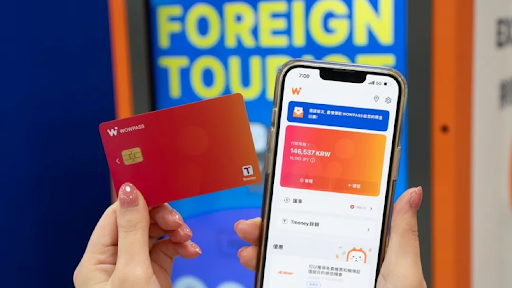
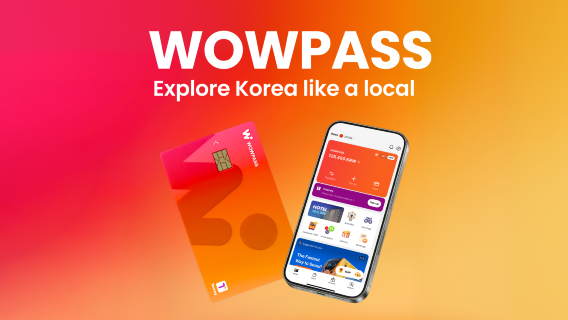
WOWPASS is a multifunctional payment card launched in South Korea to simplify transit and daily purchases for international visitors. Its core advantage is integrating T-money transit card functionality, foreign currency payments, and real-time balance management—all in one card.
Paired with its mobile app, you can skip carrying multiple cards or cash, and it's ideal for exploring cities like Seoul, Busan, Daegu, and Jeju Island.
4.7/5
658 reviews
5/5
We received the card without any problems! We topped it up at the machine. It's linked to the app. Payments always go smoothly.
5/5
A super convenient option. I got my card from a machine upon arrival without any problems. The machines support many languages and international currencies (but not the ruble). You can top up your card at numerous points across the country, including metro stations. The card worked absolutely everywhere, including boutiques. I'll be using it again!
5/5
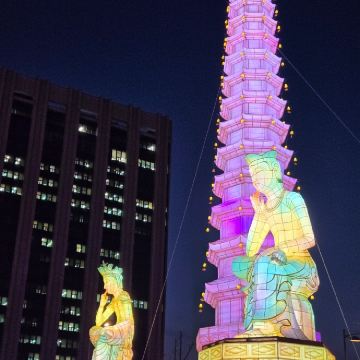
This time, before my trip, I learned that there was a limited edition card available at Hyundai Seoul Yeouido, and I really wanted to get one for the first time, so I went there. I was happy because it was limited edition. I downloaded the app beforehand, and it was great that purchasing the card only required a QR code. I had a wonderful trip visiting Hyundai Seoul and Naksan Park.

5/5
If you're flying or sailing (as we did on a CRUISE), we highly recommend this card. It's quick, convenient, and inexpensive. ATMs are readily available, so it's easy to pick up a card and top it up with the currency you need right away. 🔥💯 It's a super-convenient payment method, especially in Korea, for taxis, restaurants, cafes, and eateries. With this card, we didn't have to worry about finances at all. 🔥Thank you. 👍🏻

5/5
I'm used to using debit cards when traveling, but since Korean Won isn't one of the currencies accepted for debit cards, I had to try using the WOW card instead. The process of purchasing and exchanging for a physical card was very convenient. Top-up was also easy; basically, you can complete the process by following the machine's instructions—no difficulty whatsoever. However, please note that for now, top-ups can only be done via machines; if you top up at a convenience store, you can only top up to your T Money wallet.
WOWPASS vs. T-money Card vs. NAMANE Card
Feature | |||
|---|---|---|---|
Core Functions | Transit, daily payments, currency exchange (USD supported) | Transit only | Transit + daily payments |
App Features | USD top-ups, real-time exchange, balance tracking | Basic balance check only | KRW-only top-ups, purchase history |
Tax Refunds | Supported (refund to card) | Not supported | Not supported |
Purchase Locations | Airports, Trip.com, select subway stations | Convenience stores, subway stations | Subway stations, convenience stores |
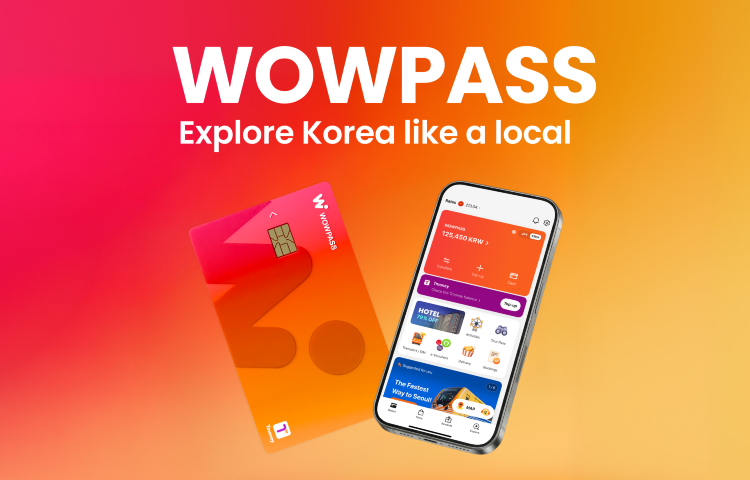
WOWPASS Card
4.7/5
658 reviewsWe received the card without any problems! We topped it up at the machine. It's linked to the app. Payments always go smoothly.
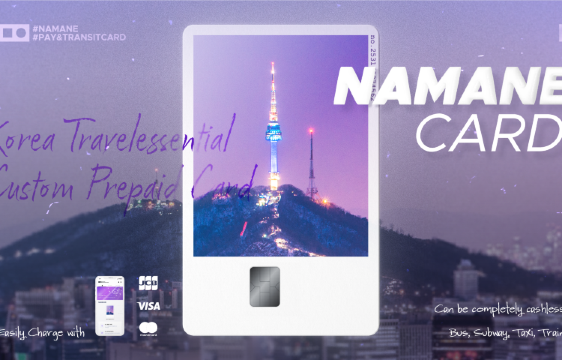
NAMANE CARD Transport Card (South Korea)|Offline payment card|Personalize Card Face
4/5
9 reviewsVery convenient card that allow a fuss free transaction journey throughout our trip. Allow us to go to places like the genshin cafe that only accept card. Definitely recommend everyone to get it.
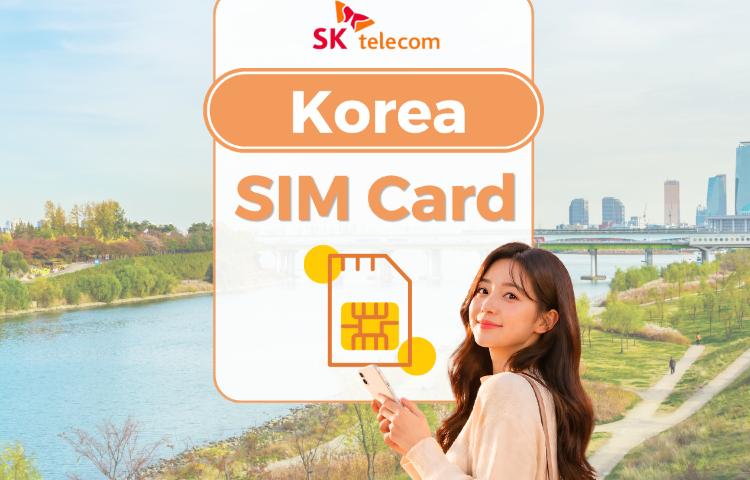
South Korea SKT SIM Card | 5G / 4G Plans | Voice & Texts | ChatGPT Full Access | QR code | Pick-up in Korea
4.7/5
290 reviewsThis is the second time I've ordered a Korean SIM card here. After clearing customs and collecting my luggage, I immediately saw the SKT counter; it was very easy to find. The staff were very helpful, and I got my SIM card in less than 5 minutes. They also provide SIM card eject tools for easy card replacement. The SIM card has excellent reception, and the 100GB daily limit is more than enough for daily use. It also allows me to receive text messages, which is convenient for making restaurant reservations, using Catchtable to book restaurants, or ordering late-night food delivery. I highly recommend it!
Who Can Use WOWPASS?
WOWPASS is designed for all international travelers visiting South Korea, whether you’re a first-time visitor or a seasoned explorer. It works across Korea’s major travel regions, eliminating the stress of converting Korean Won (KRW) or navigating unfamiliar transit ticketing systems. Cover almost all daily expenses—from subway rides to café stops—with one card.
How to Buy and Activate WOWPASS
Purchase Your WOWPASS Voucher (Pre-Trip)
- Buy a WOWPASS on Trip.com (or other authorized platforms) before your departure. You’ll receive a 6-digit verification code via email/SMS after checkout.
- This voucher lets you skip on-site lines for physical card issuance.
Redeem & Activate Your Card (In Korea)
Once you arrive, head to a WOWPASS kiosk (airports, subway stations, etc.) and follow these steps:
- Select your preferred language (e.g., English) on the kiosk screen.
- Tap “Issue New Card” and choose your initial top-up currency (USD, KRW, etc.).
- Scan your passport for identity verification.
- Select “I Have a Reservation Code” and enter your 6-digit Trip.com code.
- Load your initial funds (insert cash or use the app to transfer USD).
- Remove the physical card from the machine, then reinsert it to activate.
- Download the WOWPASS App, register your card, and you’re ready to use it.
How to Exchange Currency with WOWPASS
WOWPASS lets you exchange currencies digitally via the app, which is faster and often has better rates than airport counters:
- Open the WOWPASS App and log in to your account.
- Go to the “Currency Exchange” section.
- Select the currencies you want to swap (e.g., USD → KRW).
- Enter the amount and confirm the real-time exchange rate.
- Complete the transaction—funds will be instantly transferred to your target wallet.
Fly to Seoul
Seoul Hotels
Seoul Things to Do
See all flights


 NO.1
NO.1

![[South Korea] 5G | eSIM | 1-30 day validity | Subscribe and use now | QR Code | LGU/SK dual network](https://ak-d.tripcdn.com/images//0580w12000n1d84xt0913_C_568_320.jpg)


How to Use WOWPASS
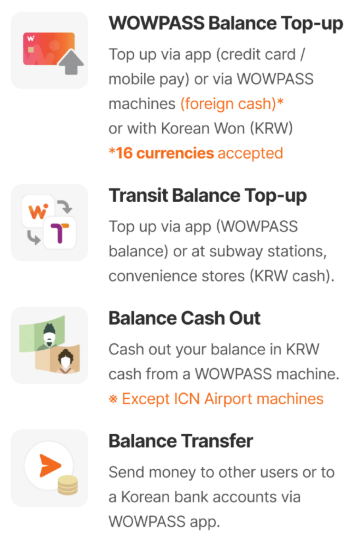
1. As a Transit Card (T-money)
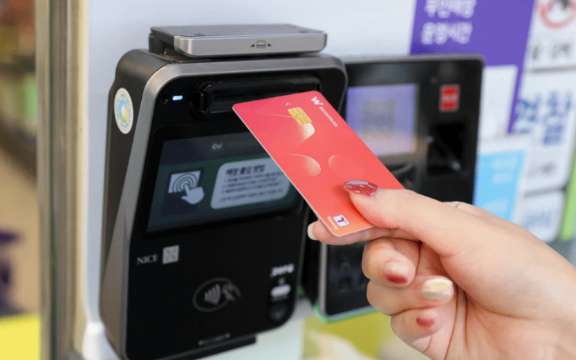
- How it works: Simply tap your WOWPASS on the contactless reader at subway turnstiles, bus doors, or taxi payment terminals.
- Pro tip: The fare is automatically deducted from your T-money balance, so you don’t need to select a ticket type or worry about exact change.
2. As a Debit Card for Daily Payments
- How it works: Insert your WOWPASS into the card reader at shops, restaurants, and convenience stores (or tap for contactless payments where available).
- Coverage: Accepted at most places that take card payments in South Korea, including major retail chains, cafes, and even street food stalls with card readers.
3. App-Based Balance & Payment Management
- Use the WOWPASS App to track your spending, exchange currencies (e.g., USD ↔ KRW), and set up auto-deduction from your foreign currency wallet if your KRW balance runs low.
- You can also view transaction history and receive real-time notifications for all payments.
Where is WOWPASS Location?
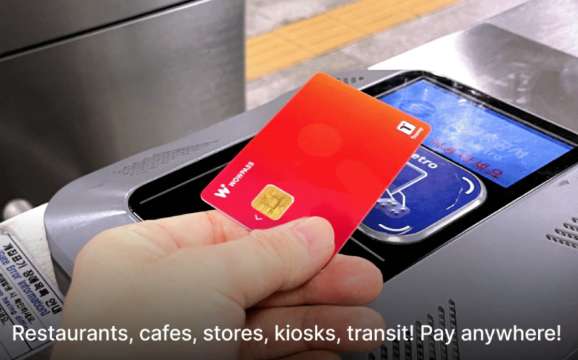
WOWPASS kiosks are widely available at airports, subway stations, and tourist hubs. Below are the most popular locations for travelers:
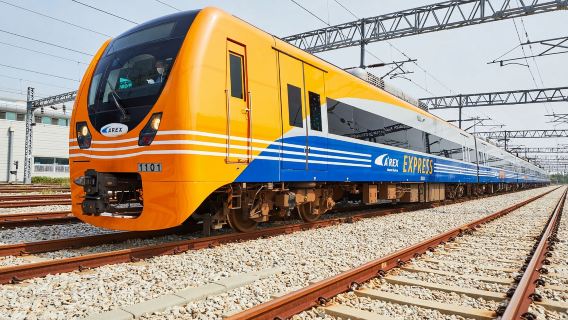
- Incheon Airport Terminal 1/2 (AREX): 6:00 AM–10:50 PM (Only for AREX Express Train ticket holders; no balance refunds).
- Jeju International Airport (International Terminal): Arrivals Hall Exit 5, 6:00 AM–11:59 PM.
- Hongik University Station: Next to subway ticket machines (Exit 2 direction), 6:00 AM–11:59 PM.
- Seoul Station (Lotte Mart): 2nd floor (under “Exchange” sign), 110m from Exit 1, 6:00 AM–11:59 PM.
- Gwanghwamun Station: Beside turnstiles (Exit 3 direction), 6:00 AM–11:59 PM.
- Busan Lotte Department Store (Main Branch): 1st floor (near tax refund counter, rear entrance), 132m from Seomyeon Station Exit 7, 10:30 AM–8:30 PM.
For additional kiosk locations, check the official WOWPASS website or app map.
What are Key Features of WOWPASS
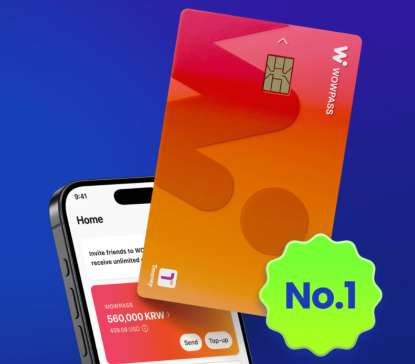
1. T-money Transit Card Integration
As South Korea’s primary transit payment method, T-money is accepted on subways, buses, and taxis nationwide. WOWPASS builds in T-money functionality, so you don’t need a separate transit card. Simply tap your WOWPASS to ride—no more fumbling with ticket machines or cash.
2. Multi-Currency Payments (USD Supported)
Load funds in U.S. Dollars (USD), Japanese Yen (JPY), KRW, and other major currencies. A standout feature is auto-cross-currency deduction: if your KRW balance runs low, the card automatically uses funds from your USD (or other foreign currency) wallet, converting at the real-time rate at checkout. Skip frequent top-ups and currency exchange counters.
3. App-Managed Currency Exchange
Exchange currencies instantly via the WOWPASS App (e.g., USD to KRW) with real-time rates—usually more favorable than airport or bank counters, with lower fees. No more waiting in lines at physical exchange desks: top-ups, currency swaps, and balance tracking are all digital, saving time on your trip.
4. ATM Cash Withdrawals
Use WOWPASS as a cash card at Korean ATMs to withdraw KRW. The amount is deducted from your foreign currency (e.g., USD) wallet at the current exchange rate, so you avoid carrying large sums of cash—boosting safety and convenience.
How to Reload WOWPASS
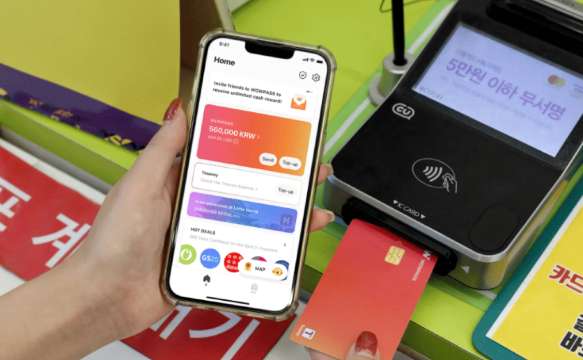
Online Reload (App)
After registering your card in the WOWPASS App, load funds in USD or other currencies digitally. Note: T-money transit balance top-ups via the app are only available for iOS; Android users must reload T-money at subway kiosks.
In-Person Reload
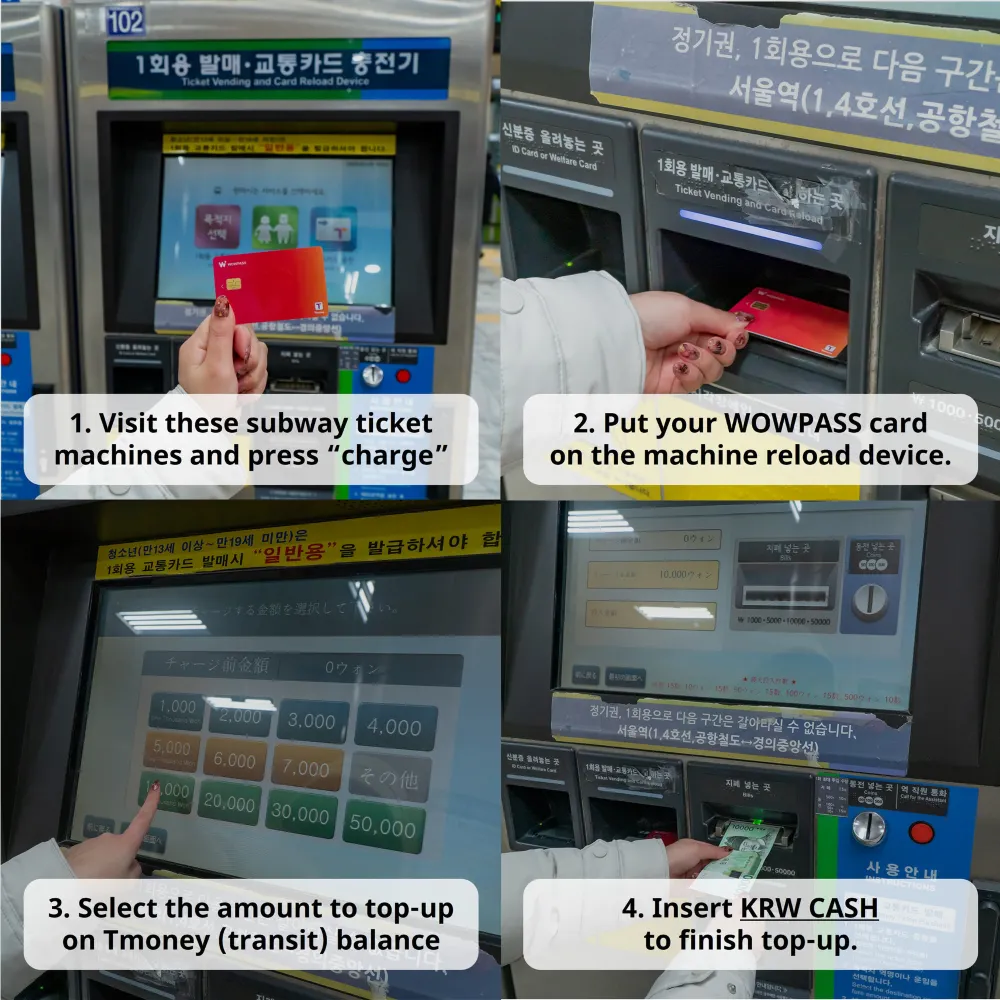
Reload T-money (for transit) at subway ticket machines or WOWPASS kiosks: Select your language, choose “Reload Transit Card,” enter the amount, and insert cash (KRW) to complete.
[10% OFF] Find Best Hotels in Seoul
Seoul Hotels
5 star
Amazing617 Reviews
Myeong-dong Seoul|0.3km from city center
I've been to Seoul several times, and this trip I finally got to experience the Westin Josun. The airport bus goes directly to the hotel, and the service was impeccable from the moment I got off the bus until check-out. All the staff spoke excellent English and were proactive in helping with luggage, giving directions, and even making change. The location is also fantastic; I could walk to duty-free shops, Myeongdong, and other places. The nearby BBQ restaurants were also delicious. My only minor complaint is that you have to stand in the bathtub to shower.FromPKR 93,607
Amazing353 Reviews
Myeong-dong Seoul|0.21km from city center
The hotel's location is excellent, right in the city center next to Seoul Plaza. Myeongdong, N Seoul Tower, and Gyeongbokgung Palace are all within walking distance. The City Hall subway station is right downstairs, with Line 1 and 2 intersecting there. Exit 6 of City Hall Station leads directly to the hotel's main entrance. What's more, the 6701 Incheon Airport Limousine Bus starts and ends right at the hotel entrance, making transportation incredibly convenient. From Incheon Airport, you can take the AREX express train to Seoul Station, then transfer to Line 1 for one stop to City Hall Station, and exit 6 takes you right to the hotel. I booked a Premier King Suite for a 4-day, 3-night stay. The room was a spacious 40 square meters, featuring a living room and a walk-in closet. It was incredibly clean, tidy, and very quiet – not noisy at all. The bathroom facilities were also well-maintained and spotless. The hotel staff were all very friendly, enthusiastic, and proactive in offering help. My stay was absolutely fantastic, and I'll definitely choose this hotel again when I return to Seoul.FromPKR 89,047
Great693 Reviews
Myeong-dong Seoul|0.73km from city center
The hotel's location is truly excellent; you can walk to Myeongdong from any direction in under ten minutes.
Reception is on the first floor, and check-in is on the seventh. Your luggage will be delivered to your room.
The hotel's overall style is very 'old money' chic.
The room cleaning is incredibly thorough, and coffee capsules are replenished daily. The bedding is very comfortable, and the conditioner is especially good.
Toothbrushes are priced, so it's best to bring your own. The shower is a seated type, which means it's quite low; if you prefer to stand, you'll need to hold the showerhead yourself.FromPKR 63,096
Very Good521 Reviews
Hannam-dong/Itaewon Seoul|3.44km from city center
Perched on a hillside, getting around was a bit of a hassle, but the hotel itself felt very high-end. The entrance and lobby had a very elegant, old-school luxury hotel vibe, and the service was incredibly professional. From my room, I had a panoramic view of the city. The room hallways and the rooms themselves felt a bit dated but were very clean, with an older decor style. The hotel has a gym, pool, and tennis courts. It's a really large property, nestled against the mountain, offering beautiful and comfortable scenery – perfect for a relaxing getaway.FromPKR 94,893
Very Good410 Reviews
Hannam-dong/Itaewon Seoul|4.43km from city center
Very beautiful hotel. Greeted by staffs who helped open the car door, and get your bags and luggage to the check in counter every day!
Only bummer was at check out timing is 11am, we tried asking for later check out timing during check-in and was told hotel is full. Managed to get a late check out of 12pm when we tried again the night before leaving the hotel.
Hotel has a little mall,a coffee bean, CU, some expensive restaurants. It also has a sauna (30K won per pax), 1 hot and cold tub and one sauna room.
Room amenities can be requested via the web app in your room. Rooms were very modern, however Water from the shower does flood the dry toilet area a little. Generally a great stay.FromPKR 63,469
Business travel
Very Good962 Reviews
Myeong-dong Seoul|0.17km from city center
The room was very clean and tidy, and the location was excellent. City Hall Station is not far away, and it's a 10-minute walk to Lotte Department Store. There's an Olive Young right outside the hotel. The most convenient part is the 6701 airport bus to Incheon, which you can catch right on the main road outside the hotel, and it takes about 50 minutes to get to the airport. I'll definitely stay here again next time.FromPKR 18,116
Great1589 Reviews
Myeong-dong Seoul|0.9km from city center
Originally, I booked a hotel in Gangnam, but considering factors like shopping and sightseeing, I decided to switch to Voco Myeongdong at the last minute. Overall, I'm quite satisfied.
In terms of service, from the front desk reception to the lounge, the swimming pool, and breakfast, every staff member was smiling and dedicated to providing excellent service. It was really good.
For dining, the breakfast selection was extensive and the food tasted great. Enjoying a hot bowl of Vietnamese pho in the morning was very comforting. The lounge also had a good selection; happy hour offered three hot dishes, along with cold platters, desserts, drinks, and alcoholic beverages, all of high quality.
The room was also quite satisfactory. It was well-equipped with all sorts of amenities. The first round of the mini-bar was complimentary every day, and the quality was decent. The smart toilet and bathtub were very convenient. There were also USB and Type-C chargers. The only minor issues were that the USB charging port seemed to be of poor quality and often disconnected. The 0.8m bed was a bit narrow, and there was a slight risk of falling off when turning over. Also, upon check-in, there were two bottles of shampoo and one conditioner in the shower, and I had to inform the front desk to get a bottle of body wash sent up. Furthermore, the swimming pool closes quite early, at 8:00 PM.
The location is truly excellent. There's a subway station and several bus stops right downstairs. From the lounge, you can directly see Namsan Tower. Namdaemun Market is right across the street, and it's a direct walk to Lotte and Shinsegae Duty-Free Department Stores, as well as Myeongdong's main shopping street, making it very convenient for shopping. The hotel also has a GS25, Burger King, and coffee shops, making it incredibly easy to grab a bite or a drink.
I would definitely choose this hotel again next time.FromPKR 48,006
Very Good1666 Reviews
Myeong-dong Seoul|1.61km from city center
The hotel's location is excellent, very close to the subway and bus stops. You can easily walk to the Hanok village near Changdeokgung Palace, and Gwangjang Market is also very nearby. At the eastern end of the market, there are fruit shops, so you can really indulge in fresh fruit. Downstairs, there's a supermarket that seems to be open all the time, so no matter how late you come back, you can always find something to buy. We were given a room facing north, which offered fantastic views of the mountains and the palace. The bed in the room was large, and there were no strange odors, making it perfect for a family trip.FromPKR 28,439
Very Good1565 Reviews
Myeong-dong Seoul|1.05km from city center
The downside is that there were former employees striking outside the hotel the entire time. It seems this hotel treats its staff very poorly. The daily room cleaning was also done very late, probably because they laid off so many employees. For these reasons, I wouldn't recommend this hotel.
The location, however, is excellent. It's super convenient for getting to major shops in Myeongdong like Olive Young (though a bit far from the duty-free shop). The subway station is right downstairs, and there's also a very large 7-Eleven downstairs with spacious seating for instant noodles. Other stores like GS25 are also nearby, and a 12-story Daiso is just across the street. The hotel doesn't provide disposable dental kits, so you can just buy them directly from Daiso.
Myeongdong Cathedral is right behind the hotel, and there are quite a few historical attractions in the vicinity. Luggage storage is very convenient, and check-in is self-service.FromPKR 22,345
Very Good2351 Reviews
Dongdaemun Market Seoul|2.14km from city center
Sky Garden Dongdaemun 1 is in a fantastic location. It's just a few minutes' walk to the Dongdaemun shopping area, and there's an airport shuttle stop right across the street, making transfers to and from the airport super convenient. The room was clean and tidy, and the bedding was comfortable. The 24-hour front desk had staff who spoke Chinese, which made communication very smooth. There are plenty of convenience stores and restaurants nearby. It's definitely my top choice for shopping and getting around – I'll stay here again next time I'm in Seoul.FromPKR 16,002
Family friendly
Very Good1556 Reviews
Myeong-dong Seoul|0.22km from city center
The location is excellent! Right downstairs is the 6701 airport shuttle bus stop, and the subway entrance is just outside, super convenient. We booked a room for four people this time, and it was quite spacious – enough to open all three of our suitcases. The service was also great; they cleaned the room daily, and the front desk staff spoke fluent English, making check-in and check-out very smooth! I just forgot to take pictures of the room! I only got shots of the exterior. The Seoul Finance Center is right across the street, you can see N Seoul Tower, and there are tons of restaurants and convenience stores nearby. Plus, there are two Olive Youngs, a Daiso, and even a Chabaidao tea shop!FromPKR 20,396
Very Good2113 Reviews
Myeong-dong Seoul|0.67km from city center
Stayed for three nights in Seoul, right in the Myeongdong area. It was super convenient for food and shopping, with several great restaurants nearby. It's also very close to the subway station and Lotte Department Store, perfect for dropping off your shopping and heading back out. The hotel facilities are a bit old, but everything else was good.FromPKR 27,195
Very Good3230 Reviews
Myeong-dong Seoul|1.57km from city center
Big shoutout to the front desk guy who spoke Chinese! Communication was a breeze, and he was super nice, even helped us with a taxi. The location is great, with subway lines 3, 4, and 5 all nearby. Lines 4 and 5 are the closest, which is really convenient; it's just one stop to Myeongdong. But since we enjoy walking, we often just walked to Myeongdong anyway – it's not too far, maybe three blocks. The hotel has a CU convenience store, which is perfect for breakfast or a late-night snack. Our room was newly renovated, very comfortable, tidy, and clean. The soundproofing was excellent; even when people next door had their door open, we couldn't hear a thing with our door closed. The facilities are also great – there's an ice machine, hot and drinking water, and a microwave. The only downside is that the price was a bit high during the summer holidays.FromPKR 32,253
Great3005 Reviews
Dongdaemun Market Seoul|2.61km from city center
The room size was just right, not too big, not too small, and it had a balcony with a great view for watching the sunrise – absolutely stunning! I’ve uploaded pictures of the view at different times of the day for everyone’s reference. The transportation is incredibly convenient; there are several subway lines right downstairs to choose from, and as soon as you step out, there are all sorts of dining options. The mall is also right downstairs, making it super easy to buy anything you need! Most importantly, I love to run, and this hotel is very close to Cheonggyecheon Stream, which is a dream come true for running enthusiasts! It's a 5km one-way run, making it 10km round trip! Fantastic! The hotel breakfast was also a highlight; the fried chicken, noodles, and mixed salads were absolutely delicious! Plus, the front desk staff were very friendly. When we arrived, there was even a guide who spoke Chinese, which was very nice! I'll definitely choose this place again next time! Unforgettable Seoul, you brought me endless surprises!FromPKR 30,512
Great1173 Reviews
Myeong-dong Seoul|0.48km from city center
## Location: Perfect Score
Right across from Lotte Duty-Free and less than a 5-minute walk to Shinsegae Duty-Free, making it incredibly convenient for shopping. Its location is comparable to the Aloft nearby but significantly better than Voco (which requires a bit of a detour). If you're here for serious shopping, this location will definitely save you time and effort.
## Room & Facilities
The room size is similar to Aloft's – both are on the 'compact' side. It's a bit smaller than Voco, so if you have a lot of luggage, you might want to reconsider. The hotel is located within a mixed-use building, so you'll need to go to the 9th-floor lobby for check-in. Waiting for elevators during peak hours can be a bit of a pain. There are free luggage lockers on the 9th floor lobby, which are very convenient to use.
## Service & Details
The service was adequate, neither exceptionally good nor bad. However, there's a noticeable drawback: my Trip.com reservation explicitly requested a 'high floor,' but I was given the 11th floor (guest rooms are on floors 10-18). This compromised both the view and the quietness. I recommend calling ahead to confirm or actively requesting a higher floor upon arrival. The central air conditioning noise from the adjacent building runs 24/7, which somewhat affected my sleep.
## Alternatives
Next door is Ibis. If you're not sensitive to floor level or room size, you could compare prices for the same location and pick whichever is cheaper.
## Summary:
If you're looking for ultimate convenience and don't mind a smaller room or the occasional elevator wait, this place is worth considering. However, if a great view, spacious rooms, or a high-floor experience are important to you, I suggest lowering your expectations or looking elsewhere.FromPKR 45,187
Hot spring
Very Good1839 Reviews
Myeong-dong Seoul|0.5km from city center
This hotel is fantastic! To get there, take airport bus 6015 and get off at Namdaemun Station. The hotel is located in the alley directly opposite where you get off. Just cross the road via the underpass, and it's a maximum 10-minute walk. It's also incredibly close to Myeongdong. If you exit the other end of the alley, it's a three-minute walk, and a right turn will lead you to an underground shopping center. From there, you can access Lotte Department Store through several entrances, or keep walking to exit 18 which leads directly to Myeongdong Shopping Street – perfect for avoiding the sun during the day. I highly recommend this hotel; the breakfast is excellent with a self-service ramen machine, and there were many Western guests. They provide disposable slippers and two bottles of mineral water. The room is cleaned, but they don't fold the duvet. Check-in was easy; even with a bit of gesturing and guessing, there were staff who spoke Chinese, though you might not always encounter them. I didn't experience any unfriendliness. This hotel is far superior to the Ibis I stayed at later near Myeongdong. If you're going to Seoul, this hotel is highly recommended for its convenience to attractions and shopping, plus direct airport bus service for your return. Lotte, Shinsegae, and Myeongdong Shopping Street are all within a 10-minute walk.FromPKR 27,112
Very Good1097 Reviews
Insadong / Bukchon Seoul|1.15km from city center
This hotel is very close to Myeongdong, within walking distance. It's also conveniently located near Lotte Duty Free and Shinsegae, and there are convenience stores nearby, so the location is quite good. However, for the triple room I booked, the pillowcases and sheets hadn't been changed, and they felt incredibly dirty. After arriving late at night, I spoke to the front desk, and they brought three new sheets that were noticeably cleaner. We spread them out and slept for the night. The staff's attitude was decent, especially the person who brought the new sheets, who was very polite.FromPKR 19,318
Great3053 Reviews
Myeong-dong Seoul|1.16km from city center
Overall, it was a great experience. The hotel offers good value for money, and the hygiene was excellent. It's very close to the subway station, just a 3-5 minute walk away. Downstairs, across the street, there are plenty of restaurants and small bars. The hotel is located in the city center, near Myeongdong, and you can walk to the pedestrian street in about ten minutes. It's also quite quiet at night. There's a convenience store in the lobby downstairs, making it easy to buy things. I initially booked for 3 nights and wanted to extend, but there were no suitable rooms available. I'd definitely recommend it for future visits.FromPKR 28,273
Great1069 Reviews
Myeong-dong Seoul|0.72km from city center
An all-around amazing option for 1st time visitors. I’ve seen nothing but hospitality and top notch service from the staff. The breakfast has a good variety of options (I’ve seen many 4-star hotels do less with it). The hotel is very clean and spacious. No noises from the adjacent rooms whatsoever, so I could really relax after the long days of exploring the city.
The area is very walkable, and you can get to Euljiro and Myeongdong stations within minutes.
If you don’t mind the occasional hustle and bustle in the street in the evening, then this is a solid option for your stay in Myeongdong.FromPKR 41,746
Very Good2580 Reviews
Seoul|3.88km from city center
I took my daughter on a trip to Korea, and a friend recommended this hotel before we left. Although the price was a little high, I still booked it.
**Transportation:** From Incheon Airport, if you don't have too much luggage, you can easily take the subway. It's very convenient. A subway ticket is around 5,000 Korean won, which is cheaper than a bus ticket. After exiting the subway, it's about an 8-minute walk to the hotel.
**Service:** There's a young man at the front desk who can communicate in Chinese. The staff clean the rooms daily and provide two bottles of water in the fridge. Everyone is very polite.
**Amenities:** There's a power outlet on the desk that accepts plugs from my home country (only one, see my photo). There's a slow-charging Type-C port by the bed. The room has a mini-fridge, hairdryer, and kettle. The hotel lobby has a self-service currency exchange machine where you can exchange RMB for Korean won (cash only, no Alipay, etc.). However, the exchange rate is slightly higher than at home.
**Dining:** Behind the hotel, there's a food street. There are many reviews on Xiaohongshu. I tried chicken soup, Lee Garden, potato and pork bone soup, and tteokbokki. All were delicious. The tteokbokki was very spicy. The portions were generous!
**Local Transport:** I used the subway for all my travels (Gongdeok Station and Mapo Station are both accessible); I didn't use buses. Korea has shared bicycles, so those who can download the app might want to try it.
Overall, the hotel is good.
**P.S.:** Trip.com's service was also good. They helped me communicate with the hotel regarding my booking, which was very helpful.FromPKR 22,676
Gym
Great3590 Reviews
Seoul|3.79km from city center
I had a layover for a day and wanted to book a hotel near the subway for easy access. To my surprise, it was a fantastic stay! Upon arrival, I found self-service check-in machines, which was fun, and there were staff members who kindly guided me. The room size was just right and thoughtfully arranged. As soon as I entered, I noticed charging outlets with various ports, which was very convenient. The separate toilet and shower were also a big plus. The location is excellent, making dining easy. Downstairs from the hotel is a large Korean chain coffee shop with a wide selection of pastries, and it was still bustling with customers past 9 PM. Just across the street, there's a McDonald's open until 2 AM, and a 7-Eleven. Overall, I'm very satisfied.FromPKR 25,951
Great718 Reviews
Myeong-dong Seoul|0.58km from city center
The hotel has a simple yet stylish design, and the rooms are very clean. The bed and pillows were incredibly comfortable, ensuring a great night's sleep. The room also gets good natural light, with pleasant sunshine during the day. Plus, being on a high floor, I had a great view of the Myeongdong streetscape.
The location is super convenient, right below the Myeongdong shopping district. There are plenty of restaurants, shops, and convenience stores, and it's really lively at night. The subway station is also very close by.
The hotel staff were very friendly and helpful, and both check-in and check-out were smooth. I'd definitely choose this place again on my next trip to Seoul; it's perfect for first-time visitors to Korea.FromPKR 64,091
Very Good688 Reviews
Myeong-dong Seoul|0.39km from city center
This hotel is conveniently located near Myeongdong, with a Starbucks right next door and a duty-free shop across the street. The subway station is just outside, making it super easy for shopping, dining, and transportation. The room size was decent, and the cleanliness was also quite good. For a summer stay, the value for money was pretty reasonable.FromPKR 41,373
Very Good998 Reviews
Gimpo Airport/ Magok Seoul|9.04km from city center
The location is super convenient, making it easy to get around and find places to eat. The lobby is clean and grand, and the room layout is practical, tidy, and odor-free. The bedding is very comfortable, ensuring a good night's sleep. The bathroom has a separate wet and dry area, and the hot water comes on instantly. The toiletries are also of high quality. The staff are gentle, polite, and very responsive to requests. Overall, it offers excellent value for money, making it my top choice for accommodation when traveling.FromPKR 12,478
Very Good3137 Reviews
Yeouido Seoul|8.19km from city center
Location: First time staying in Yeongdeungpo; it's a short walk from the airport limousine bus stop so that was convenient. There's a Starbucks and C U convenience store right outside the hotel. YDP station and Lotte Department Store are a short walk away, though I recommend taking a short bus ride to the Hyundai Department Store. It's also near the Yeouido Hangang Park.
Room: Layout is a little strange as other reviewers have noted, and indeed there's very little space to open your suitcase. I placed mine at the wardrobe area, which meant it was a little difficult to access the clothes I hung up. I liked the two couches against the window.
Toilet: The sink is the first thing you see when you enter the room. I didn't like how the shower and toilet shared a door, and there's no bidet for the toilet. Water pressure and temperature control for both the rain shower and handheld shower were good.
Bed: Fairly comfy, however it was the first time I've ever experienced a creaky hotel bed.
Miscellaneous: Might be a minor thing for most but the room slippers were a joke...the top part was literally paper and difficult to slip on and off because of the way the paper was folded. Fridge was small and not very cold but did its job. Lobby is small and only has one seating area, so it's not a place to chill or wait around long. Staff were friendly, and I was allowed to check in slightly earlier than 3pm. Checkout was fuss-free.FromPKR 21,972
Swimming pool
Great511 Reviews
Yeouido Seoul|6.44km from city center
My overall experience at the Conrad Seoul was absolutely fantastic. The hotel is located in the heart of Yeouido's business district, with direct underground access to IFC Mall and The Hyundai department store, making it incredibly convenient for dining, entertainment, and shopping – a one-stop shop for everything you need. The rooms are exceptionally spacious for a Seoul hotel, with a well-designed layout clearly separating the living area (with a sofa) and the workspace. The public facilities are impeccably maintained; the 37th-floor pool is quiet and uncrowded, offering stunning city and river views while you swim. The gym is well-equipped with a great panoramic view. Breakfast offers a wide variety, from authentic Korean local dishes like abalone porridge and bibimbap to Western cuisine. The front desk and room service staff are professional and patient, with seamless English communication, and the turndown service is thoughtful and meticulous. Whether you're traveling for leisure or business, this is a top choice for luxury accommodation in Seoul.FromPKR 125,155
Great1094 Reviews
Dongdaemun Market Seoul|2.68km from city center
For this price point, the basic room hygiene was excellent, no complaints there! But apart from that, everything else was a letdown. If you're looking for a comfortable and convenient trip, this isn't the place.
Location and Dining: The hotel is located on a mountain with a great view, but don't even think about walking anywhere. Besides a duty-free shop nearby (which is mostly frequented by personal shoppers), even getting a taxi is a hassle.
For breakfast, be prepared to wait an hour. The front desk suggested I go before 7 AM to avoid the queue, which, to be fair, made breakfast quite good. When I checked in, I also inquired about dinner and good restaurants. The front desk staff claimed all their hotel restaurants were famous and delicious, especially the Japanese one. When I asked them to make a reservation for us, they said reservations usually needed to be made 30 days in advance. Fine.
Then I thought, I'll just grab a coffee at the hotel cafe. Another wait... at least 30 minutes. Ugh...
Returning to the hotel on the second evening, I found the lobby packed with people queuing all the way to the door, like a bustling market. They were all lining up for the buffet. If your F&B is that good, why bother with the hotel? Guests staying here can't even get a table because it's full of outside diners.
The swimming pool was the same – tiny and completely overcrowded, impossible to actually swim. There must have been at least 50 people in there; it was more like a hot tub than a pool. Honestly, apart from sleeping, nothing else was good.
Let's talk about the service: It felt like they were particularly reluctant to serve Chinese guests. When checking out, my child and I were carrying our luggage out, and there were many staff standing in the lobby who didn't offer to help. It was only when a car pulled up outside that someone came to assist us with our bags. What were all those people standing around in the lobby doing then?
After my luggage was loaded, I got into the car and looked out the window to see the person who just helped me with my bags using my car window as a mirror to fix his hair. Hilarious! (This happened at 7 AM Korean time on the 19th).
For this price, you're better off staying in Gangnam. Josun Palace is much better and similarly priced.
To be honest, I'm very disappointed. It's a beautiful hotel, and the staff are all good-looking, but they clearly haven't been properly trained. I hope whoever cares about this hotel sees this review and seriously considers whether you are in the F&B business or hospitality. My experience of your hospitality was very poor.
You did great in terms of the beautiful location and clean rooms, but you missed out on how to treat your guests that are staying at the hotel. Horrible experience. I don’t think you deserve the reputation you once had.FromPKR 112,470
Great966 Reviews
Seoul|4.07km from city center
I really liked the work of the administrator, the guy, and the young female translator at the front desk. She was very clever and pleasant. And that's about it. It's also probably convenient that a mall and a currency exchange are nearby, but those are everywhere, so it's not really an issue. Honestly, this hotel doesn't deserve more than a 3-star rating. The rooms are messy, the cleaning is terrible. Everything is old and dilapidated. The view is mediocre. If you arrive late, there are no stores nearby, just one small grocery store around the corner. It's a residential area. For a claimed 5-star hotel, and being listed second among the best (which is what caught my attention before I booked), it absolutely doesn't live up to it! The washing machine in the room leaks, and there's no detergent. The bathrobe 'smelled' of sweat on our first day 🤢🤮. The furniture is scratched, there are no dishes, not even a knife. What a nightmare.FromPKR 48,047
Amazing693 Reviews
Seoul|12.73km from city center
The room was great, located on the 23rd floor with a stunning lake view. When I booked, I selected a three-person meal option for two adults and one child. The price for a two-person meal and a three-person meal was different at the time of booking. However, upon arrival, the hotel informed me that one of the meals in my three-person package was a complimentary children's meal. Since my child is 13 years old, exceeding the 12-year age limit, they were not eligible for the free buffet breakfast, and I was asked to pay. To avoid disrupting our travel plans and mood, I paid for the meal. However, I find this explanation completely unacceptable. I purchased a three-person meal package, but at the hotel, it was treated as if I bought two meals and received one free. If I had known it was a complimentary meal from the hotel, why would I not just book the two-person meal package and save some money?! I urge Trip.com and the hotel to communicate and provide a satisfactory resolution.FromPKR 76,072
Great256 Reviews
Dongdaemun Market Seoul|2.75km from city center
Facilities: Excellent, the flowers in the lobby are beautiful.
Service: The staff are all very friendly and helpful.
Hygiene: Very clean, the room was great, they even helped with an extra bed.
Facilities: Excellent, the lunch buffet was delicious, reasonably priced, and had a great variety. The steak on the second floor was also very good.FromPKR 90,125
Breakfast
Great1704 Reviews
Dongdaemun Market Seoul|2.2km from city center
The room was very clean and tidy, and the price was just right. It was also very conveniently located, with four subway lines nearby and a convenience store just a short walk away. David at the front desk was very accommodating; even though it wasn't yet 3 PM for check-in, he told us we could check in early because a room was already cleaned. All the staff were very friendly and helpful. It was excellent, and I'll definitely come back again.FromPKR 25,786
Very Good1122 Reviews
Myeong-dong Seoul|1.02km from city center
I stayed at the Four Points by Sheraton Josun, Seoul Myeongdong for one night before flying out of ICN. My only requirement was that the hotel have easy access to the airport limousine route. While there is a stop a few steps from the hotel, we found that, given the time of our flight the following morning, we ultimately needed to use a different stop. We trekked the extra 10 minutes in the morning with our luggage, which was less than ideal, but ultimately worked out fine. The hotel was easy to access, tucked into a quiet corner of Myeongdong. While we arrived quite late in the evening, the staff was glad to receive us. The check-in instructions were simple and easy. We received a room on the 20th (I think) floor with a lovely view of the city. It was clean and well-appointed with space for four suitcases, which was necessary as we prepared to depart Korea with many new purchases. The famous Myeongdong walking street was only a 7-minute walk away, which is a major selling point. I would definitely recommend this hotel for a solo traveler, a pair, or a couple. The room is small, but clean, and the location is prime.FromPKR 29,600
Very Good1022 Reviews
Seoul|7.39km from city center
Upon entering to check-in, there was no proactive greeting. The attitude during check-in was also just so-so. I chose this hotel specifically because it was advertised as a 'Chinese selection,' but I felt their attitude towards Chinese guests was indifferent. Other explanations were general, mainly emphasizing the 11 AM check-out time, warning of a penalty otherwise. Personally, I think the hot water issue, which I'll mention next, is more important than that.
Aside from these points, the hygiene was acceptable. The facilities are a bit old. There's a convenience store nearby, and the bus stop downstairs is also very convenient.FromPKR 13,224
Very Good638 Reviews
Samseong-dong Seoul|9.79km from city center
My stay at the Shilla Stay Samsung COEX Center was excellent from start to finish. The location is perfect, especially for business trips and shopping, with easy access to COEX Mall, restaurants, cafés, and the subway. The rooms were modern, spotless, and very comfortable, with great city views and all the amenities needed for a relaxing stay.
What truly stood out was the professionalism and kindness of the staff. Check-in was smooth, and everyone was always helpful and welcoming. The breakfast selection was also very good, with a nice mix of Korean and international options.
The hotel offers great value for money considering the quality, cleanliness, and prime location in Gangnam. I would definitely stay here again and highly recommend it to anyone visiting Seoul for business or leisure.FromPKR 36,606
Very Good364 Reviews
Myeong-dong Seoul|1.04km from city center
Very convenient, clean and hygienic hotel, impressive quick self check in service. I booked a 5 nights twin bedroom. The room was clean and tidy, the air in the room smell nice, the bedsheets were neat and clean. However, the shower room ventilation needs to be improved. Other than that, this hotel provides excellent complimentary breakfast, everything was perfect to me. Will definitely stay again next time.FromPKR 41,332
FAQs about WOWPASS
-
How does WOWPASS work?
-
Is WOWPASS Worth It for Travelers?
-
Can I use WOWPASS outside Korea?
-
Can I use WOWPASS for subway?
-
Can I get a tax refund on WOWPASS?
Disclaimer: This article has been provided by an individual contributor or third party platform. If there is any discrepancy regarding the copyright, please contact us directly and we will delete the content immediately.
Popular Searches
-
Getting Around
-
Popular Attractions
-
eSIM/SIM card
- Forbidden City Tickets
- Zhangjiajie National Forest Park
- Shanghai Tower Tickets
- Shanghai Wild Animal Park
- Shanghai Disneyland Tickets
- Canton Tower Tickets
- shanghai to wangxian valley
- Shanghai Disneyland Fast Pass
- Huangshan
- Book China Attraction Tickets with Passport
- Universal Studios Beijing Tickets
- Great Wall of China Tickets
- Yu Garden Tickets
- Summer Palace Tickets
- Shanghai Disneyland Crowd Forecast