Lost Phone in China: Protect Your Accounts and Keep Your Trip Moving

If you are dealing with a lost phone in China, follow this order. First, get to a safe place and borrow a trusted device. Then lock the phone through Apple or Google, freeze WeChat and your payment apps, and call the carrier that owns your number. After that, sort out today's train, flight or hotel. A new data eSIM will get you online again, but it is a different line, so it won't bring back your old number or the SMS codes sent to it. Never give a "finder" your passwords or codes, and don't erase the phone or remove it from your account in a panic.
Book China Flights, Hotels and eSIMs
Flights to Shanghai
Hotels in Shanghai
China eSIMs
See all flights

 NO.1














Protect the Device and Accounts Before Chasing a Location

Your situation | What it usually means | Police report? |
Forgotten (taxi, restaurant, hotel) | Someone may hand it in | Not needed to start. Contact the place first |
Stolen (pickpocket, snatch) | Treat every account as at risk | Yes. Report it, and keep the paperwork for insurance |
Broken (dropped, water, dead screen) | The phone is safe but useless | Usually no. Repair or replace it |
First-action card
Step | Who handles it | What to confirm before moving on |
1. Get to a safe spot and borrow a trusted device | You, your travel partner or hotel staff | You can sign in somewhere other than the lost phone |
2. Lock the phone remotely | Apple or Google | The phone shows as "lost" or "locked" |
3. Freeze WeChat and payment apps | WeChat, Alipay, your bank | You see a freeze confirmation or have a case number |
4. Suspend your mobile number | The carrier that issued the SIM | The line is suspended, not cancelled |
5. Check today's bookings | Trip.com, the airline, 12306 or the hotel | You have a booking number or confirmation email |
6. Report the loss or theft if needed | Local police, then your insurer | You have a written report if your insurer asks for one |
iPhone: use Find Devices, even without your code
Apple Support's lost or stolen iPhone guide (checked on 23 November 2026) says you can sign in at icloud.com/find without a verification code. If the page still asks for one, tap the Find Devices button instead. Apple says this works even when the lost phone is your trusted device.
Next, turn on Lost Mode. According to the same Apple guide, it locks the phone with your passcode and suspends your Apple Pay cards.
Don't remove the phone from your Apple Account, because Apple says removing it also removes Activation Lock.
Android: use Find Hub, or a friend's phone in guest mode
Google's Android Help page for Find Hub (checked on 23 November 2026) lists what must be true before it can work. The phone needs power, a mobile data or Wi-Fi connection, a signed-in Google Account and Find Hub switched on. You can then go to google.com/android/find to play a sound or choose Mark as lost.
If you are using a friend's Android phone, pick "Sign in as guest" in their Find Hub app.
Trip.com's guides to Google in China say Google is blocked on mainland networks, including hotel Wi-Fi and most local SIM cards. The same guides say home-carrier roaming, or a China eSIM that routes data abroad, can reach Google.
Erase is the last move
Apple says an erase can't be undone, and that it should only come after you have tried everything else. Google also says a reset permanently deletes data and the phone disappears from Find Hub. If you see a location, give it to the police instead of going there on your own to confront anyone.
Protect WeChat, Alipay and Bank Access Separately

WeChat: freeze from another phone
The WeChat Safety Center freeze page (checked on 23 November 2026) gives you two ways in:
1. On a phone where you can open the WeChat app: tap More Options, then Safety Center, then Freeze Account, and follow the steps.
2. On a friend's phone, while their WeChat is signed in: go to Me, then Settings, then Account and Security, then Help a Friend Freeze WeChat.
The same page says you may need to sign in more than once if you start from a logged-out screen or use a Weixin account, so just repeat the prompts.
Alipay, Weixin Pay and your bank
For Alipay, the official Alipay regulatory information page (checked on 23 November 2026) lists an English-speaking line for the Alipay China wallet: +86 571 2688 6000. It runs between 8:00 and 24:00 Beijing time. Tencent's Weixin Pay page, checked on the same day, lists 95017 for callers inside the Chinese mainland and +86 571 95017 for callers outside it. When you call, ask each one what freeze or loss report they can apply to your account, then write down the case number.
Your bank is a separate call. If a home card is linked to Alipay or WeChat, use the number on your bank's own website or on a printed statement.
Account and payment matrix
Account | Official route | What to leave with |
Freeze Account in Safety Center, or Help a Friend Freeze WeChat | A freeze confirmation on screen | |
Weixin Pay | 95017 (mainland) or +86 571 95017 (outside the mainland) | A case number |
Alipay | +86 571 2688 6000, 8:00 to 24:00 Beijing time | A case number |
Bank or credit card | The number on your bank's website or statement | A block or freeze confirmation |
Apple Account | icloud.com/find, then Lost Mode | The phone showing as lost |
Google Account | google.com/android/find, then Mark as lost | The phone showing as lost |
Before you freeze anything, save whatever you can still see, such as recent payments, taxi trips and booking emails. Trip.com's lost-property guide explains how a taxi receipt or a ride-hailing trip record helps identify the car.
Restore Communication Without Confusing Data with Your Original Number
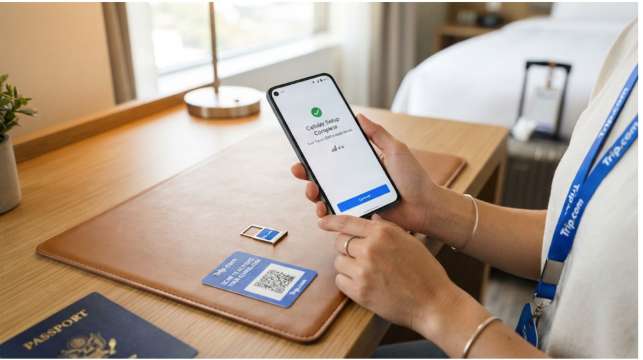
Three kinds of line
Line type | What it gives you | Can it get SMS codes for your old accounts? | Who can restore it |
Your home SIM (roaming) | Your normal number, calls and texts | Yes, once it's restored | Your home carrier, under its own ID rules |
A Chinese SIM with a +86 number | A local number | Only for accounts linked to that +86 number | The Chinese carrier that issued it |
A data-only travel eSIM | Internet only | No | Your eSIM seller, for data problems only |
Trip.com's China SIM card guide, checked on 23 November 2026, says not every travel eSIM includes voice or SMS. It also says data-only eSIMs can't receive verification messages. A data eSIM gets your maps, chat apps and email working again, but codes sent to your old number won't arrive until that number is back.
Suspend the line, don't cancel it
Shanghai's official English city portal (checked on 23 November 2026) says to report the lost phone to your carrier. It lists China Mobile 10086, China Unicom 10010 and China Telecom 10000, with the 021 area code for Shanghai. Apple's guide also says to ask your carrier to disable your account. Ask for the line to be suspended, and ask what cancelling would mean before you agree to it.
If your number is on a Chinese SIM, Beijing's official English SIM card guide (checked on 23 November 2026) says SIM cards are handled at service halls run directly by China Mobile, China Unicom or China Telecom, with your passport. Ask there if you can get a replacement SIM on the same number, since the carrier's own rules decide it.
If your number is from home, call your carrier's international line from a borrowed phone or a calling app. Ask whether they can get a replacement SIM or eSIM to you abroad, and how long it will take.
Getting online again on a new or borrowed handset
If you buy a replacement phone or use a spare, Trip.com's China eSIM guide says to check that the phone is eSIM-compatible before you buy a plan.
Trip.com's own China eSIM product page (checked on 23 November 2026) also makes an important point. If you want SMS on your original number, keep that original SIM or eSIM active and set it as the default voice line. If your phone holds two lines, you can run your restored number and a data eSIM side by side.
You can compare data-only eSIMs and SIM cards with a +86 number in Trip.com's guide to getting a SIM card in China. Pick a plan your new phone supports, and remember it won't replace your old number.
If you set up an authenticator app, backup codes or a recovery email before the trip, use them now. While your number is suspended, SMS codes sent to it won't reach you. When a bank or app asks for one, use its own "I don't have my phone" or "try another way" option, and ask your bank to switch your two-factor codes to email or an authenticator app until the line is back.
Stay Connected in China with eSIM Data Plans
See all attractions
Recover Today's Bookings and Confirm the Next Journey

Where to find your booking without the app
Your confirmation email is the first place to look. Trip.com's booking confirmation help page (checked on 23 November 2026) says the confirmation goes to the email used for the booking, so sign in to that email on any trusted device. If you can't reach the email, the Trip.com customer support page has a "Search by booking number and PIN" option under "Can't find your booking?". If you have neither, contact Trip.com customer service.
If you are travelling with someone, ask your partner to forward any confirmations they hold. The booking stays in your name, so you should show your own ID at the desk. A companion's account can help you find the details, but it doesn't prove the ticket is yours.
Today's journey table
What's coming up | Where it was booked | What you'll show | Where to get help |
China train (12306 or Trip.com) | 12306 or Trip.com | The same passport you booked with | Station staff or the ticket counter, or Trip.com support |
Domestic flight | Airline or Trip.com | Your passport at the check-in counter | Airline check-in counter, or Trip.com support |
Hotel tonight | Trip.com or the hotel | The ID and booking name the hotel asks for | Hotel front desk, then Trip.com support if the record is missing |
Tour or attraction ticket | Trip.com or the attraction | The entry method shown on the booking | Trip.com support or the attraction counter |
For trains, the Hunan Provincial Government's English railway guide, updated on 8 June 2026, says foreign travellers enter and exit stations with the original valid ID used to buy the ticket. Your passport is your ticket, so a lost phone shouldn't stop you from boarding.
For domestic flights, China Southern Airlines' boarding guide (checked on 23 November 2026) says to show a valid ID at the check-in counter to get your boarding pass. Its travel document page also lists passports as valid ID. The rules for each airline and airport still apply, though, so give yourself extra time at the counter.
Provider handoff checklist
- Have your passport (the one used for the booking), the booking number and the travel date ready.
- Ask staff to confirm the booking under your name, not just "find it".
- Get the new confirmation sent to an email you can open now.
- Don't buy a second ticket until the provider confirms the first one is gone or can't be used.
A printed confirmation is handy, but it may not cover every entry check. Look at the entry method written on the booking itself, and bring the ID you booked with.
Common mistakes and failure cases
Most of these mistakes come straight from warnings in the official guides above:
Mistake | What can go wrong | What to do instead | How you know it worked |
Clicking a "your phone was found" link | It's likely a scam, since Apple says it never contacts you about a found device | Type icloud.com/find or google.com/android/find into the browser yourself | Your password still works and no new devices show up |
Sharing a code with a "finder" or "support agent" | Apple warns never to share passcodes, passwords or codes | Never share passcodes, passwords or verification codes | No reset emails arrive |
Removing the iPhone from your Apple Account | Activation Lock turns off | Keep it listed and in Lost Mode | It still shows in Find Devices |
Erasing too early | It can't be undone, and the phone leaves Find Hub after an Android reset | Lock first, and erase only as a last resort | You erased only after trying every other step |
Cancelling the number | The line your SMS codes go to is closed | Ask the carrier to suspend it, and ask about cancelling first | The carrier confirms "suspended" |
Thinking a data eSIM restores SMS | Data-only eSIMs can't receive verification messages | Restore your original number with its carrier | A test code reaches the restored line |
Opening new accounts again and again | Your original account is still locked | Recover the original account through official support | You can sign in to the original account |
Rebooking a ticket blindly | You pay twice | Check the original booking status first | Provider confirms the first booking |
To track down where you left the phone, use Trip.com's lost property guide for China, which covers 12306, taxi records, hotel and airport lost-and-found, and police reports. That guide also notes that most insurance claims need a police loss report. Get one if you plan to claim, and keep your receipts.
Shanghai's official English portal, in an answer posted on 24 July 2026, says you can report lost property to the police in person, by phone or by mail. Trip.com's lost-property guide adds that insurers usually want written proof, and that a loss record and a theft report are different, so check which one your policy needs and its deadline. Official city guides don't list a fee or a waiting time for a lost-phone report, so ask the station when the written record will be ready and whether any fee applies.
Hotels in Shanghai
See All Hotels
FAQs about Lost Phone in China
-
Can I locate my phone without SMS?
-
Does a new eSIM restore my number?
-
Can I get my bookings back without phone access?
-
Should I erase my phone?
-
What evidence should I keep?
Disclaimer: This article has been provided by an individual contributor or third party platform. If there is any discrepancy regarding the copyright, please contact us directly and we will delete the content immediately.
Trending Searches
-
Air Travel Guide
-
Latest Flight Deals
-
Popular Flight & Hotel Packages
-
Getting Around
-
eSIM/SIM card
- Cancun Vacation Packages
- Rovaniemi Vacation Packages
- San Rafael Vacation Packages
- Tokyo Flight and Hotel
- Koh Samui Flight and Hotel
- Canoa Quebrada Vacation Packages
- Marrakech Vacation Packages
- Natuna Vacation Packages
- Atlantic City Vacation Packages
- Bali Vacation Packages
- Tokyo Vacation Packages
- London Flight and Hotel
- Hong Kong Vacation Packages
- Luxembourg Vacation Packages
- Cox'S Bazar Vacation Packages
- Wakayama Transportation
- Qingdao Metro Travel Guide
- Zhangjiajie Airport
- shanghai to zhangjiajie train vs flight
- Chongqing Metro
- Shinkansen Tokyo to Kyoto and Osaka
- Taipei Airport
- Beijing to Shanghai Train vs Plane
- Suzhou metro
- Eurail Pass Discount
- Wuxi Airport
- Chongqing Metro Map
- Shenzhen Bao'an International Airport
- Chengdu Metro
- Macau to Hong Kong
- Narita Airport to Shinjuku
- Keisei Skyliner