
Foreign card declined in China? Learn why personal QR codes reject your Visa/Mastercard, where payment actually works, and 6 fixes to avoid getting stuck.

Why Payment Fails in China? Types and Fixes
Payment fails in China for one dominant reason and five secondary ones. The dominant reason is the type of QR code you are scanning (personal vs. business). The secondary reasons are: VPN interference triggering fraud detection, passport verification failures during setup, your home bank blocking the transaction, per-transaction SMS verification loops, and daily/monthly spending limits.
The fixes: set up Alipay before you arrive, use a China eSIM instead of a VPN, top up your Alipay wallet to bypass bank blocks, enable biometric payment or a 6-digit PIN, carry a Wise debit card as backup, and book major expenses through Trip.com in advance.
The Top 1 Root Cause: Personal QR Codes vs. Business QR Codes

They look identical — a printed code on a counter or a code on a phone screen. You scan both the same way. But they route through completely different systems, and only one accepts foreign cards.
What Is a Personal QR Code — and Why Your Foreign Card Gets Rejected
A personal QR code is tied to an individual's Alipay or WeChat Pay account. Money sent to it is classified as a personal transfer (P2P), not a merchant payment. Alipay and WeChat Pay do not allow foreign-issued Visa/Mastercard to fund personal transfers — this is by design, not a glitch.
When you scan a personal code with a foreign card, the app may let you enter the amount and show a processing screen. Then it fails, often with no clear error message. The vendor sees nothing. You are left standing there.
What Is a Business QR Code — and Where Foreign Cards Work Fine
A business QR code is registered to a licensed merchant account. The vendor has completed business registration and linked a corporate bank account. The transaction is classified as a merchant payment (B2C), which is exactly what Alipay's international Visa/Mastercard support was built for.
You cannot tell them apart by looking. But you can infer from the venue: chain restaurants, malls, hotels, branded convenience stores, and major attractions almost always use business codes. Street vendors, independent taxi drivers, and unregistered small shops almost always use personal codes.
How to Fix Payment Failures in China: 6 Practical Solutions
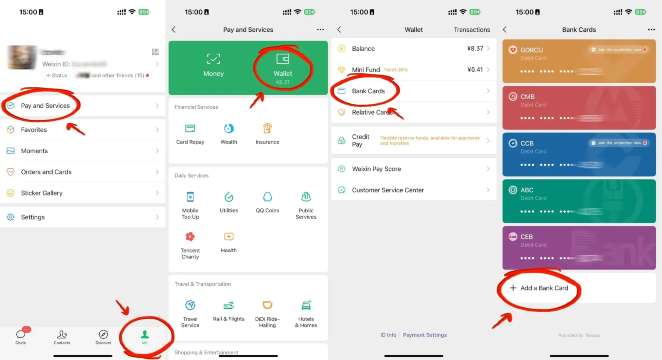
Here are the six fixes that actually work, ordered by effectiveness.
1. Set up Alipay or Wechat Pay before you leave home. Do this on your home Wi-Fi, before you get on the plane. Download the app, link your Visa/Mastercard, complete passport verification, and make a test transaction (you can send a small amount to a friend or pay a bill). The airport internet in China is unreliable, and you do not want to be debugging identity verification while jet-lagged and hungry.
2. Use a China eSIM, not a VPN. A local eSIM gives you a Chinese IP address that does not trigger Alipay's fraud detection. It also gives you reliable internet access without needing to connect to public Wi-Fi. Install the eSIM before you land, activate it on arrival, and turn off any VPN apps before making payments.
3. Carry small RMB bills for street food and taxis. Get 10s, 20s, and 50s from your home bank or a currency exchange before you leave. 500–1000 RMB in small bills is enough backup for most trips. You will use this at street vendors, regular taxis, and any place where Alipay fails. Do not rely on 100 RMB notes — many vendors cannot make change.
4. Book major expenses through Trip.com in advance. Flights, hotels, train tickets, and attraction tickets booked through Trip.com are paid with your foreign card directly — no Alipay needed. This eliminates payment risk for 70–80% of your trip spending. You only need Alipay for meals, local transport, and small purchases.
5. Have a backup card from a different bank. If your primary card gets blocked by your bank's fraud detection, a second card from a different institution may work. Link both to Alipay if possible, and carry both physical cards. Some travelers also report that Wise debit cards work reliably with Alipay.
6. Know when to walk away. If a payment fails three times at the same vendor, stop. Do not keep retrying — you may trigger a temporary lock on your Alipay account. Use cash, or go to a different vendor. The next stall or shop may use a business code and work perfectly.
Other Sneaky Reasons Why Payment Fails in China (Beyond QR Code Type)
You are at a registered merchant with a business code. Your card is linked. And it still fails. These are the reasons.
Your VPN Is Silently Killing Your Transactions
Alipay and WeChat Pay check your IP address during every authentication handshake. A foreign or VPN IP triggers silent transaction termination — the payment loops and fails with no clear error.
Turn off your VPN before opening Alipay or WeChat Pay. For general internet access, use a China eSIM instead. It gives you a local IP that does not trigger fraud detection, and many eSIM providers route data through Hong Kong so you can still access Google and other foreign apps. Trip.com offers China eSIM plans that install before you land and activate on arrival.
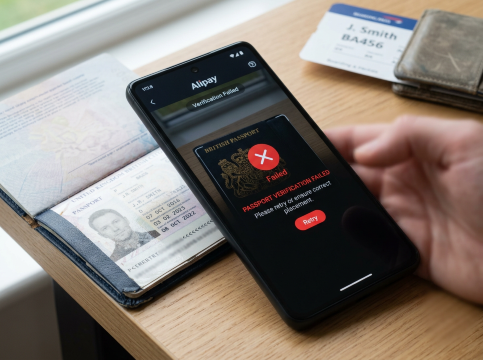
Passport Scanning Failures During Alipay/WeChat Setup
Your passport photo page has holographic overlays — the shiny security features. Alipay's AI scanner misreads these under bright or reflective light, causing identity verification to fail. When verification fails, it blocks all subsequent payment attempts.
How to avoid it:
- Scan in a well-lit room, not direct sunlight or under a glare-causing overhead light
- Hold the passport flat, not at an angle
- Make sure the holographic strip is not catching light
- If it fails once, change lighting before retrying — repeated failures may trigger a temporary lockout
Important: Alipay does not require passport verification for basic foreign card payments. ID is only requested when you use wallet features, transfer money, or exceed certain limits. If you only need to scan business QR codes for routine purchases, you may be able to skip full verification entirely.
Your Home Bank Is Blocking the Transaction
Many foreign banks flag transactions from China as potentially fraudulent and block them at the card level — not the app level. The payment fails in Alipay, but the root cause is your issuing bank.
What to do:
- Before traveling, call your bank and notify them of your travel dates and destination
- Ask them to lift geographic restrictions for the duration of your trip
- If a transaction is declined, call your bank's international collect number (on the back of the card) and ask them to release the block
- Carry a second card from a different bank — if one blocks you, the other may not
Pro tip from travelers: Top up your Alipay wallet balance (rather than paying directly from the linked card each time). The wallet top-up is a single transaction your bank sees once, and subsequent payments draw from the wallet balance — bypassing per-transaction bank blocks. Note that wallet top-ups require full identity verification and have limits.
Per-Transaction SMS Verification Loops (3D Secure)
Some foreign banks require 3D Secure verification for every online transaction. This means every time you pay in Alipay, your bank sends an SMS code to your phone, and you must enter it before the payment goes through. It is slow, it sometimes times out, and if you cannot receive SMS (e.g., your roaming number is not working), the payment fails entirely.
Fix: Enable Alipay's biometric payment (face recognition or fingerprint) or set a 6-digit payment password. Go to Me → Settings → Payment → Biometric ID Pay (or set a 6-digit PIN). Once enabled, Alipay uses its own authentication instead of your bank's per-transaction SMS — payments go through in one tap. This is the single most effective fix for the "every purchase requires a code" problem.
Daily & Monthly Transaction Limits on Foreign-Linked Accounts
Alipay imposes limits on foreign-linked accounts:
- Per transaction: Payments under 200 RMB incur no foreign transaction fee. Above 200 RMB, a fee applies (typically ~3% of the amount over 200 RMB).
- Daily and monthly cumulative limits: Vary by account verification level. If you hit a limit, every subsequent transaction fails — even at business-code merchants.
How to manage:
- For purchases over 200 RMB, split into multiple payments under 200 RMB each to avoid the fee (works at most merchants)
- Monitor cumulative spending in the Alipay app
- For large purchases (hotels, electronics), pay directly with your physical card at the terminal if supported — this does not count against Alipay limits
Network Errors & App Glitches
Sometimes the payment fails for no structural reason. Slow network, app glitch, faded QR code, or the payment goes through on your end but the merchant never receives confirmation. This happens most during peak hours (lunch 12:00–13:00, dinner 18:00–19:00) and major holidays (National Day, Chinese New Year).
What to do: Close and reopen the app. Switch from Wi-Fi to mobile data. Ask the merchant to refresh their QR code. Wait 30 seconds and retry. If it fails three times, stop — repeated failures may trigger a temporary account lock. Try a different merchant or payment method.
 879029 booked




Where Payment Usually Fails in China
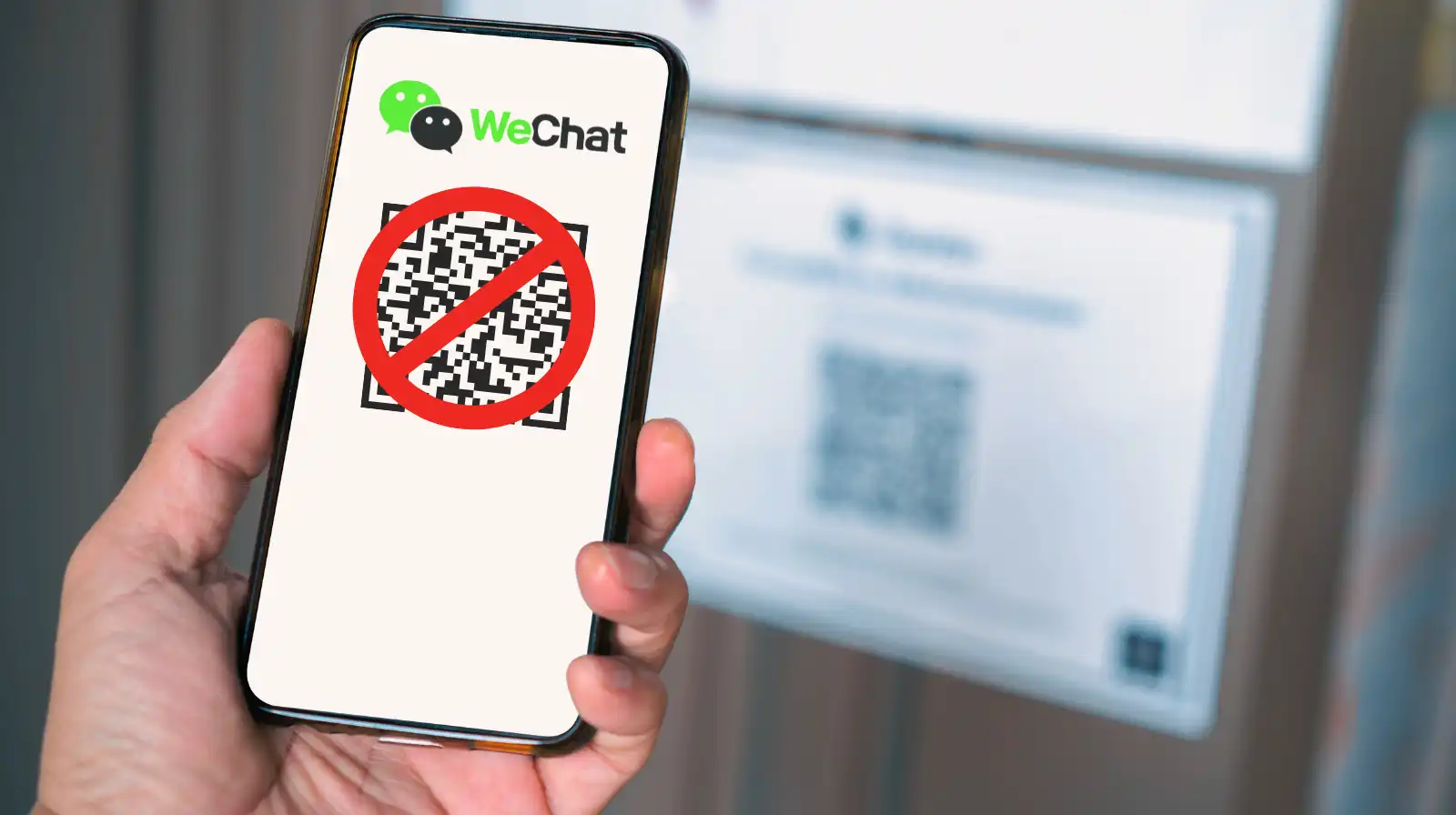
These are the places where your foreign card will be declined — not because of a glitch, but because you are scanning a personal code.
Street Food Stalls & Night Markets
Jianbing carts in Beijing, skewer stalls in Xi'an, tofu vendors in Chengdu — almost all use personal QR codes. The vendor is an individual operator, not a registered company. Your foreign card will be declined every time.
Practical approach: Plan meals around chain restaurants, hotel dining, or convenience stores (FamilyMart, 7-Eleven, Lawson — all use business codes). For food experiences you do not want to miss, book through Trip.com's local experiences where payment is processed as a merchant transaction.
Regular Taxis (Not Ride-Hailing Apps)
Roughly 90% of street-hailed taxis in China use personal QR codes. The code on the back of the front seat goes to the driver's personal account. Foreign cards linked to Alipay or WeChat Pay will fail.
Use Didi instead. Didi, China's dominant ride-hailing app, processes fares through its business merchant system. Foreign cards work reliably. Book through the Didi app or via Trip.com's ride-hailing integration. Avoid hailing taxis on the street unless you have no other option.
Private Tour Guides & Personal Transfers
When a guide says "scan my code" or "transfer to my personal account," that is a personal transfer — not a merchant transaction. Foreign cards cannot complete it. The payment will fail every time.
Book guides through platforms. Trip.com's private tour and transfer listings process payment as a merchant transaction, so your foreign card works. You get a confirmed booking, an invoice, and customer support — none of which you get from a personal transfer.
Small Local Shops & Non-Touristy Areas
In smaller cities, rural towns, or non-touristy neighborhoods, even some shops with a storefront and a sign operate on personal QR codes. The owner never registered a business merchant account — often to avoid registration fees and reporting requirements.
You will not know until you try. Before picking up items, ask staff: "可以用外国信用卡吗?" (Can I pay with a foreign card?). If they look confused or say no, go to a chain store or a larger supermarket instead.
Where Payment Works Reliably in China (Foreign-Card-Safe Venues)

These categories use business QR codes or direct card terminals. Your foreign Visa/Mastercard will work the vast majority of the time.
Restaurants and Malls
Chain restaurants, hotel restaurants, and any eatery inside a shopping mall uses a registered merchant account. The QR code on your table or at the counter is a business code. Foreign cards work.
Major shopping malls in Beijing, Shanghai, Guangzhou, Shenzhen, Chengdu, and Xi'an also have UnionPay terminals that accept Visa and Mastercard directly — tap your card, no Alipay needed.
Online Shopping and Booking Platforms
Any transaction through an app or website — not a physical QR code — is a merchant payment. This includes hotel bookings, train tickets (12306), attraction tickets, and food delivery (though delivery apps may require a Chinese phone number for full registration).
The advantage: you enter card details directly into the app. No QR code scanning. No personal vs. business ambiguity.
Trip.com: Flights, Hotels, Trains, and Attraction Tickets
Trip.com is built for international travelers. Every payment is a merchant transaction — your foreign Visa, Mastercard, or American Express works directly, no Alipay setup needed for the booking itself.
This covers flights (domestic and international), hotels (budget to five-star, every city), high-speed train tickets (book in advance, pick up at the station with your passport), attraction tickets (Forbidden City, Great Wall, Terracotta Army, Disney, and hundreds more), and private tours/transfers.
Booking through Trip.com before you arrive eliminates payment risk for 70–80% of your trip spending. You only need Alipay for day-to-day small purchases.
Setting Up Alipay & WeChat Pay as a Foreigner
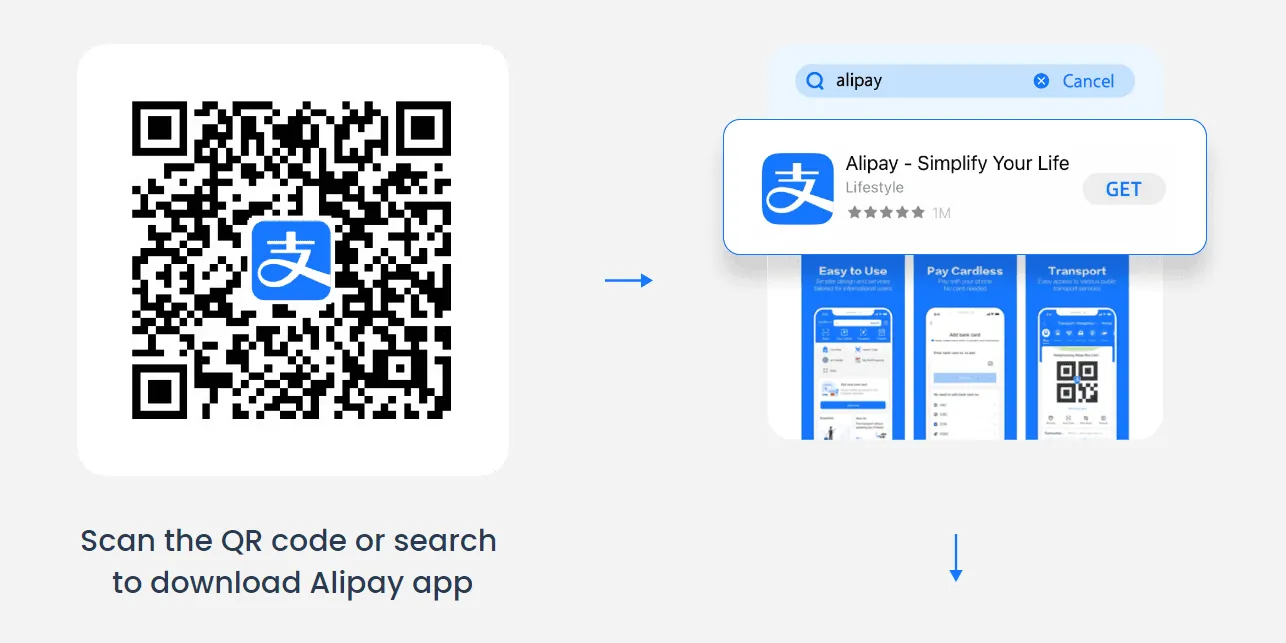
Alipay (Recommended Primary)
- Download the standard Alipay app (not AlipayHK — that is for Hong Kong residents).
- Register with your phone number. A roaming number works for basic registration, but a Chinese eSIM number is more reliable for receiving SMS. You do not need a Chinese phone number to make basic payments.
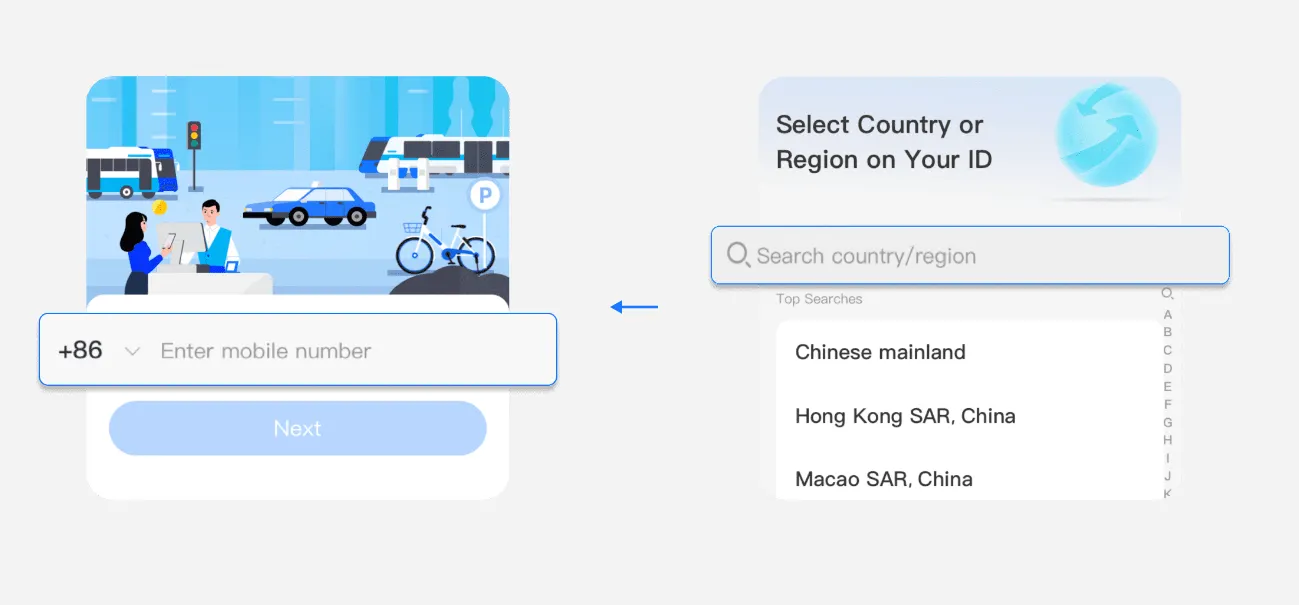
- Link your foreign card. Go to Me → Bank Cards → Add Card. Enter your Visa, Mastercard, or (for some users) American Express details. The name must match your passport exactly.
- Identity verification (optional for basic use). Go to Me → Settings → Account & Security → Identity Verification. Upload your passport photo page in good, non-reflective lighting. You only need this for wallet top-ups, transfers, or higher transaction limits. Basic merchant payments work without it.
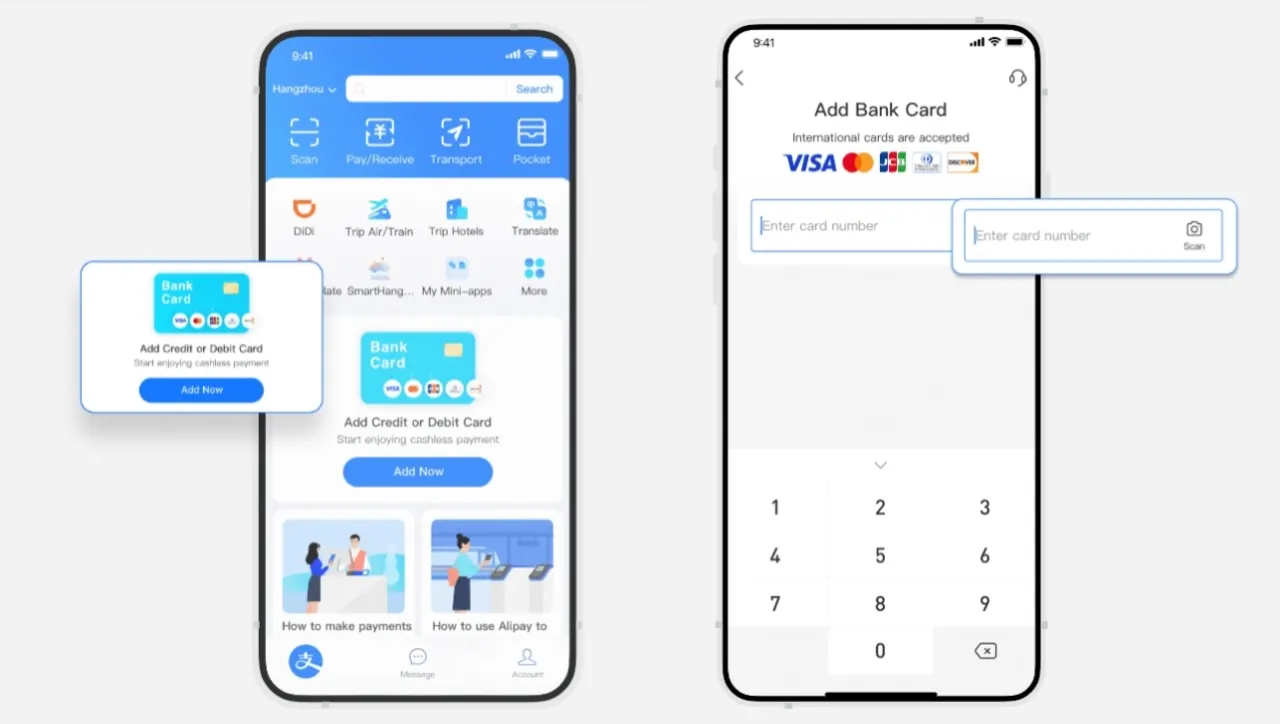
- Enable biometric payment or 6-digit PIN. Go to Me → Settings → Payment → Biometric ID Pay. This is the most important step for a smooth payment experience.
- Make a test payment under 50 RMB at a merchant that accepts Alipay.
WeChat Pay (Optional Backup — Set Up With Caution)
- Download WeChat and register an account. Foreigners often struggle here — you may need a friend with an existing WeChat account to verify your registration.
- Go to Me → Services → Wallet → Cards → Add Card.
- Enter your Visa/Mastercard details and complete passport verification.
- Test a small payment.
Important caveat: WeChat Pay has a higher rate of unexpected account blocks for foreigners. Multiple travelers report having their WeChat accounts locked without clear reason, and recovery is difficult — sometimes requiring a new phone number and a secondhand device. If WeChat Pay works for you, great. If it gives you trouble during registration, do not spend hours on it — Alipay alone covers 95% of payment needs. Use WeChat Pay only as a backup for the occasional merchant that only displays a WeChat code.
Which One Should You Use?
Alipay as primary. It is more reliable for foreigners, has better international card support, and is accepted at the vast majority of merchants. WeChat Pay as optional backup. If you can get it set up without issues, it covers the rare merchant that only accepts WeChat. If not, Alipay alone is sufficient.
For maximum robustness, install both, link two cards to each, and enable biometric payment on Alipay. When one fails at a merchant, switch to the other.
🔥[Discount] Best China Hotel Recommendations























FAQs about Why Payment Fails in China
-
Why is my Alipay payment failing in China?
-
Why does it keep saying payment failed in China even though my card is set up?
-
Has China gone completely cashless? Do I still need cash as a tourist?
-
How can I tell if a QR code is personal or business before I scan it?
-
Can I use my foreign credit card (Visa/Mastercard) with Alipay and WeChat Pay in China?
-
Is $100 USD a reasonable amount of cash to carry in China?
-
Why does Alipay say 'payment failed, the popularity is too strong'?