How to Get Trip.com E-Ticket and Boarding Pass

Learn everything about Trip.com e-tickets for flights & trains. Understand what an e-ticket is, how to get your e-ticket, how to use it, etc. 👇👇👇
to Bangkok
to Manila
to Shanghai
to Tokyo
to Seoul
See all flights


How does Trip.com E-Ticket work?
A Trip.com e-ticket is a digital confirmation of your flight or train reservation. It is stored in the airline or train operator's system and serves as proof of your booking. When you book a flight through Trip.com, the e-ticket can usually be accessed on Trip.com app.
The e-ticket serves as a contract between you and the airline. Your ticket information is stored securely, and you can access it using your booking reference number.
What is an E-Ticket for Flight?
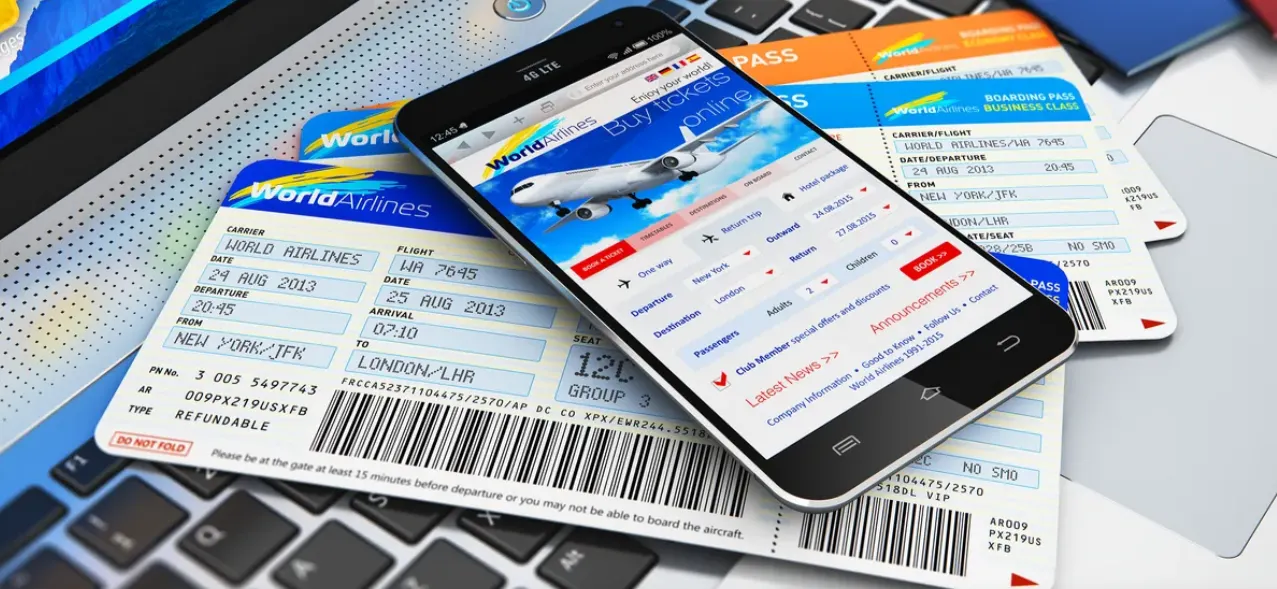
An e-ticket (electronic ticket) is a digital confirmation of your booking issued by the airline. It confirms that you have a valid reservation for a flight and includes essential information such as:
- Booking reference.
- Flight details (departure time, flight number, and route).
- Passenger details (name, baggage allowance, etc.).
You receive the e-ticket after booking your flight, and it’s required to check in either online or at the airport.
How to Get Trip.com E-Ticket & Boarding Pass
Source from Freepic
After booking a flight on Trip.com, you’ll need your e-ticket and boarding pass to travel. Here’s how to get them:
Step 1: How to Get Trip.com E-Ticket
The e-ticket is a confirmation of your booking. It’s your proof of purchase and contains all the essential details about your flight.
Once your booking on Trip.com is confirmed, you can access your e-ticket (issued by the airline) through several options:
Method | How to Get It |
Email Confirmation | Check your email for a confirmation message from Trip.com. This email includes a link to view or download your e-ticket. |
Trip.com App | 1. Open the Trip.com app and log in using the same account you used to make the booking. |
2. Go to the “Bookings” or “Manage My Booking” section on the main menu. Select your flight from the list of bookings. | |
3. Scroll down to the e-ticket section. If the airline has issued your e-ticket, you will see an option to view or download it. | |
Customer Support | If you can’t locate your e-ticket, contact Trip.com support. They can verify your booking and guide you on retrieving it. |
- E-tickets are typically issued by the airline shortly after the booking is confirmed.
- Issuance speed varies by airline. If your e-ticket doesn’t appear immediately, it may still be processing. Check back later or use your booking reference to retrieve it directly on the airline’s website or app.
Step 2: How to Get Your Boarding Pass
The boarding pass allows you to board the aircraft. You can only obtain it after completing check-in, either online or at the airport.
Your boarding pass is issued by the airline, not Trip.com. Here are the two main ways to get it:
Method | How to Get It |
Online Check-In | Visit the airline’s website or app, enter your booking number or e-ticket details, and check in online. You can then download or print the boarding pass. |
At the Airport | Show your e-ticket and ID at the airline’s counter or use a self-service machine to print your boarding pass. |
Tips for Boarding Passes:
- Online check-in is usually available 24–48 hours before departure. But it may take longer as timelines differ per airline.
- Some airlines may not support mobile boarding passes at all airports, so check before traveling.
Although Trip.com provides your e-ticket, the actual boarding pass is issued by the airline. Trip.com simplifies this process by ensuring that your e-ticket includes all the details needed to complete check-in, whether online or at the airport. Additionally, Trip.com often includes links to the airline’s check-in page in your booking confirmation email, making the process much more easier.
Trip.com E-Tickets Sample & Booking Reference
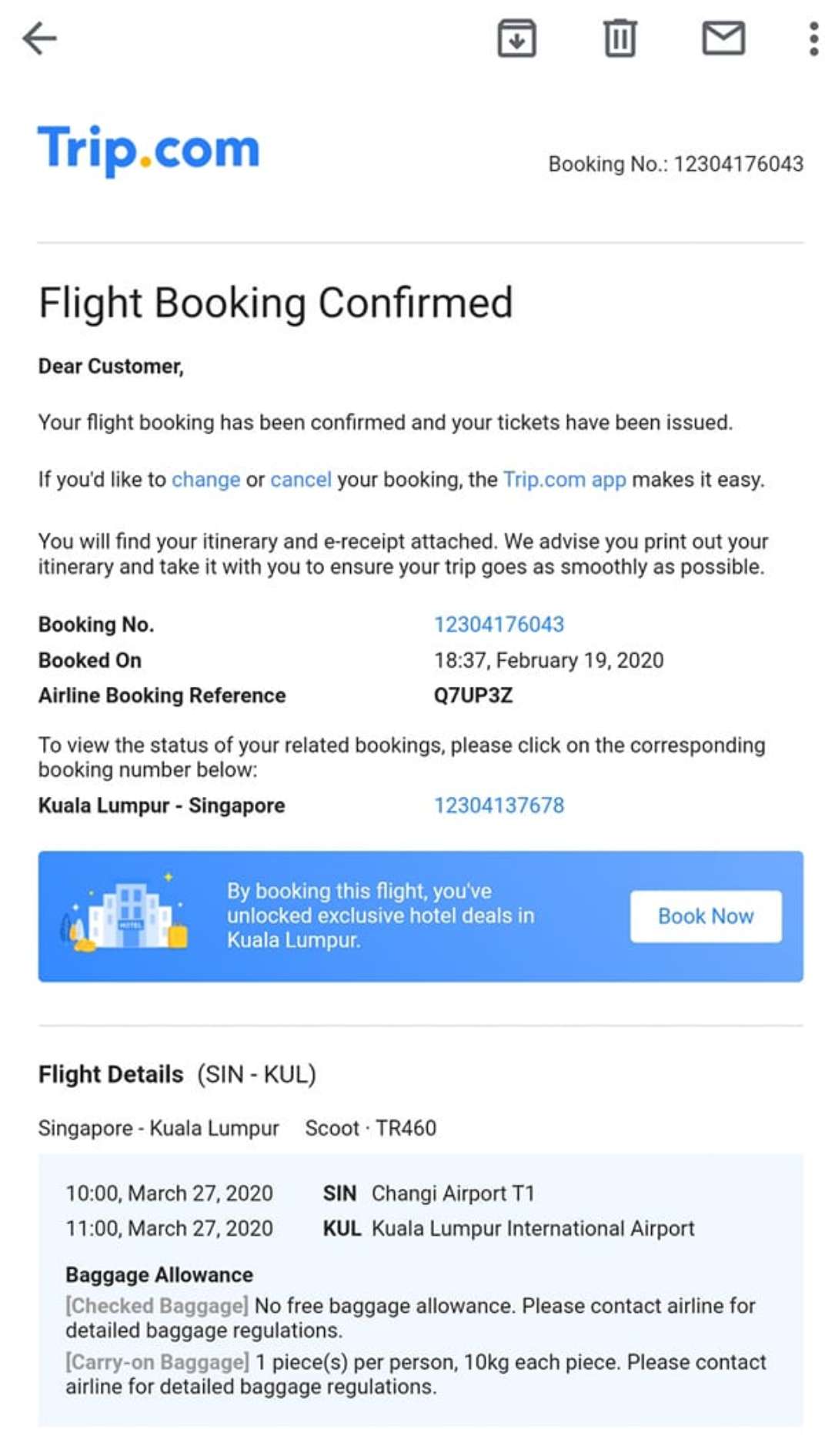
Trip.com E-Ticket
After booking on Trip.com, find your reservation in the "My Orders" section to download your e-ticket. This digital document (saveable to your phone or printable) acts as your official travel proof.
Boarding Pass
For partner airlines, complete online check-in directly via your Trip.com order page. This generates an electronic boarding pass, skip airport check-in lines and use it to board.
Trip.com Booking Reference & Booking Number
Your unique booking reference/number (located in "My Orders") is the key to managing trips: use it to look up reservations, modify details, or cancel bookings quickly.
How to Download Ticket from Trip.com
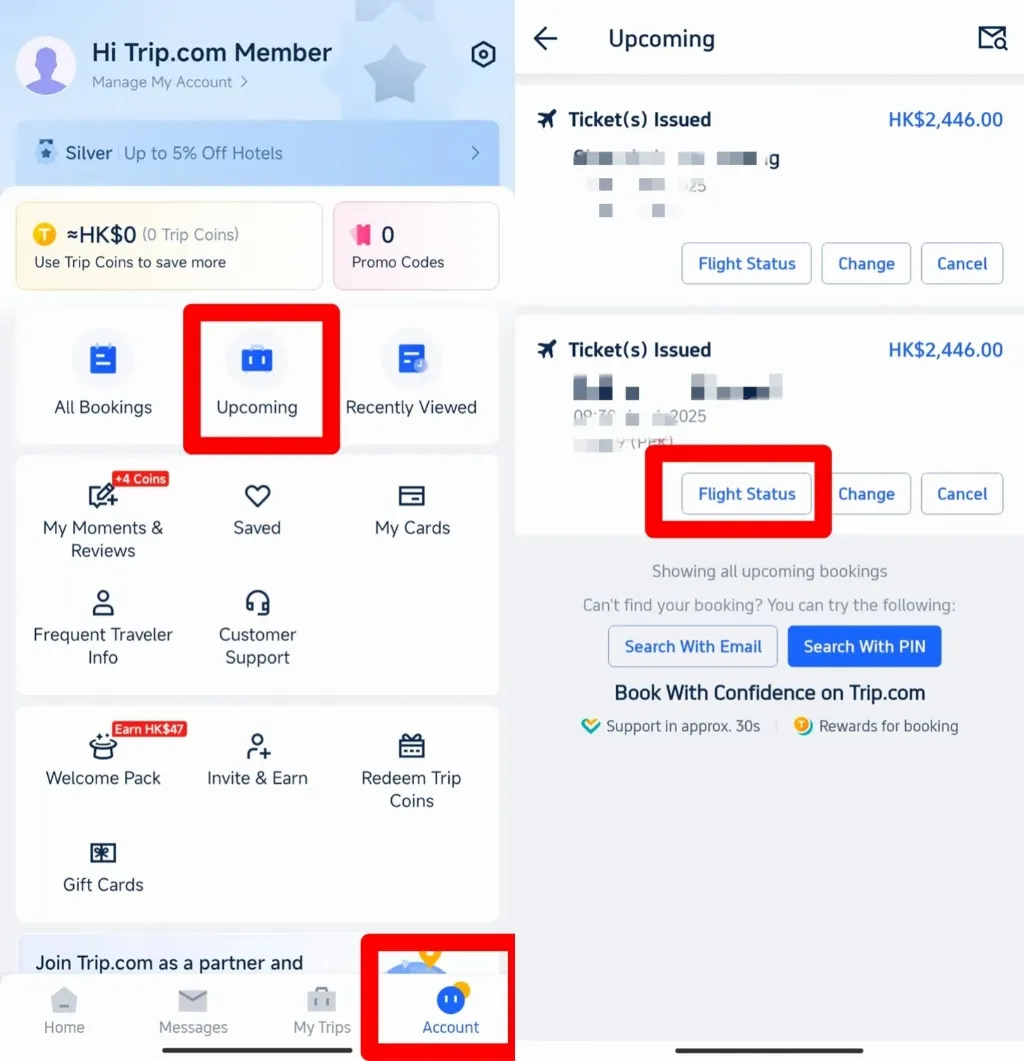
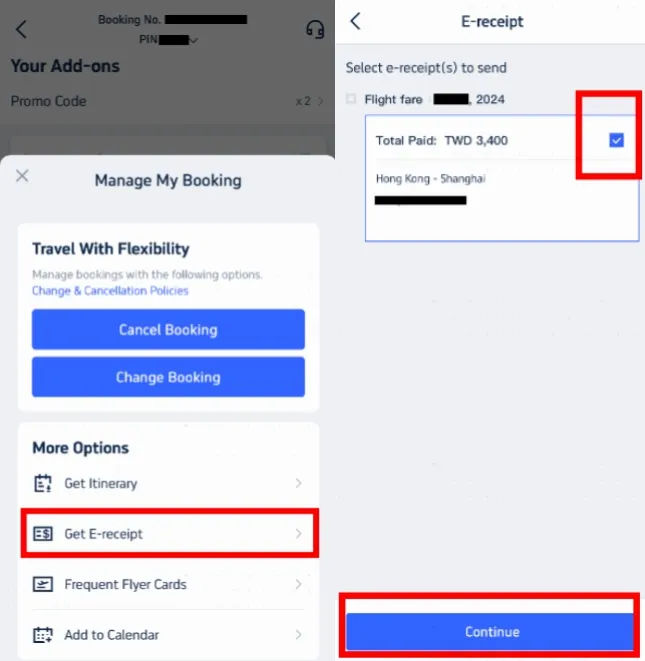
- Open the App: Log in to the Trip.com app.
- Go to Bookings: Tap on "Bookings" or "My Bookings".
- Select Booking: Choose the specific flight or trip you need.
- Download Ticket: Scroll to the e-ticket section and tap "View Ticket," "Download," or find the "E-Receipt" button to send it to your email.
💖If you're curious about how to stay connected fast at foreign airports, check Global eSIM, Wifi and SIM card!
What is a Boarding Pass & How it Differs from E-Ticket?
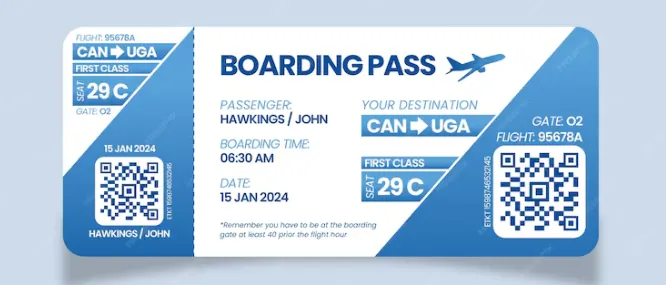
Source from Freepic
What is a Boarding Pass?
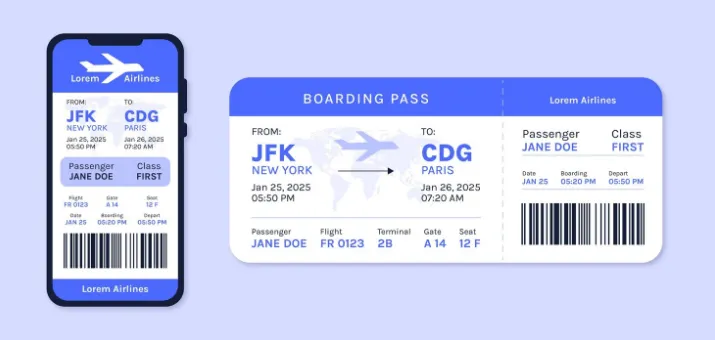
A boarding pass is a document issued after you check in for your flight. It gives you permission to enter the secure area of the airport and board the aircraft. The boarding pass contains:
- Passenger name: Must match your ID or passport.
- Flight details: Similar to the e-ticket but also includes your seat assignment.
- Gate number: The gate where you’ll board your flight.
- Boarding time: The time you need to be at the gate, ready to board.
- Barcode or QR code: Used for scanning during security checks and at the boarding gate.
Difference between Boarding Pass & E-Ticket
E-Ticket | Boarding Pass | |
Purpose | Proof of flight reservation and payment. | Required to enter the boarding area and board the aircraft. |
When You Get It | After booking your flight, usually via email or the booking platform (e.g., Trip.com). | After checking in for your flight, either online, via an app, or at the airport. |
What It Includes | Booking reference, passenger name, flight details, and baggage information. | Seat assignment, gate number, boarding time, and a scannable barcode/QR code for access. |
How to Use It | Needed to check in online or at the airport counter. | Used at security checkpoints and at the boarding gate to get on the aircraft. |
Issued By | The airline issues the e-ticket after payment is confirmed. | The boarding pass is issued by the airline when you complete the check-in process. |
How to Get a Train E-Ticket on Trip.com

eTickets are digital train tickets that have your travel information contained in a barcode. They can be emailed to you as a PDF file for reference. You can store these tickets on your device.
Most major global train operators support e-ticketing; some small regional rail lines may only issue physical paper tickets. When you book with Trip.com your eTicket will be stored digitally inside the Trip.com app.
Here’s a step-by-step guide to getting and using your train e-ticket:
Step 1: Book Your Train Ticket
- Go to the Trip.com website or open the Trip.com app.
- Select "Trains" from the navigation bar.
- Enter your desired route, date, and other necessary details, then click "Find Trains."
- Choose the train that suits your schedule and complete the booking process. Ensure you enter your full name and ID number as required by China Railway's real-name policy.
Step 2: Receive Your E-Ticket
- After completing your booking, your e-ticket will be issued and sent to you via email as a PDF attachment. You can also view and download your e-ticket from the booking details page in the Trip.com app.
For China high-speed rail, physical PDF e-tickets are supplementary; your valid passport is the primary boarding credential for station gates.
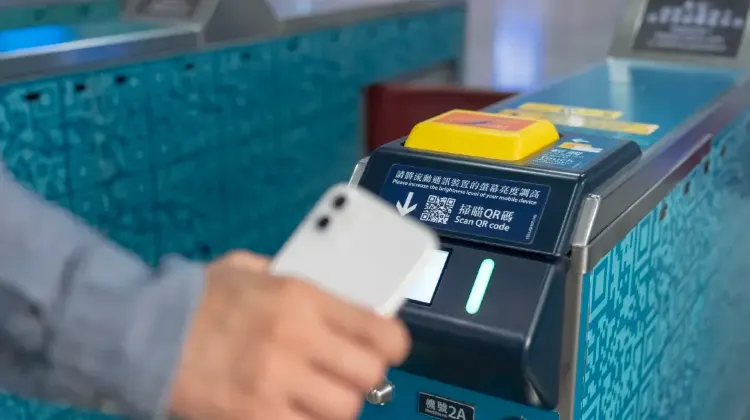
Train e-ticket QR code
Step 3: Use Your E-Ticket
- On the day of travel, go to the train station and head to the waiting hall.
- When it's time to board, use the e-ticket barcode/QR code at the self-service ticket check machines. If your station does not have a scanner, present your e-ticket to a staff member for manual checking.
Step 4: Boarding and Arrival
- Scan your passport or valid ID at the ticket check gate to enter the station.
- Board your train using the details on your e-ticket, such as the train number, carriage, and seat.
- Upon arrival at your destination, exit the station by scanning your passport or valid ID again at the exit gate.
Trip.com E-Tickets: The Pros and Cons
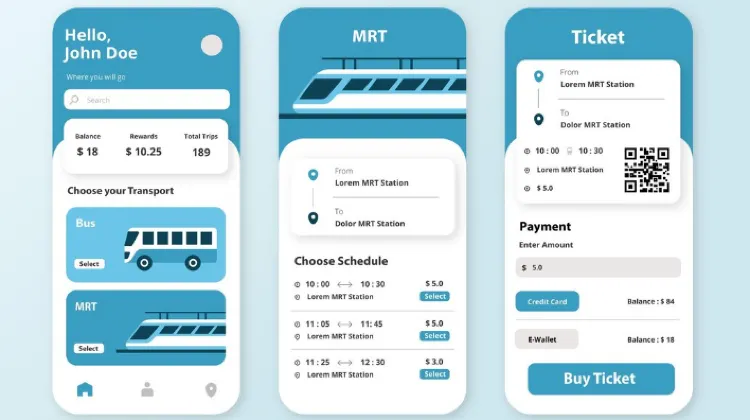
Source from Freepic
Trip.com E-Tickets: Pros
Everything's stored securely in your Trip.com account and app - no more paper tickets to lose! Check-in is super easy, and you get instant flight updates right on your phone.
Trip.com often offers better deals on e-tickets, and you can make quick booking changes right in the app. Plus, all your travel docs are safely backed up in your email and Trip.com account.
Trip.com E-Tickets: Cons
But hey, it's not all perfect. You'll definitely need internet access to pull up your ticket (learned this the hard way in some airports! A reliable international eSIM can be really useful in that case), and some countries can be a bit fussy about wanting paper proof of return flights.
I've also had those slightly awkward moments at check-in when they need to see every possible form of ID. And if you're trying to switch airlines last minute, that can sometimes be a headache.
These are pretty minor issues compared to the convenience of having everything on your phone. After hundreds of flights, I wouldn't go back to paper tickets even if you paid me!
See all attractions
 2198 booked






[Discount] Global Hotel Recommendations
Find Best Global Hotels
See All Hotels







FAQs about Trip.com e-Ticket
-
How do I download my e-ticket on Trip.com?
-
How do I access my Trip.com airline booking reference and booking number?
-
How do I get a PDF of my e-ticket from Trip.com?
-
How do I use Trip.com to check in online and get a boarding pass?
-
How do I check or manage my booking using the Trip.com booking number?
Disclaimer: This article has been provided by an individual contributor or third party platform. If there is any discrepancy regarding the copyright, please contact us directly and we will delete the content immediately.
Trending Searches
-
Air Travel Guide
-
Latest Flight Deals
-
Popular Flight & Hotel Packages
-
Getting Around
-
eSIM/SIM card
- Medellin Vacation Packages
- Hong Kong Vacation Packages
- Tokyo Flight and Hotel
- Koh Samui Flight and Hotel
- Hong Kong Flight and Hotel
- Tromso Vacation Packages
- Bangkok Vacation Packages
- Saipan Vacation Packages
- Phu Quoc Island Vacation Packages
- Phuket Vacation Packages
- Shanghai Flight and Hotel
- Coron Vacation Packages
- Cox'S Bazar Flight and Hotel
- Rotterdam Vacation Packages
- Subic Bay Vacation Packages
- ETC Card Japan
- Lijiang Airport
- Macau Transportation
- Chongqing Metro
- LAX to Downtown
- Tokyo Transportation
- Kunming Airport to City
- Don Mueang Airport to Bangkok
- Yiwu Airport
- narita express
- Chengdu to Chongqing
- Shenzhen Airport
- Kansai Airport to Nara
- Shenzhen to Guangzhou
- Narita Airport to Shinjuku
- Macau to Hong Kong
- Ho Chi Minh Airport