How to use Google in China? 2026 Maps & Gmail Alternatives

If you're heading to China, you probably know that Google, YouTube, Instagram, and WhatsApp don't work like they do at home. This is just the guide for foreign tourists on how to access Google, Gmail, and other apps in China.
to Shanghai
to Beijing
to Guangzhou
See all flights


Can You Use Google in China?

No, not through a standard Chinese internet connection. Since 2014, Google services have been completely inaccessible via domestic Chinese Wi-Fi or local SIM cards due to the "Great Firewall" (GFW). This includes Google Search, Gmail, Google Maps, YouTube, and the Google Play Store.
However, you can use Google if you use specific technical workarounds—primarily International Roaming eSIMs or Verified VPNs.
Is Google Blocked in China?
Yes. Google is officially blocked in mainland China. When you try to access a Google domain, your browser will typically return a "Connection Timed Out" or "Server Not Found" error.
Why is Google Banned in China?
Under China's Cybersecurity Law, platforms must adhere to local data storage and content regulations. Since some global providers do not currently have a domestic operating license, their services are not hosted on local networks.
How to Use Google in China? 2 Ways Explained
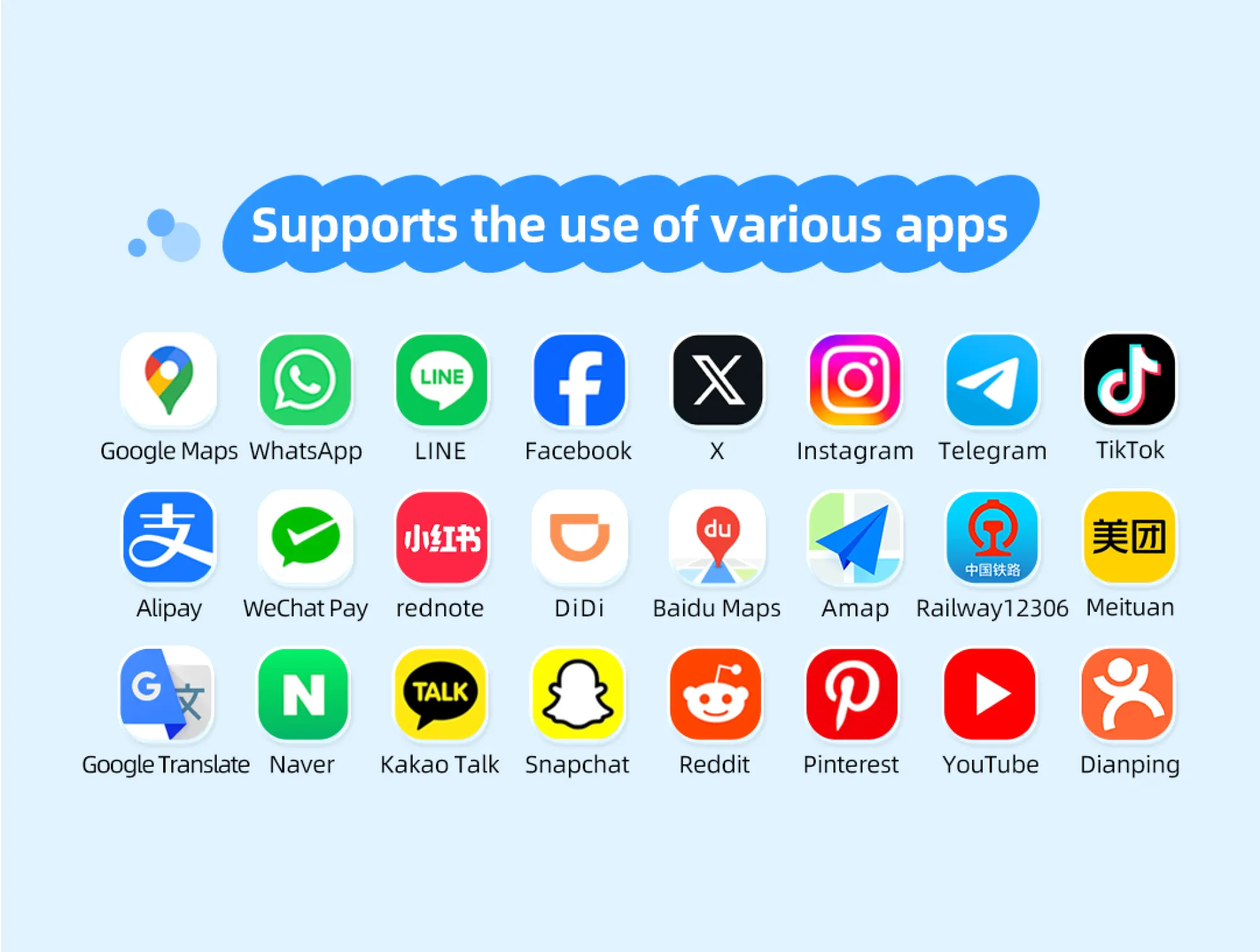
For tourists, there are two primary ways to stay connected in China.
Method 1: The Roaming eSIM (Recommended for Tourists)
This is the most reliable "no-fuss" method. When you use an international eSIM (like those from Trip.com), your data is routed through servers outside of China (usually Hong Kong or Singapore).
- Does eSIM work without a VPN? Yes. Because the traffic technically "roams" from outside the country, it is not subject to the same restrictions as local traffic.
- Pros: Seamless, cheap, no battery drain from VPN apps.
- Cons: Data can be more expensive than local SIMs.
Step-by-Step for eSIM:
- Purchase before you land: Buy a China-specific eSIM data plan (e.g., Trip.com China eSIM).
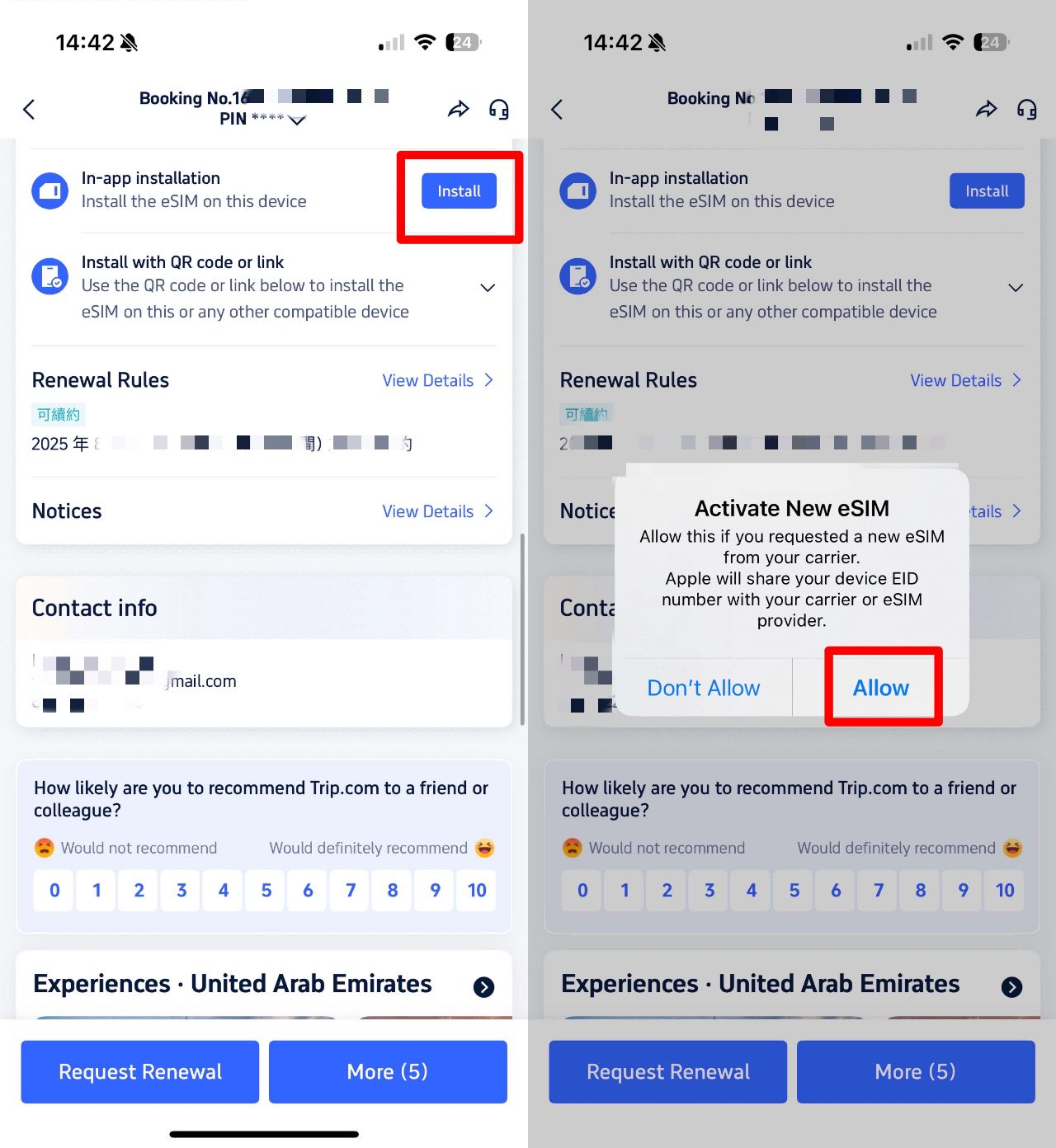
- Install: Scan the QR code while you still have a stable internet connection. On Trip.com you can directly install and activate eSIM on Trip.com app with QR code.
- Activate: Upon arrival, set your eSIM as the primary data line and turn on Data Roaming.
- Connect: Open Google, WhatsApp, or Gmail as you normally would.
Method 2: Using a VPN (Not Recommended for Travel)
For business travelers, using a VPN provided by your employer (Corporate VPN) or using an MIIT-licensed (Ministry of Industry and Information Technology) service is the legal standard.
- Personal VPNs: While many foreign tourists use personal VPN apps, the 2026 regulations have tightened on unauthorized providers.
- Compliance Tip: If using a China VPN, ensure it is for personal use and does not involve the distribution of prohibited content. In China, the regulation focuses heavily on the provision and sale of unlicensed VPN services rather than the individual traveler's private use for checking emails.

Mainland China/Hong Kong/Macau 5G eSIM | Dual Network | Day Pass/Total Data Package | 24-Hour Billing | QR Code
4.6/5
21456 reviewsI had a really hard time choosing which esim to use, but went with my friends' recommendation as they recently went to China. Look no further! The esim worked very well for what I needed. I got 30gb over 15 days. I couldn't get connected to any of my hotel wifi until my last 3 days and I had 2 gigs of data leftover even though I scrolled a lot (including vids) and even a but if photo/video backups. The only spotty service I had was in Huangshan but it's fairly rural, although it did not seem like the locals who are on the same cell company had issues. Otherwise in the 3 big cities I went to, including HK, it was great.

5G/4G eSIM in 8 Asian countries | Multi-network support, supports All AI & TikTok | 500MB/day - 50GB total | 1-30 days | 24-hour billing | QR code
4.6/5
6049 reviewsThe connection is excellent in both China and Japan! The internet is blazing fast!!! Even the police officer at the airport was surprised at how I got 5G during security checks!

Mainland China 5G eSIM | Supports Google Maps / ChatGPT | Daily/Total Data Plans | 24-Hour Billing | 1–365 Days | QR Code
4.6/5
28347 reviewsExcellent connection. Couldn't be better. I got a 14-day plan with 2GB and was always connected. Perfect for a vacation.

Mainland China 5G eSIM | ChatGPT Available | Day Pass/Total Data | 24-Hour Billing | 1-365 Days | QR Code
4.6/5
62363 reviewsThe SIM cards are good, but don't watch TV shows with them; they'll eat up all your GB. It's better to watch them using the shared Wi-Fi in your room.
China eSIM | 1-30 Days | Up to 60GB High-Speed Data | Coverage on Leading Network
4.3/5
119 reviewsthe signal is very good,it is very easy to open and use,the price is relatively better than buying a general store,and the quality of the signal is much better.
What are Google and more App Alternatives in China
Sometimes even with a VPN, local Chinese apps offer a much better experience. We recommend downloading these before you fly:
Global Service | Best Local Alternative | Why use it? |
Google Maps | Apple Maps uses local data and is very accurate in English. | |
Google Search | Bing (cn.bing.com) | Accessible without extra tools; provides reliable English results. |
Google Translate | Baidu Translate / Pleco | Superior Chinese-English OCR (camera translation) and offline modes. |
WhatsApp / FB | WeChat (Weixin) | The "Everything App" in China—essential for payment and local contact. |
YouTube | Bilibili / Douyin | High-quality local video content (Bilibili is great for tutorials/vlogs). |
Uber / Lyft | DiDi (Global Edition) | English interface, supports international credit cards. |
TripAdvisor | Dianping is the "Yelp of China"—perfect for finding local hidden gems. |
These apps offer better data accuracy and local integration (like booking taxis or ordering food).
Important Tips & Regulations for Foreigners in China
While foreigners in China are generally permitted to use roaming services and personal VPNs for international communication and work, you must remain mindful of local laws:
- Content Compliance: Avoid posting or distributing content that may be deemed to disturb public order or violate local administrative regulations.
- Usage Scope: Authorized connectivity tools (like roaming eSIMs) should be used for personal and professional communication only. Attempting to provide or resell these services to others is strictly prohibited.
- Real-Name Registration: If you choose to buy a local physical SIM card at an airport, you are legally required to provide your passport for registration. Note that a local SIM will not access Google unless you have an additional compliant workaround.
- Financial Security: For payments, download Alipay or WeChat Pay. Both now allow you to link international cards (Visa/Mastercard) and are used for 99% of transactions in China.
🔥Exclusive China Train Coupon: Get 3% OFF Now!
Book your China train tickets as a new user on Trip.com and enjoy a special 3% Off 🎁! Use our exclusive coupon to save big on your first train journey!!!👀
[10% Off] Best China Hotel Recommendations
Top Shanghai Hotels
Top Beijing Hotels
Top Guangzhou Hotels
See All Hotels
 NO.1
NO.1






















FAQs about Can You Use Google in China
-
Does Google work in China for tourists?
-
Can I access Google in China without a VPN?
-
Can I access Google with an eSIM in China?
-
Is Google Maps accurate in China?
-
Can I use Bing instead of Google in China?
-
How to use Google Maps in China?
Disclaimer: This article has been provided by an individual contributor or third party platform. If there is any discrepancy regarding the copyright, please contact us directly and we will delete the content immediately.
Trending Searches
-
Air Travel Guide
-
Latest Flight Deals
-
Popular Flight & Hotel Packages
-
Getting Around
-
eSIM/SIM card
- Cancun Vacation Packages
- Medellin Vacation Packages
- Hong Kong Vacation Packages
- Tokyo Flight and Hotel
- Koh Samui Flight and Hotel
- Atlantic City Vacation Packages
- Tokyo Vacation Packages
- Chisinau Vacation Packages
- Gold Coast Vacation Packages
- Saipan Vacation Packages
- Taipei Vacation Packages
- Jakarta Vacation Packages
- Tenerife Vacation Packages
- Cox'S Bazar Flight and Hotel
- Stockholm Vacation Packages
- Hong Kong Airport
- Harbin Airport
- Zhangjiajie Airport
- Istanbul Airport Transfers
- Guangzhou Metro Map
- KL MRT Map
- How to Call Taxi in China
- Shanghai Airport to City
- Shenzhen to Guangzhou
- Fuzhou Airport
- Shanghai Bike Rental
- Guangzhou Airport Transit
- Qingdao Airport
- Telepass
- Macau to Hong Kong
- Narita Airport to Shinjuku
- Xi’an Airport