Trip.com Afterpay: How to Book Hotels Now & Pay Later


Trip.com’s “Afterpay” feature isn’t a traditional buy-now-pay-later service like Afterpay itself — instead, it’s Trip.com’s way of letting you book a hotel now and defer payment if the room offers free cancellation.
In practice, that means you reserve a booking without paying upfront, keep your plans flexible, and only pay either at the hotel when you check in or shortly before your stay, depending on the hotel’s policy.
This gives travellers peace of mind when plans might change, but it isn’t an installment or credit service.
Search Global Hotels on Trip.com
See All Hotels
 NO.1
NO.1






AI Summary
This summary is AI-generated by Trip.com. For the complete guide, please refer to the article below.
Trip.com Afterpay functions as a pay-later booking service for hotels with Free Cancellation policies. Users reserve rooms without upfront payment, settling costs directly at check-in or before arrival based on individual property deadlines.
What Exactly is Trip.com Afterpay?
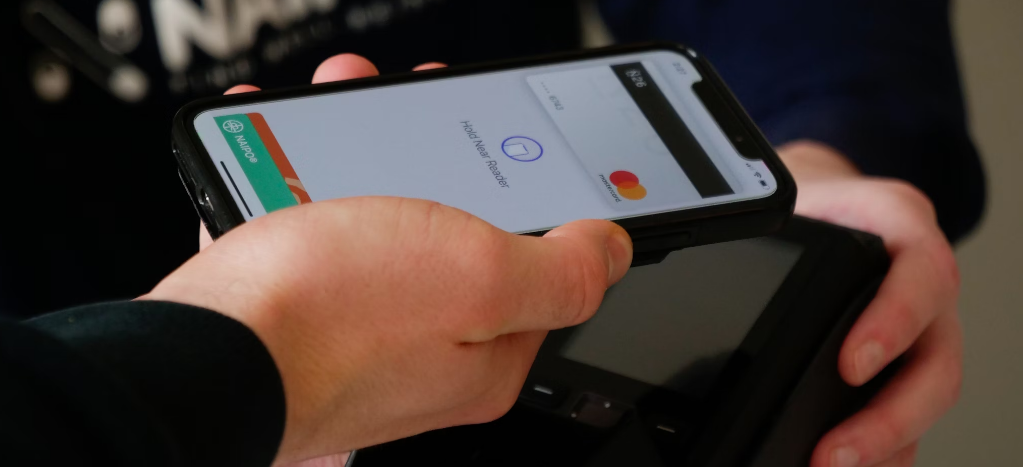
Credit: Unsplash, naipo.de
Trip.com Afterpay is a way to book now and pay later at the hotel if you choose a room with Free Cancellation. Think of it as reserving your spot without immediate payment. Perfect if your plans are uncertain, you're comparing options, or you just want peace of mind. Payment terms vary by property; a card guarantee may still be required at booking.
Feature | Description |
|---|---|
Book Now, Pay Later (Usually at Check-in) | You reserve your room online. You don’t pay Trip.com upfront. |
Free Cancellation Window | You get a set period (like 1 day, 3 days, or even weeks before check-in) where you can cancel for free, with no charge at all. |
Payment Timing | If you don’t cancel within the free window, you pay the hotel directly when you arrive (or sometimes Trip.com charges your card close to the stay date — always check the policy!). |
Important Note: Trip.com does not currently accept the Afterpay installment service. Their in-platform "Pay Later" option refers to free cancellation hotel policies, not installment payments. For installment-style payment options, Trip.com partners with select third-party providers on eligible bookings.
How to Find Trip.com Afterpay Hotels on Trip.com?
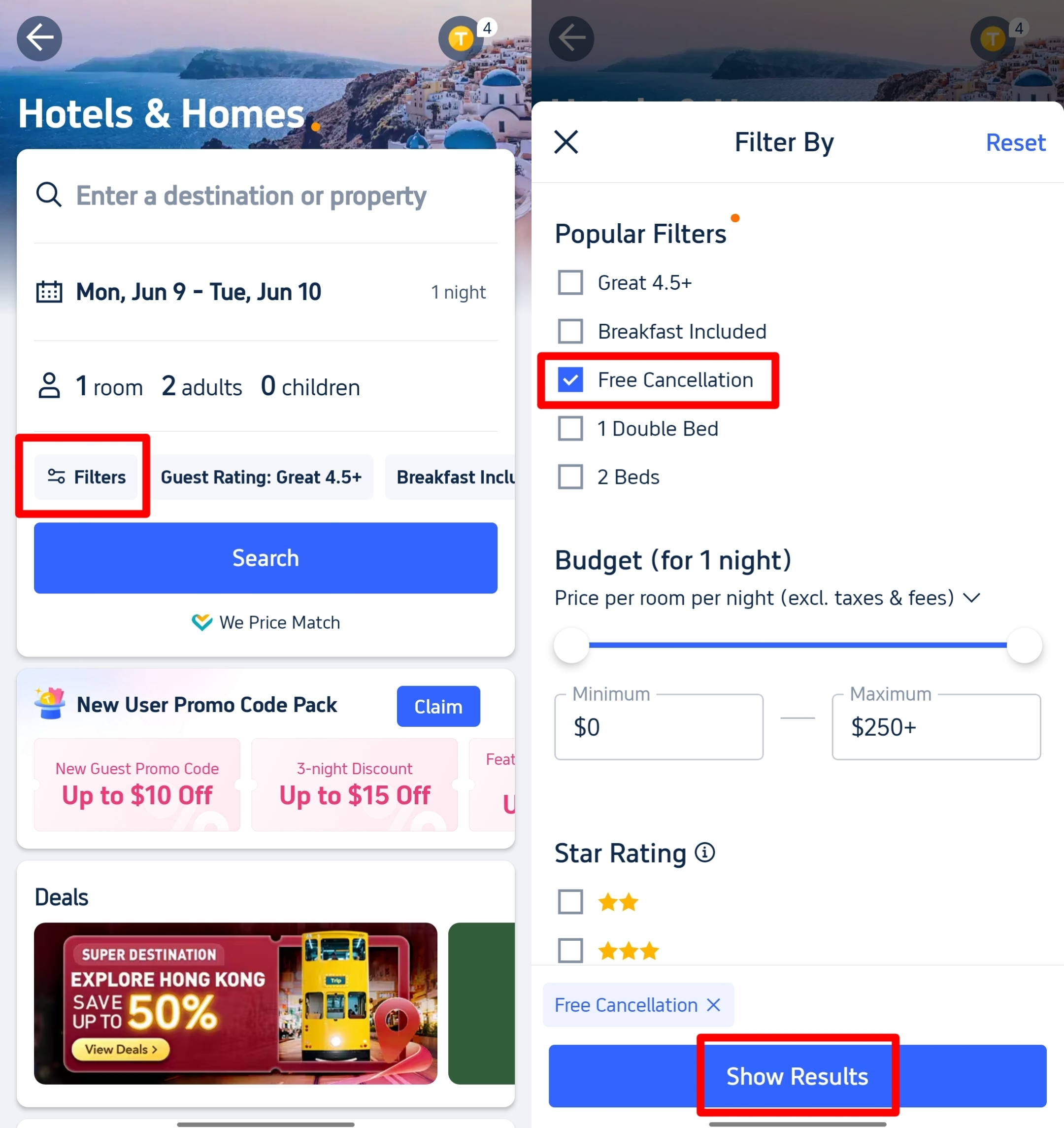
Follow these steps to find Trip.com Afterpay
Want hotels where you can book now, pay later, and cancel free? Easy. Follow these exact steps:
- Search: Go to Trip.com, enter your city, dates, and guests. Hit "Search".
- Click "Filter": Look for the "Filter" button near the top of the hotel list results. Click it.
- Find "Free Cancellation": In the menu that pops up, scroll down to "Cancellation Policy". Tick the box in Polupar Filters for "Free Cancellation".
- Show Results: Click "Show Results" or "Apply".
- Spot the Tag: Now only hotels offering free cancellation show up. Look for the "Free Cancellation" badge right on the hotel listing and in the room type details.
See all attractions







How to Use Trip.com Afterpay for "Pay Later" Room?
Found your hotel? Here's how to lock it in without paying now:
- Pick the RIGHT Room: Crucial! Choose a room type that clearly shows:
- "Free Cancellation"
- "Pay at Property" or sometimes "Pay Later"
- The exact cancellation deadline (e.g., "Free cancellation before Jan 15")
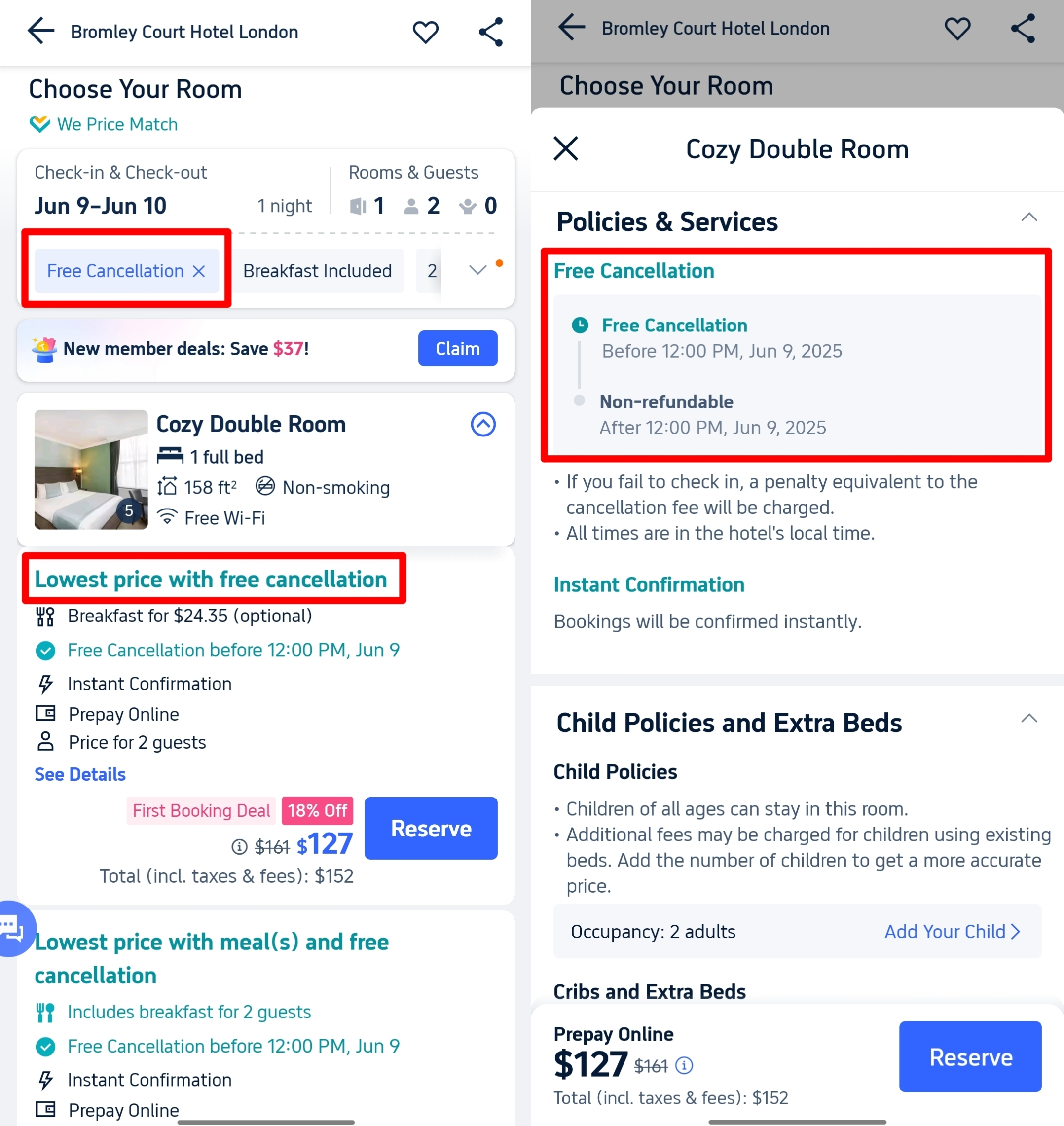
Choose a room that show fre cancellation
- Double-Check Policies: Click into the room details. Read the "Policies & Services" section like a hawk. This tells you the deadline for free cancellation and how you'll pay later (usually at hotel). Note this date!
- Hit "Reserve": Click the button.
- Enter Guest Info: Fill in the names of everyone staying accurately.
- Review EVERYTHING: Triple-check:
- Dates
- Room type
- That Cancellation Deadline
- Price
- Add any promo & coupon codes
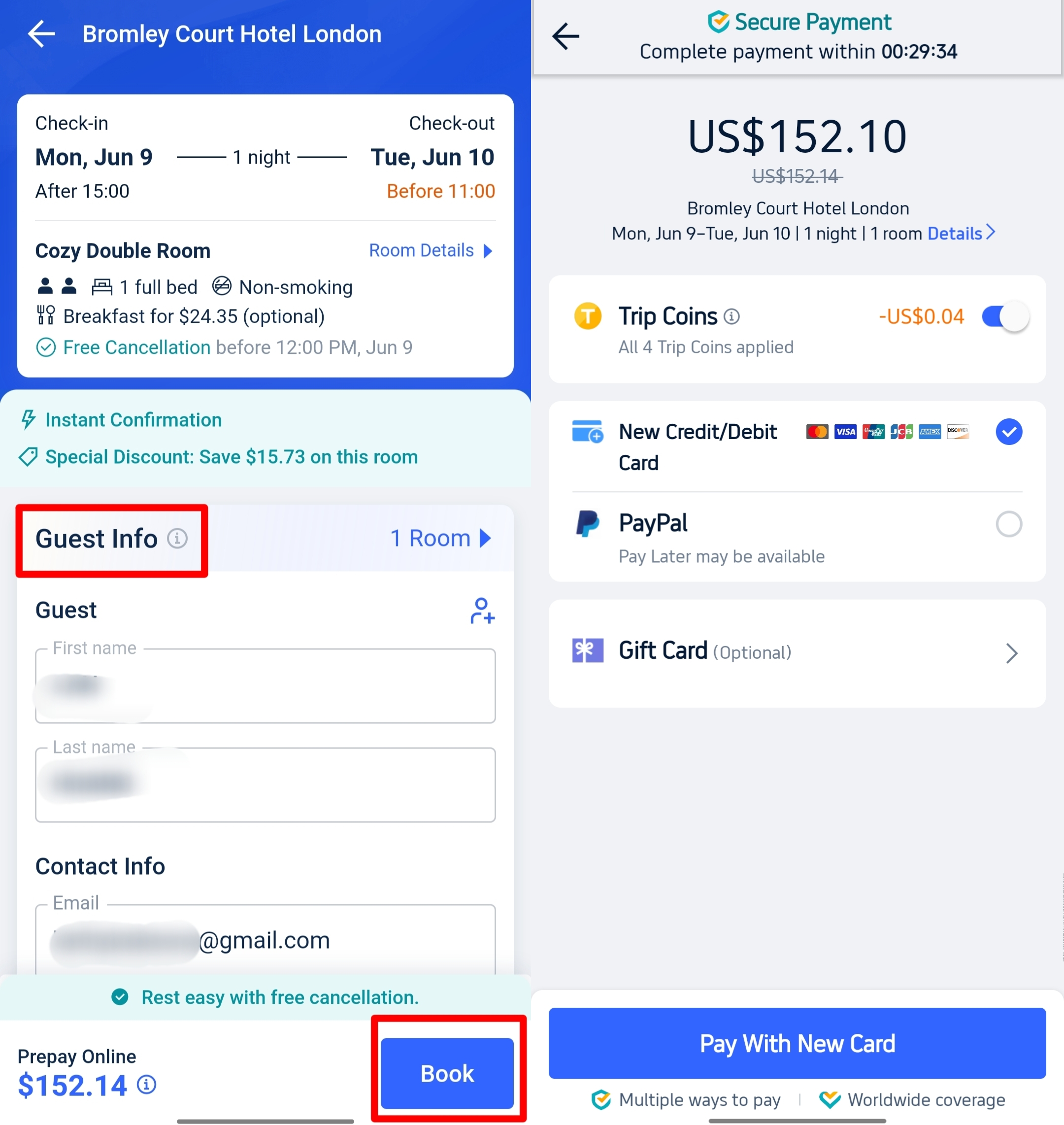
Confirm your book with Trip coins
- Reserve (Not Pay Yet!): Click the final button "Book". For most Pay Later / Pay at Property rooms, you will not be charged upfront. Some properties may still require you to enter credit card details to guarantee the reservation, with no charge applied until the cancellation deadline or check-in. Always review the booking terms before confirming.
How Long is the Trip.com Afterpay Period?
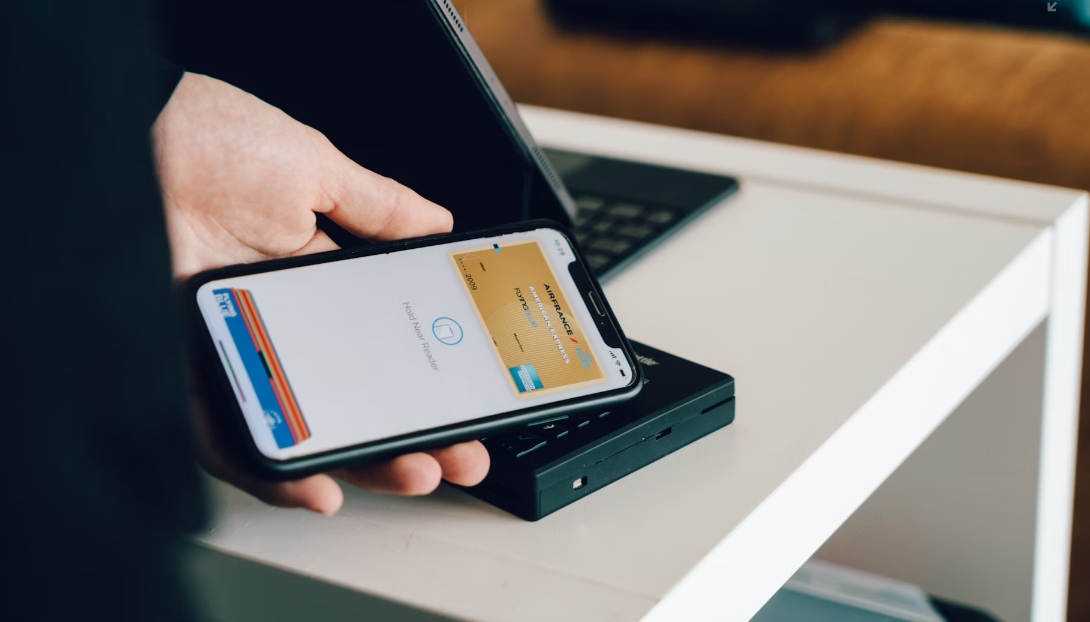
Credit: Unsplash, CardMapr.nl
There is NO single answer. Trip.com Afterpay (Free Cancellation) varies wildly by hotel. Always assume it's different and CHECK THE POLICY for your specific booking. Common examples:
Free Cancellation Period | Notes |
|---|---|
Up to 1 day before check-in | Standard option for last-minute flexibility. |
Up to 3 days before check-in | Gives a bit more planning time. |
Up to 7 days before check-in | Ideal for early planners. |
On the day of check-in | Rare and less common — don’t count on it. |
The BIG Rule: The cancellation deadline listed in the "Policies" section of YOUR chosen room is the ONLY one that matters. Ignore this, and you might get charged.
All cancellation windows are set by individual hotels and are subject to change; please confirm the exact deadline on your booking details page.
to Bangkok
to Manila
to Shanghai
to Tokyo
to Seoul
See all flights


FAQs about Trip.com Afterpay
-
What is Trip.com Afterpay?
-
Does Trip.com actually accept Afterpay payments?
-
How do I find hotels with the “pay later” feature on Trip.com?
-
When do I pay for the booking on Trip.com?
-
Can I cancel for free on Trip.com?
Disclaimer: This article has been provided by an individual contributor or third party platform. If there is any discrepancy regarding the copyright, please contact us directly and we will delete the content immediately.
Trending
-
Popular Flight & Hotel Packages
-
Getting Around
-
Popular Attractions
-
eSIM/SIM card
- Medellin Vacation Packages
- Hong Kong Vacation Packages
- Tokyo Flight and Hotel
- Koh Samui Flight and Hotel
- Hong Kong Flight and Hotel
- Bangkok Vacation Packages
- Langkawi Vacation Packages
- Fukuoka Vacation Packages
- Iloilo City Vacation Packages
- Batumi Vacation Packages
- Redang Island Vacation Packages
- Prague Vacation Packages
- Abu Dhabi Vacation Packages
- Banff Vacation Packages
- Cox'S Bazar Flight and Hotel
- Beijing Airport to City
- Beijing Metro
- Chongqing Metro Map
- China Train Business Class vs Second Class
- Shenzhen Airport
- Kobe Airport
- How to Use DiDi in China
- Wuxi Metro
- Hong Kong to Macau
- Osaka Metro
- Japan Taxi App
- Hong Kong Airport
- Guangzhou Airport Transit
- Macau Transportation
- Narita Airport to Shinjuku
- Macau to Hong Kong
- Beijing Daxing International Airport
- Forbidden City Tickets
- Zhangjiajie National Forest Park
- Shanghai Tower Tickets
- Shanghai Wild Animal Park
- Shanghai Disneyland Tickets
- Canton Tower Tickets
- shanghai to wangxian valley
- Shanghai Disneyland Fast Pass
- Huangshan
- Book China Attraction Tickets with Passport
- Universal Studios Beijing Tickets
- Great Wall of China Tickets
- Yu Garden Tickets
- Summer Palace Tickets
- Shanghai Disneyland Crowd Forecast